GCAN-PLC user manual
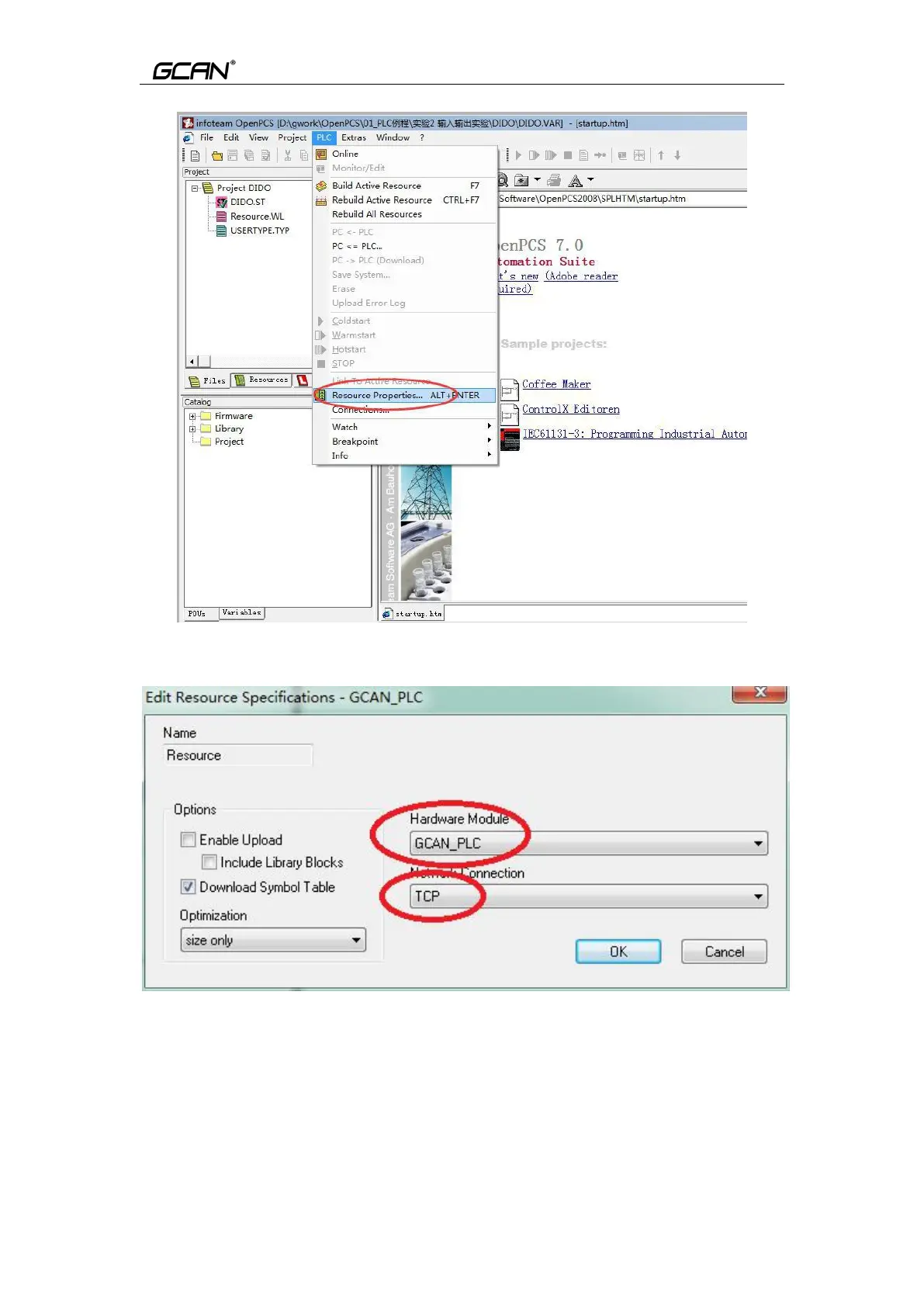
Figure 5.11 Set “Resource Properties”
Select ”GCAN_PLC” and “TCP”, then click “OK” to complete the setting
Figure 5.12 Select “GCAN_PLC” and “TCP”
5.3.5 Download the program and debug
After completing the program, click “Build Active Resource”.



 To Next Page