EasyManua.ls Logo

GE Security 600-1021-95R - User Manual

GE Security 600-1021-95R
72 pages
Print Icon
To Next Page IconTo Next Page
Loading...
g
GE Security
user guide
466-2183 Rev B
June 2005
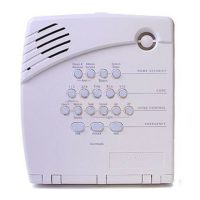
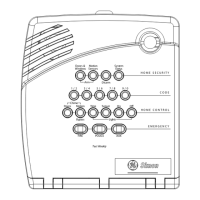
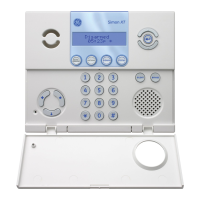
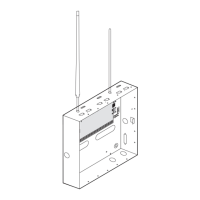
Concord 4 Series Security Systems
Part Numbers:
600-1021-95R
600-1022-95R
600-1040
600-1042
www.gesecurity.com

Table of Contents

Questions and Answers

  • R
    Rachel MartinAug 17, 2025
    What to do if my GE Security System says 'AC POWER FAILURE'?
    • C
      Colleen RossAug 17, 2025
      If your GE Security System displays 'AC POWER FAILURE', the panel power transformer might be unplugged, or there could be an AC power outage. If the transformer is plugged in, check the circuit breaker or fuse that controls the outlet.
  • A
    Alex MorenoAug 20, 2025
    How to fix GE Security System when it won't arm?
    • K
      Kathryn ConnerAug 20, 2025
      If you cannot arm your GE Security System, especially to Level 2—STAY or Level 3—AWAY, ensure all monitored perimeter doors and windows are closed. You can also press * for a system status to identify the problem. If the problem persists, it is recommended to call the installer.
  • B
    Brandon HendersonAug 22, 2025
    What does 'LOW BATT' mean on my GE Security System and how to fix it?
    • L
      Lisa GalvanAug 22, 2025
      If your GE Security System indicates 'LOW BATT', the emergency backup battery in the control panel is low and needs to be recharged or replaced. If AC power is out, the security system may shut down once the battery is below the operating level.
  • J
    Joyce ParkAug 25, 2025
    How to change battery in GE Security System sensor?
    • J
      Joanna WilliamsAug 26, 2025
      If your GE Security System displays 'SENSOR XX LOW BATTERY', follow these steps: 1. Disarm the system. 2. Remove the sensor cover. If the battery is an Alkaline AA or AAA, change the battery. If the battery is any other type, call your security dealer for service.
  • M
    Mike VillarrealAug 27, 2025
    What does 'PHONE FAILURE TROUBLE' mean on my GE Security System?
    • M
      michelle66Aug 28, 2025
      If your GE Security System shows 'PHONE FAILURE TROUBLE', follow these steps: 1. Ensure the panel is connected to the special phone jack installed by your security dealer. 2. Disconnect the panel from the special phone jack and check phones for a dial tone. If you hear a dial tone, call your security dealer for service. If you don’t hear a dial tone from any phones, telephone service in your area may be out.
  • P
    Patrick MilesAug 30, 2025
    Why can't I arm my GE Security System to Level 3 - AWAY?
    • A
      Anthony VaughnAug 30, 2025
      If you can’t arm your GE Security System to Level 3—AWAY, it might be because a delay door is open, or was not activated after the arming attempt. Close the delay door, arm the system to Level 3, then exit through a delay door.
  • M
    Megan SchultzSep 2, 2025
    What does 'SENSOR TROUBLE' mean on GE Security System and how to fix it?
    • S
      Samantha LopezSep 2, 2025
      If your GE Security System displays 'SENSOR TROUBLE', a sensor may have an internal problem, a fire/smoke sensor may not have properly reset after activation, or the sensing chamber may be dirty or partially obstructed. 1. Test the sensor in Test Mode. 2. If testing the sensor does not clear the trouble condition, call your security dealer for service.
  • U
    uspearsSep 5, 2025
    What does 'SENSOR XX TAMPER' mean on my GE Security System?
    • D
      daniel64Sep 5, 2025
      If your GE Security System displays 'SENSOR XX TAMPER', a sensor cover is off or open. Secure the cover and trip the sensor to clear the tamper condition.
  • I
    ianjohnsonSep 7, 2025
    Why can't I bypass a sensor on my GE Security System?
    • M
      Mrs. Sabrina WhiteSep 7, 2025
      If your GE Security System displays 'INVALID' when trying to bypass a sensor, or the touchpad sounds a long beep, the sensor you’re trying to bypass may not be active in the current arming level (for example, an interior motion detector will not be active in Level 2—STAY). Also, you may be trying to bypass a 24-hour sensor that cannot be bypassed, such as a smoke detector. Another possible cause is that your access code has not been assigned the direct bypassing attribute.
  • O
    onielsenSep 10, 2025
    What does 'SENSOR SUPERVISORY' mean on my GE Security System?
    • T
      Tina MeyerSep 10, 2025
      If your GE Security System displays 'SENSOR SUPERVISORY', there is a problem with how the sensor is communicating with the panel. 1. Test the sensor in Test Mode. 2. If testing the sensor does not clear the trouble condition, call your security dealer for service.

GE Security 600-1021-95R Specifications

General IconGeneral
BrandGE Security
Model600-1021-95R
CategorySecurity System
LanguageEnglish

Related product manuals