GE
Security
Simon XT V2 Installation Guide
Content
Contact information 1
Description 1
Installation 1
Connecting hardwired devices 2
Wiring phone lines 2
Wiring the power transformer 3
Programming 3
Sensor testing 6
Specifications 7
Regulatory information 7
Contact information
For contact information see our Web site:
www.gesecurity.com.
Description
© 2010 GE Security, Inc. P/N 466-2375 • REV A • ISS 24FEB10
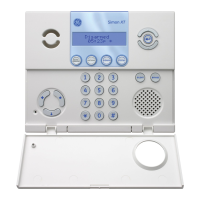
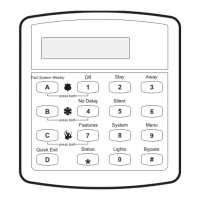
This is the Installation Guide for the Simon XT control panel
(model 600-1054-95R-V2).
The system can monitor up to 40 sensors including:
• Door/Window sensor (60-670)
• Indoor motion sensor (60-639)
• Outdoor motion sensor (60-639)
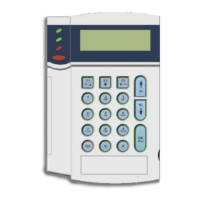
• Remote handheld touchpad (60-671)
Contact your GE representative for a more complete list.
Caution: Do not use outdoor motion sensors for intrusion
protection
Table 1 below describes the recommended sensor groups.
Table 1: Recommended sensor groups
Device Recommended sensor group
Indoor motion sensor 17
a
Outdoor motion sensor 25 (chime only group)
b
Entry/exit door 10
Interior door 14
Window sensor 13
Smoke sensor 26
c
Key fob 01
ELM key fob 01
Remote handheld touchpad 01
CO alarm 34
b
Freeze sensor 29
b
Water sensor 38
b
Personal help button 01
a. Not certified as a primary protection circuit for UL-listed
systems and is for supplementary use only.
b. Has not been investigated by UL.
c. Required for UL-listed residential fire alarm applications.
Installation
Tabs at the top of the panel secure and release the front
cover and the chassis. The plastic hinges on the panel
bottom allow the cover and chassis to swing down and out
of the way.
To mount the panel on a wall:
1. Choose a panel location.
2. Run all necessary power, phone, siren, and hardwired
contact wires to the desired panel location.

 Need help?
 General

 To Next Page