Mounting Instructions:
1. Prepare cabinet by removing items from counter and cleaning
underside of cabinet where TV is to be mounted.
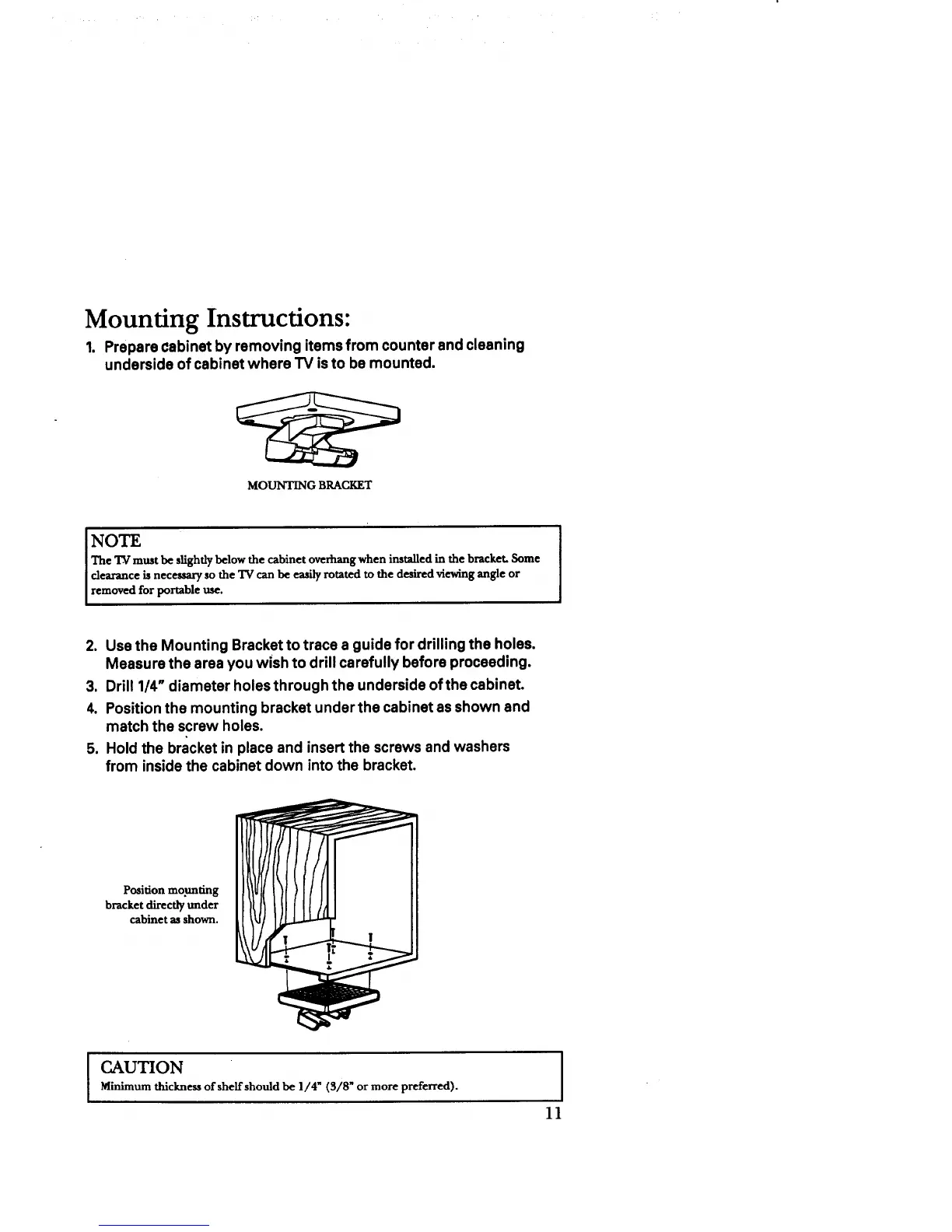
MOUNTING BRACKET
NOTE
The "IV must be slightly below the cabinet overhang when installed in the bracket. Some
clearance is necessary so the TV can be easily rotated to the desired viewing angle or
removed for portable use.
2. Use the Mounting Bracket to trace a guide for drilling the holes.
Measure the area you wish to drill carefully before proceeding.
3. Drill 1/4" diameter holesthrough the underside of the cabinet.
4. Position the mounting bracket under the cabinet as shown and
match the screw holes.
5. Hold the bracket in place and insert the screws and washers
from inside the cabinet down into the bracket.
Position mo.unting
bracket directly under
cabinet as shown,
I
CAUTION
Minimum thickness of shelf should be 1/4" (S/8" or more preferred).
11



 To Next Page