2-6
Installing Pad Covers
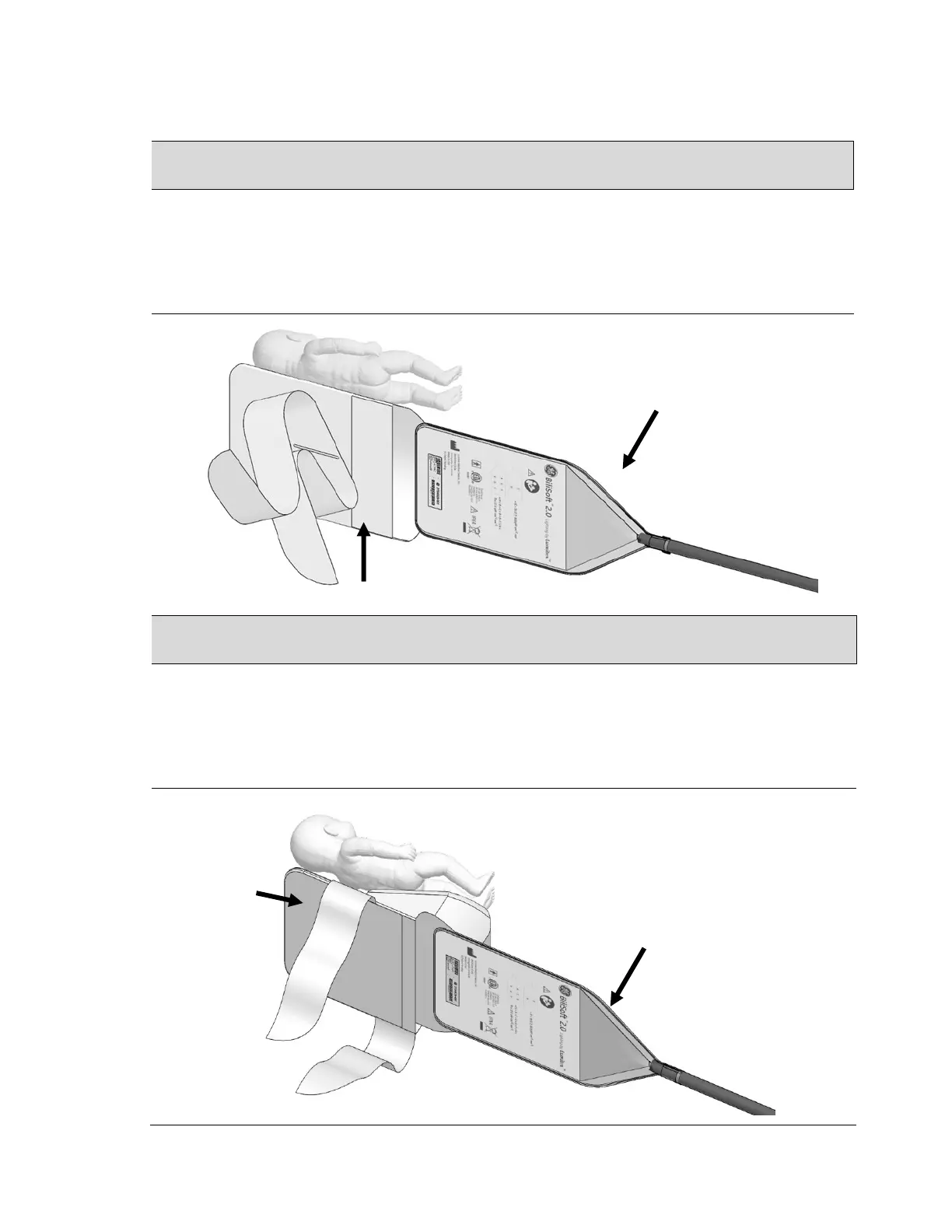
Installing Flat Pad Covers Onto Pad
1. After the Pre-Use Checkout, gently insert the fiberoptic pad into a flat pad cover (shown
below). The back of pad should face the strap side of the cover as shown.
For patient comfort and hygiene, never place a baby directly on the bare fiberoptic
light pad. The light pad should be covered with the BiliSoft Flat Pad Cover or Nest.
Installing Pad Nest Covers Onto Pad
2. After the Pre-Use Checkout, gently insert the fiberoptic pad into a Nest cover (shown
below). The back of pad should face the strap side of the cover as shown.
For patient comfort and hygiene, never place a baby directly on the bare fiberoptic light
pad. The light pad should be covered with the BiliSoft Flat Pad Cover or Nest.


 To Next Page