A2-3
Installing Pad Covers
IMPORTANT: All BiliSoft pads have one side that emits blue light, this side is identified with a
graphical symbol of a baby. The other side of the pad contains printed instructions, and does not
emit blue light. It is important to have the blue light side with baby symbol directed toward the baby.
Installing Flat Pad Covers Onto Pad
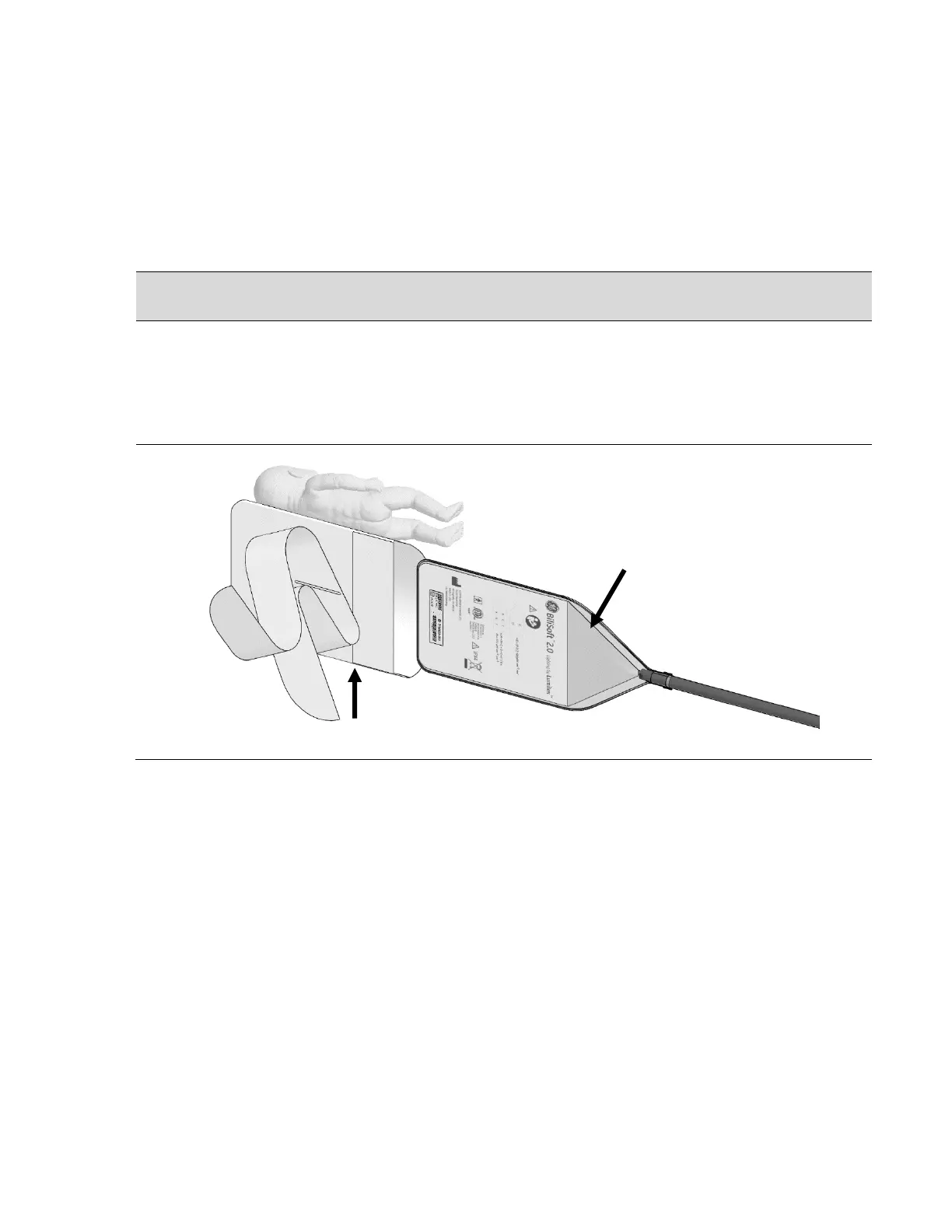
1. Gently insert the BiliSoft 2.0 fiberoptic pad into a BiliSoft flat pad cover (shown below). The
back of pad should face the strap side of the cover as shown.
For baby’s comfort and hygiene, never place a baby directly on the bare fiberoptic light
pad. The light pad should be covered with the BiliSoft Flat Pad Cover or Nest.


 To Next Page