86 DVSR xU User Manual
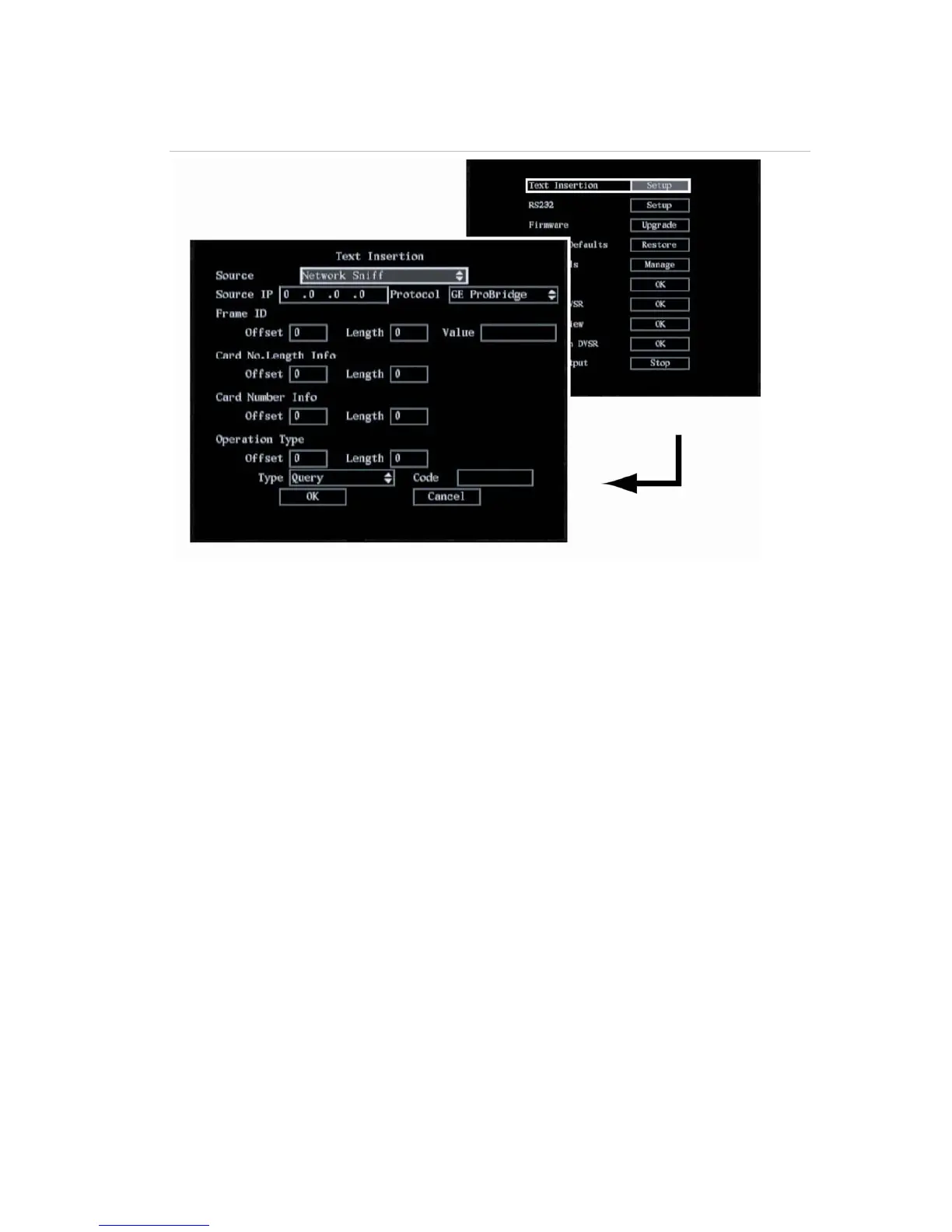
Figure 58: The Text insertion capturing options – Network Sniff
b. Network Receive: Go to Local Port and press EDIT or left-click the mouse to enter edit mode.
Enter the values. Select OK when completed and return to the System menu.
c. Receive data sent by ATM through serial port: Go to the Protocol list box and select the
protocol parameter. GE ProBridge is default. Go to the Start String edit box and press EDIT or
left-click the mouse to enter edit mode. Enter the values. Select OK when completed and
return to the System menu. See Figure 59.


 To Next Page