EasyManua.ls Logo

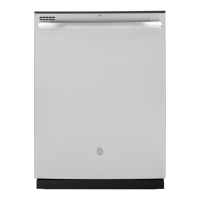
GE GDP615 Series - User Manual

GE GDP615 Series
24 pages
Print Icon
To Next Page IconTo Next Page
Loading...
Write the model and serial
numbers here:
Model # _________________
Serial # _________________
You can find them on a label on
the tub wall just inside the door.
GE is a trademark of the General Electric Company. Manufactured under trademark license.
OWNER’S MANUAL
DISHWASHERS
49-4000239 Rev 1 02-21 GEA
ENGLISH/FRANÇAIS/
ESPAÑOL
GDF530 Series
GDF630-640 Series
GDT535-635 Series
GDP615 Series
SAFETY INFORMATION .........3
USING THE DISHWASHER
Getting Started ........................5
Dispensers ............................8
Appliance Communication .............10
Loading ............................. 11
CARE AND CLEANING ............16
TROUBLESHOOTING TIPS ......19
LIMITED WARRANTY ...........23
CONSUMER SUPPORT ......... 24
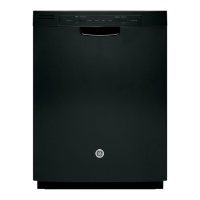
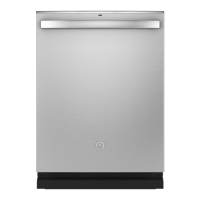
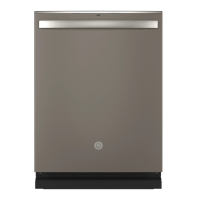
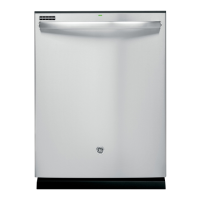
FRONT CONTROL MODELS TOP CONTROL MODELS

Questions and Answers

  • J
    Joshua FrazierAug 30, 2025
    Why aren't my dishes drying in my GE GDP615 Dishwasher?
    • T
      Tammy GardnerAug 31, 2025
      Several factors can affect drying performance. Ensure the inlet water temperature is at least 120°F. Select Heated Dry or Dry Boost and Wash Temp Boost. Check the rinse agent dispenser and fill if needed. On some models, leave the door closed after the Clean light appears to allow the fan to run for an additional 90 minutes. If using the Light cycle, switch to a different cycle. Allow cycles to fully complete.
  • C
    colleen84Aug 25, 2025
    Why don't my dishes dry in GE Dishwasher?
    • B
      Brandon TaylorAug 25, 2025
      Several factors can affect drying performance. Ensure the inlet water temperature is at least 120°F. Select Heated Dry or Dry Boost, and consider using Wash Temp Boost or a higher cycle like Steam Sani or Heavy. Check and fill the rinse agent dispenser if it's empty. On some models, leaving the door closed after the Clean light appears allows the fan to run for an additional 90 minutes. Also, if you are using a Light cycle, switch to a different cycle.
  • C
    Charles GibsonSep 4, 2025
    How to remove black or gray marks on dishes from GE Dishwasher?
    • S
      smeyerSep 4, 2025
      Black or gray marks on dishes are usually caused by aluminum utensils rubbing against them. Remove the marks with a mild, abrasive cleaner.
  • T
    Tammy BentonSep 8, 2025
    How to remove black or gray marks on dishes from my GE GDP615 Dishwasher?
    • S
      Scott WoodsSep 8, 2025
      If you notice black or gray marks on dishes in your GE Dishwasher, it's likely due to aluminum utensils rubbing against the dishes. Remove the marks with a mild, abrasive cleaner.
  • M
    Melissa LeonSep 1, 2025
    Why is water standing in the bottom of my GE GDP615 Dishwasher tub?
    • C
      Carlos WolfSep 1, 2025
      Water standing in the bottom of the tub can be caused by: * A clogged air gap: Clean the air gap. See the Care and Cleaning section. * Improper installation: High drain loop or air gap not installed. Refer to the Installation Instructions for proper drain line installation.
  • C
    christine54Aug 28, 2025
    How to improve drying in my GE Dishwasher?
    • W
      Willie MckenzieAug 29, 2025
      If your GE Dishwasher isn't drying dishes effectively, several factors could be contributing. First, ensure the inlet water temperature is at least 120°F and select Heated Dry or Dry Boost. You can also use Wash Temp Boost or select a higher cycle, such as Steam Sani or Heavy. Check the rinse agent dispenser and fill it as needed. On some models, leaving the door closed after the Clean light appears allows the fan to run for an additional 90 minutes to improve drying. Note that opening the door cancels this fan extension. If you're using a Light cycle, which uses lower water temperature, switch to a different cycle. Allow cycles to fully complete.
  • M
    Michael KingSep 12, 2025
    What does it mean when the start status indicator light is flashing on my GE GDP615?
    • S
      Shaun GuerreroSep 12, 2025
      The flashing light indicates that the door was opened or the cycle was interrupted. Press the Start pad once and close the door within 4 seconds to start the dishwasher. If you want to cancel the cycle, press the Start pad a second time while the dishwasher is running.
  • G
    garybradySep 6, 2025
    Why is the start status indicator light flashing on my GE GDP615?
    • T
      Thomas JacksonSep 6, 2025
      If your GE Dishwasher's start status indicator light is flashing, it means the door was opened or the cycle was interrupted. To restart the dishwasher, press the Start pad once and close the door within 4 seconds. If you want to cancel the cycle while the dishwasher is running, press the Start pad a second time.
  • M
    michaelwilliamsAug 27, 2025
    What to do if my GE GDP615 won’t run?
    • N
      Nicholas AguirreAug 27, 2025
      If your GE Dishwasher won’t run, there are a few things to check. First, see if a fuse is blown or a circuit breaker is tripped; replace the fuse or reset the circuit breaker and remove any other appliances from the circuit. Also, in some installations, the power to the dishwasher is provided through a wall switch; make sure it is on. Finally, the control panel might be locked; unlock the control panel, see the Getting started section.
  • A
    Aaron MartinezSep 13, 2025
    Why is my GE GDP615 control panel responding to inputs but the dishwasher never filled with water?
    • J
      Joshua MosleySep 13, 2025
      Make sure the door is firmly closed. Ensure the water valve (usually located under the sink) is turned on. The flood float may be stuck. Remove the Ultra-Fine Filter assembly and lightly tap the piece under the ultra fine filter assembly that looks like a dome. Replace the filter.

Summary

Important Safety Information

Proper Installation and Maintenance

Instructions for correct installation and maintenance to ensure safety.

Safety Information

Water Heater Safety

Safety advice related to water heater usage and potential hydrogen gas.

Risk of Child Entrapment

Warnings regarding child safety and preventing entrapment in appliances.

Injury and Property Damage Cautions

Cautions to prevent minor injuries and property damage during operation.

Using the Dishwasher: Getting Started

Getting Started

Step-by-step guide to begin using the dishwasher, including loading and selecting cycles.

Using the Dishwasher: Loading

Loading: Upper Rack

Guidelines for loading the upper rack for optimal cleaning performance.

Using the Dishwasher: Loading Examples

Loading: Upper Rack Examples

Visual examples of loading the upper rack for different place settings.

Using the Dishwasher: Lower Rack

Loading: Lower Rack

Guidelines for loading the lower rack with plates, saucers, and cookware.

Using the Dishwasher: Third Rack

Loading: 3 rd Rack

Instructions for loading and removing the 3rd rack for silverware and utensils.

Using the Dishwasher: Silverware

Loading: Silverware Basket

Guidance on loading the silverware basket for effective cleaning and safety.

Care and Cleaning

Care and Cleaning: Maintenance

Filters Cleaning

How to inspect and clean the Ultra-Fine and Fine Filter assemblies.

Troubleshooting Tips

Troubleshooting: Performance

Troubleshooting: Interior Issues

Troubleshooting: Operation Sounds

Limited Warranty

GE GDP615 Series Specifications

General IconGeneral
BrandGE
ModelGDP615 Series
CategoryDishwasher
LanguageEnglish

Related product manuals