EasyManua.ls Logo

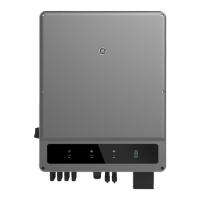
GE GEP60-10 - User Manual

GE GEP60-10
24 pages
Print Icon
To Next Page IconTo Next Page
Loading...
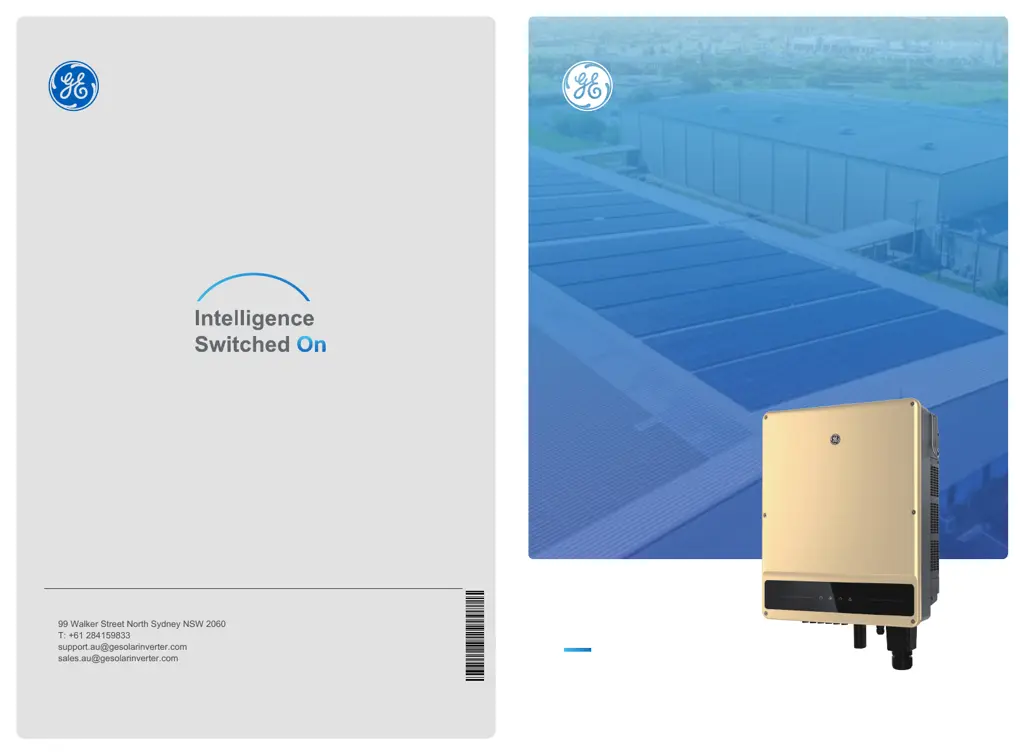
SOLAR INVERTER
Ver.1.1
www.gesolarinverter.com
99 Walker Street North Sydney NSW 2060
T: +61 284159833
support.au@gesolarinverter.com
sales.au@gesolarinverter.com
Global Sales & Service Network
GEP
12-60KW THREE PHASE
USER MANUAL
* GE is a registered trademark of General Electric Company and is used under license by Jiangsu GoodWe Power Supply Technology Co., Ltd.
© 2020 All Rights Reserved
340-00453-01

Questions and Answers

  • K
    Kevin PattonAug 16, 2025
    What to do if my GE GEP60-10 Inverter shows Utility Loss?
    • H
      howardlaceyAug 16, 2025
      If your GE Inverter indicates a Utility Loss, follow these steps: First, disconnect the DC switch and remove the AC connector. Then, measure the voltage between line and neutral in the connector to ensure it conforms to the inverter's grid-connected specification. If it doesn't, inspect the grid wiring and check if the distribution switch is connected and the grid is functioning correctly. If the voltage is correct, reconnect the AC and DC connectors. If the problem persists, further assistance is needed.
  • B
    Brandon MorrisonAug 19, 2025
    What should I do if my GE Inverter displays 'PV Over Voltage'?
    • J
      John SmithSep 12, 2025
      If your GE Inverter displays a 'PV Over Voltage' error, take these steps: First, disconnect the DC switch and remove the DC connector. Check the PV string voltage to ensure it does not exceed the input voltage specified for your inverter. If it does, reconfigure the PV panel string. If the problem continues, further assistance is required.
  • D
    Dustin LevineAug 22, 2025
    What to do if my GE GEP60-10 shows Vac Failure?
    • R
      Robert SolomonAug 22, 2025
      If your GE Inverter is showing a Vac Failure, follow these steps: First, disconnect the DC switch and remove the AC connector. Then, measure the voltage between the line and neutral in the connector to ensure it conforms to the inverter's grid-connected specification. If it does not, check the grid wiring. If it does, connect the AC connector and reconnect the DC switch, allowing the inverter to connect automatically. If the problem continues, further assistance is needed.
  • L
    Laura MoralesAug 25, 2025
    How to fix Isolation Failure on a GE Inverter?
    • T
      Teresa ParksAug 26, 2025
      To address an Isolation Failure on your GE Inverter, follow these steps: First, disconnect the DC switch and remove the DC connector. Check the impedance between PV (+) & PV (-) to earth. If the impedance is less than 100 kΩ, inspect the insulation of the PV string wiring to the earth. If the impedance is larger than 100 kΩ, further assistance is needed. Remove the AC connector and measure the impedance between neutral and PE. If it is larger than 10 kΩ, inspect the AC wiring.
  • N
    Nicole PhillipsAug 28, 2025
    How to resolve Ground I Failure on GE Inverter?
    • K
      Keith PattersonAug 28, 2025
      To resolve a Ground I Failure on your GE Inverter, follow these steps: First, disconnect the DC switch and check the insulation of the PV string wiring to earth. Then, reconnect the DC switch. If the problem persists, further assistance is needed.
  • Z
    zwatsonAug 31, 2025
    Why is my GE GEP60-10 not displaying anything?
    • C
      connie45Aug 31, 2025
      If your GE Inverter's display is blank, follow these steps: First, disconnect the DC switch and remove the DC connector. Measure the voltage of the PV string. Next, plug in the DC connector and reconnect the DC switch. If the voltage is less than 70 V, check the PV string configuration. If the voltage is higher than 180V and there's still no display, further assistance is needed.
  • R
    Robert RussellSep 3, 2025
    What to do if my GE GEP60-10 Inverter indicates Utility Loss?
    • T
      tstevensSep 3, 2025
      If your GE Inverter indicates a utility loss, take the following steps: 1. Disconnect the DC switch and take off the AC connector. Then, measure the voltage between line and neutral in the connector to ensure it conforms to the grid-connected specification of the inverter. 2. If it does not conform, check if the distribution switch is connected and the grid is normal. 3. If it does conform, reconnect the AC connector and DC connector.
  • N
    Nathan BrownSep 6, 2025
    What to do if my GE Inverter displays a PV Over Voltage error?
    • B
      Briana AtkinsonSep 6, 2025
      If your GE Inverter displays a PV Over Voltage error, follow these steps: 1. Disconnect the DC switch and take off the DC connector. Check the PV string voltage to see if it exceeds the input voltage specified for the inverter. 2. If it does exceed the limit, reconfigure the PV panel string.
  • B
    blakedavidSep 9, 2025
    What to do if my GE GEP60-10 shows AC Voltage Failure?
    • D
      diane40Sep 9, 2025
      If your GE Inverter is showing an AC Voltage Failure, here’s what you should do: 1. Disconnect the DC switch, take off the AC connector, and measure the voltage between line and neutral in the connector. Ensure it conforms to the grid-connected specification of the inverter. 2. If it does not, check the grid wiring. 3. If it does conform, connect the AC connector and reconnect the DC switch. The inverter will connect automatically.
  • L
    lisa42Sep 12, 2025
    How to fix AC Frequency Failure on my GE Inverter?
    • J
      Jeffrey PriceSep 12, 2025
      If your GE Inverter is experiencing an AC Frequency Failure, the PV inverter will automatically restart when the frequency returns to normal.

Summary

2 Safety Measures & Warning

3 Product Introduction

3.1 Intended Usage

Describes the purpose of the GEP series inverter in a PV power system.

3.3 Technical Description

4 Installation

4.1 Mounting Instructions

Details environmental and location requirements for optimal inverter mounting.

4.3 Electrical Installation

4.3.1 AC Side Lines Connection

Instructions for safely connecting the AC power cables to the inverter.

4.3.2 AC Circuit Breaker and Residual Current Device

Specifies circuit breaker requirements and residual current device integration.

4.3.3 Earth Terminal Connection

Details the proper procedure for grounding the inverter.

4.3.4 Connecting Inverter to PV Panel

Provides safety precautions and steps for connecting PV strings to the inverter.

5 System Operation

5.3 System Configuration

Covers essential settings like language, time, communication, and country codes.

5.3.2 Advanced Settings

Guides users through advanced configuration options like power limit and CT ratio.

5.4 Precaution For Initial Startup

Crucial steps to follow before powering on the inverter for the first time.

5.5 Special Adjustable Setpoints

Covers adjustable parameters like trip points, QU curves, and PU curves.

6 Troubleshooting

7 Technical Parameters & Block Diagram

7.1 Technical Parameters

Detailed technical specifications for various GEP inverter models.

GE GEP60-10 Specifications

General IconGeneral
Input Voltage480 VAC
Frequency50/60 Hz
Rated Power60 kW
Output Voltage480 VAC
Output Current72 A
Communication OptionsModbus

Related product manuals