EasyManua.ls Logo

GE GFD65 - User Manual

GE GFD65
40 pages
Print Icon
To Next Page IconTo Next Page
Loading...
49-3000206 Rev 1
09-19 GEA
GE is a trademark of the General Electric Company. Manufactured under trademark license.
DRYERS
SAFETY INFORMATION .........3
USING THE DRYER
WiFi Connect ........................ 5
Getting Started ...................... 5
Cycles ................................7
Settings ..............................8
Options ..............................8
Loading .............................10
CARE AND CLEANING .......... 11
INSTALLATION
INSTRUCTIONS ..................12
Reversing The Door Swing (Optional) . . 30
Stacking (Optional) ...................32
TROUBLESHOOTING TIPS ..... 36
LIMITED WARRANTY .......... 39
CONSUMER SUPPORT ......... 40
OWNER’S MANUAL &
INSTALLATION
INSTRUCTIONS
Write the model and serial
numbers here:
Model # _________________
Serial # _________________
They are on the label on the front
of the dryer behind the door.
ENGLISH/FRANÇAIS/
ESPAÑOL
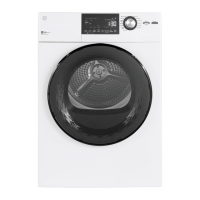
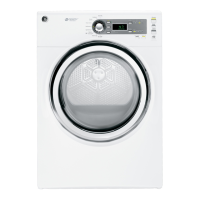
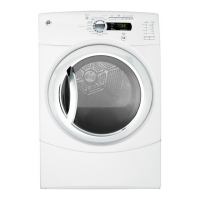
GFD85
GFD65
GFD55
GFV55


Questions and Answers

  • R
    reynoldsjasonAug 30, 2025
    What to do if clothes are still damp after using the 'Dry' setting on my GE GFD65?
    • M
      Miss Jessica RiveraAug 30, 2025
      If the dryness level was chosen but the load in your GE Dryer is still damp, it could be due to a mixture of heavy and light fabrics in the load. When combining heavy and light fabrics, choose More Dry. Another potential cause is a blocked exhaust system, so inspect and clean it.
  • T
    tjonesSep 5, 2025
    How to remove lint from clothes in my GE Dryer?
    • A
      Andrew FrancoSep 5, 2025
      If you see lint on clothes after drying them in your GE Dryer, clean the lint screen before each load. Also, sort lint producers (like chenille) from lint collectors (like corduroy). Static electricity can attract lint, so consider the suggestions in this section under Static occurs. Avoid overloading the dryer by separating large loads into smaller ones. Finally, empty all pockets before laundering clothes to prevent paper or tissue from contributing to lint.
  • W
    William ButlerAug 29, 2025
    How to fix a GE GFD65 Dryer that shakes or makes noise?
    • L
      llawsonAug 29, 2025
      If your GE Dryer shakes or makes noise, it might be sitting unevenly. Move the dryer to an even floor space, or adjust the leveling legs until it is stable.
  • B
    bianca92Sep 22, 2025
    Why does my GE GFD65 Dryer have inconsistent drying times?
    • J
      jacobestradaSep 22, 2025
      If you are experiencing inconsistent drying times with your GE Dryer, drying time will vary according to the type of heat used. Also, the load size, types of fabric, wetness of clothes, and the length and condition of the exhaust system will affect drying times.
  • N
    Nathan JosephSep 23, 2025
    Why are garments still wrinkled after a steam cycle in my GE GFD65?
    • C
      Connie TranSep 23, 2025
      If garments are still wrinkled after a steam cycle, try loading fewer garments and manually increasing the time. Also, ensure the lint filter is clean. For children's/infant garments, use the Steam Refresh cycle.
  • L
    leonardericaSep 8, 2025
    Why is there water on the floor behind my GE Dryer?
    • W
      William HolderSep 8, 2025
      If you find water on the floor in the back of your GE Dryer, check for a loose water hose connection and tighten it. Also, ensure the hose has a rubber washer at the connection with the valve; install the rubber washer provided with the hose if it's missing.
  • R
    Rachel BradleySep 12, 2025
    Why does my GE Dryer show 00 in Time Remaining while running?
    • J
      James HoltSep 12, 2025
      If your GE Dryer is running but displays '00' in Time Remaining, it's normal if the Wrinkle Care option is selected, as the time is not displayed during extended tumbling (approximately 60 minutes). Also, ensure the lint filter is clean. If not, clean it, dry a load on an automatic cycle, and verify that the light turns off. Improper or obstructed ducting can also cause this; check the Installation Instructions to ensure correct venting and that the ducting is clean and unobstructed. Dry a load on an automatic cycle and verify that the light turns off.
  • P
    pierceaaronSep 18, 2025
    Why does my GE Dryer keep tumbling after it's done?
    • J
      Jerry KleinSep 19, 2025
      If your GE Dryer continues to tumble after the display says Complete, it's likely that the Wrinkle Care option was selected. Ensure that the Wrinkle Care option is not selected if you want the dryer to stop completely after the cycle.
  • R
    Roy MejiaAug 27, 2025
    Why my GE GFD65 is not heating?
    • T
      Thomas HarrisonAug 27, 2025
      If your GE Dryer isn't heating, first check the building’s fuse/circuit breaker box and replace both fuses or reset both breakers, as some dryers use two. For gas models, ensure the gas shutoff at the dryer and the main shutoff are fully open, and that the LP gas supply tank isn't empty or there hasn't been a utility interruption. Also, verify that a heat temperature is selected, rather than a no heat setting.
  • J
    Jesus PerezAug 26, 2025
    What to do if my GE GFD65 Dryer doesn’t start?
    • U
      uwilliamsAug 26, 2025
      If your GE dryer doesn’t start, first, press the Power button to activate the control panel if it's "asleep". Ensure the dryer is plugged completely into the outlet. Check the building’s fuse/circuit breaker box and replace the fuse or reset the breaker, noting that some electric dryers use two fuses/breakers. If the light on the Start/Pause pad is flashing, press Start/Pause to restart the countdown, as the dryer may have been accidentally paused when starting Delay Dry.

GE GFD65 Specifications

General IconGeneral
TypeFront Load
Capacity7.8 cu. ft.
Drying TechnologySensor Dry
Control TypeElectronic
Number of Cycles12
Steam OptionYes
Wi-Fi ConnectivityYes
Fuel TypeElectric
VentlessNo
SmartYes
Number of Temperature Settings5
Wrinkle Control OptionYes
Moisture SensorYes
Energy Star CertifiedYes
Dryer VentingVented

Related product manuals