GFK-2306E Chapter 3 Installation Procedures for Conformance and Compliance 3-3
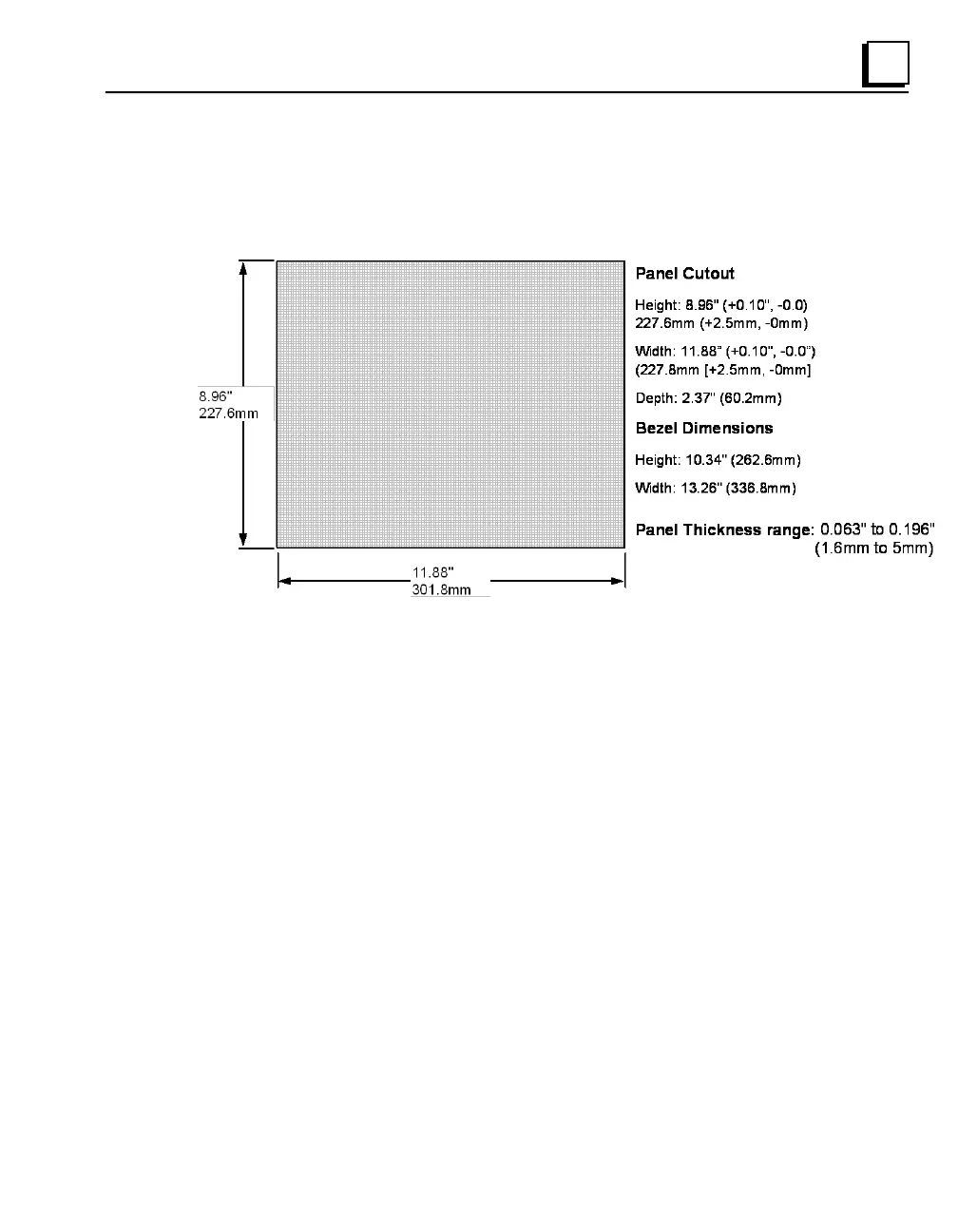
Panel Cutout
For enclosure mounting, cut an opening in the panel according to the
specifications.
Installation Notes:
To avoid gasket degradation, limit repeated insertions or removals of
the unit and retightening of the mounting clips. For full protection,
always use a fresh gasket. Replacement gaskets may be ordered using
part number IC754ACC12GAS.
The unit will not fit through the cutout with a compact flash (CF) card
inserted in the port, with any cables connected, or with the power
supply plug inserted in the socket.



 To Next Page