GFK-2306E Chapter 4 Detailed Operation 4-31
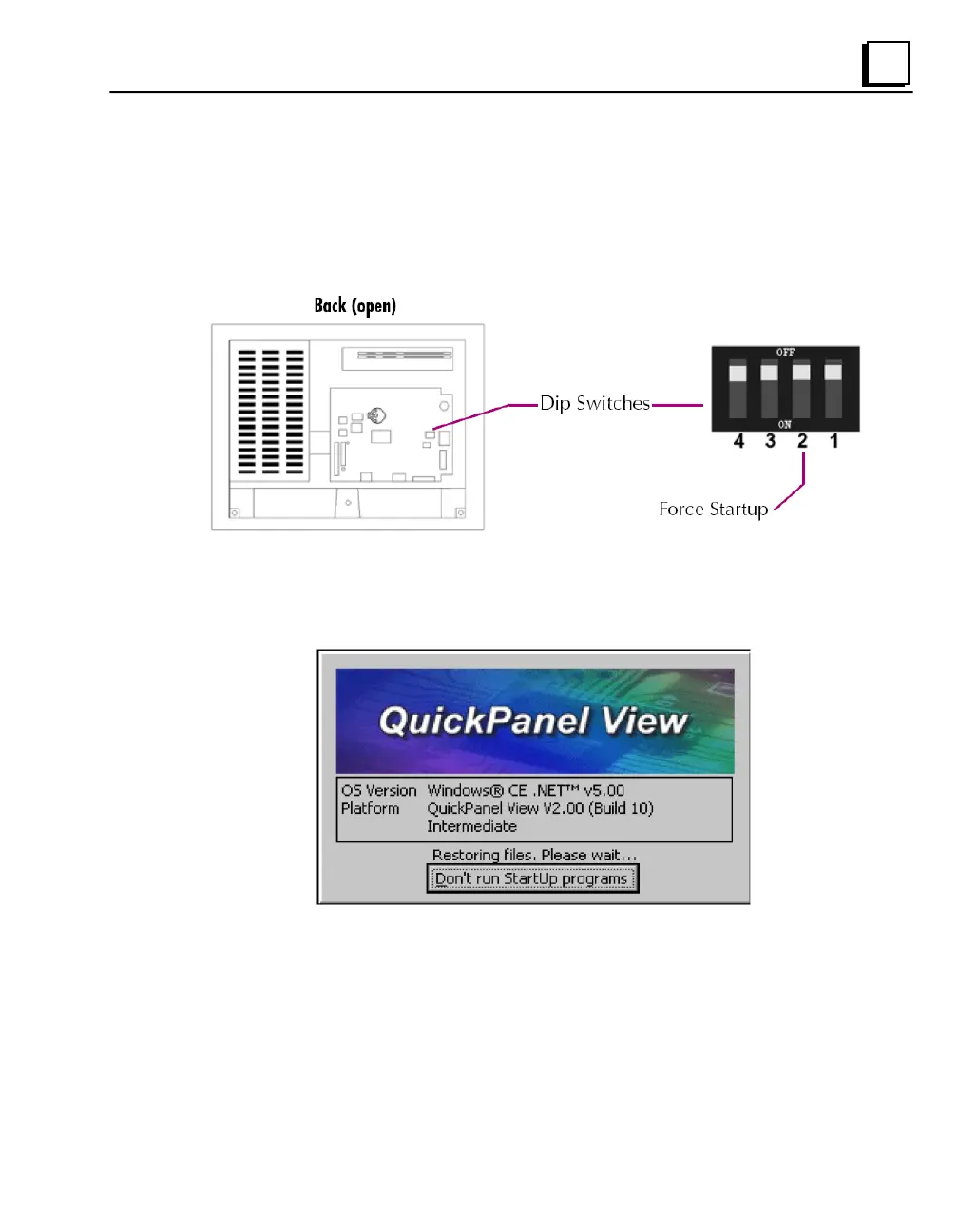
DIP Switches
The QuickPanel View is equipped with four DIP switches that control separate
functions. DIP switches are set to “OFF” by default in the factory. DIP switch 2
is the Force Startup switch. Turning this switch on forces the startup
applications to run when the operating system is started.
When the switch is set to “OFF”, the QuickPanel View operates normally,
displaying the startup splash screen. You can skip running the startup
applications by tapping the “Don‟t run StartUp Programs” button on the startup
splash screen.
When the switch is set to “ON”, the startup programs are forced to run and the
“Don‟t run Startup Programs” button is not available on the startup splash
screen.



 To Next Page