4-42 12" QuickPanel* View Intermediate, Color and Monochrome – December 2010 GFK-2306E
6. Select Auto Adjust DST to configure the clock to automatically
compensate for daylight savings time.
7. In the Current Time box, adjust the hours, minutes and seconds.
8. Tap OK to finish.
9. To save the settings, run the Backup utility. (See page 2-10.)
To display the time on the taskbar
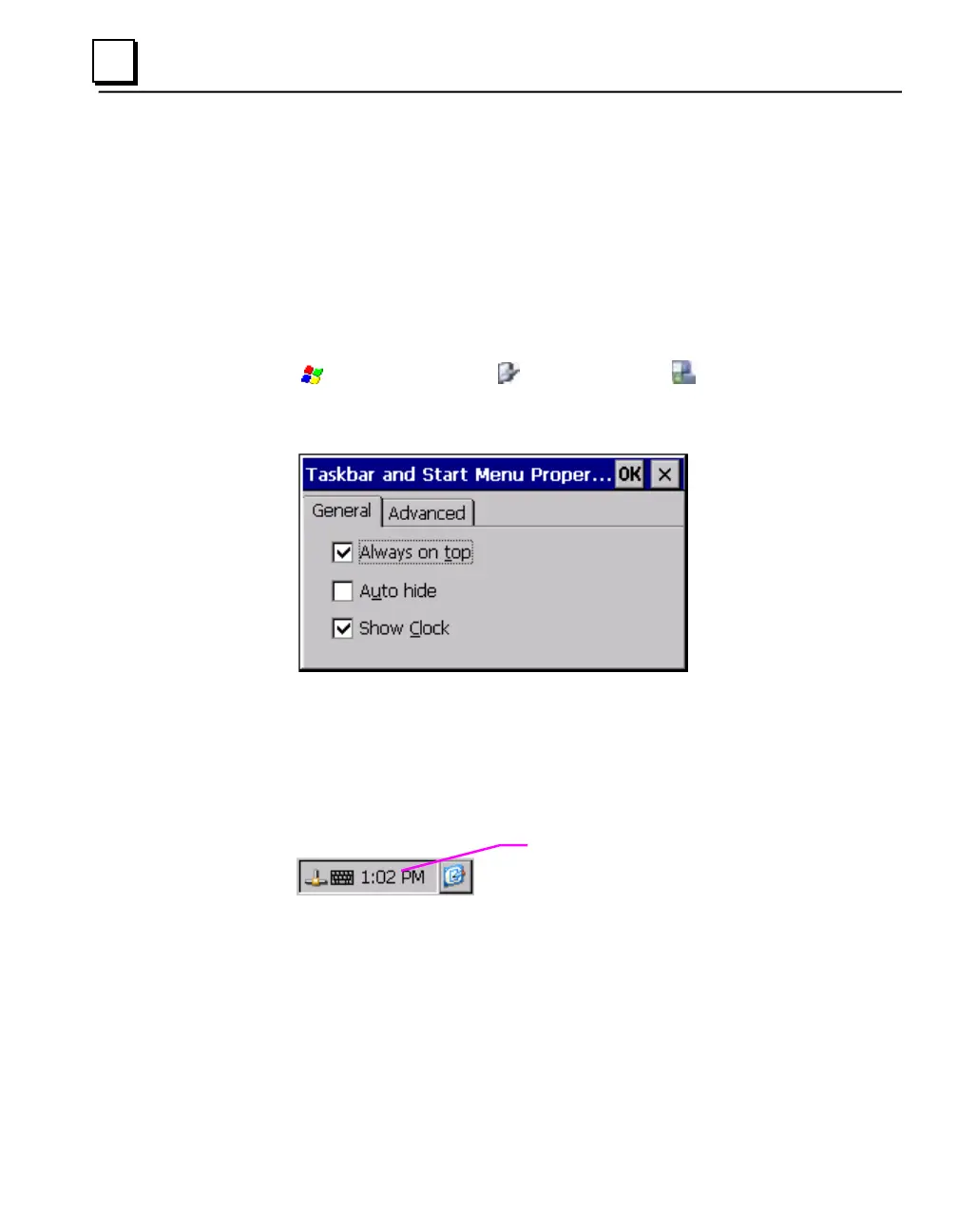
1. From the
Start menu, choose Settings and then Taskbar and
Start Menu Properties.
The Taskbar Properties dialog box appears.
1. On the Taskbar Options tab, select Show Clock.
2. Tap OK.
An hours and minutes display now appears in the taskbar.



 To Next Page