4-44 12" QuickPanel* View Intermediate, Color and Monochrome – December 2010 GFK-2306E
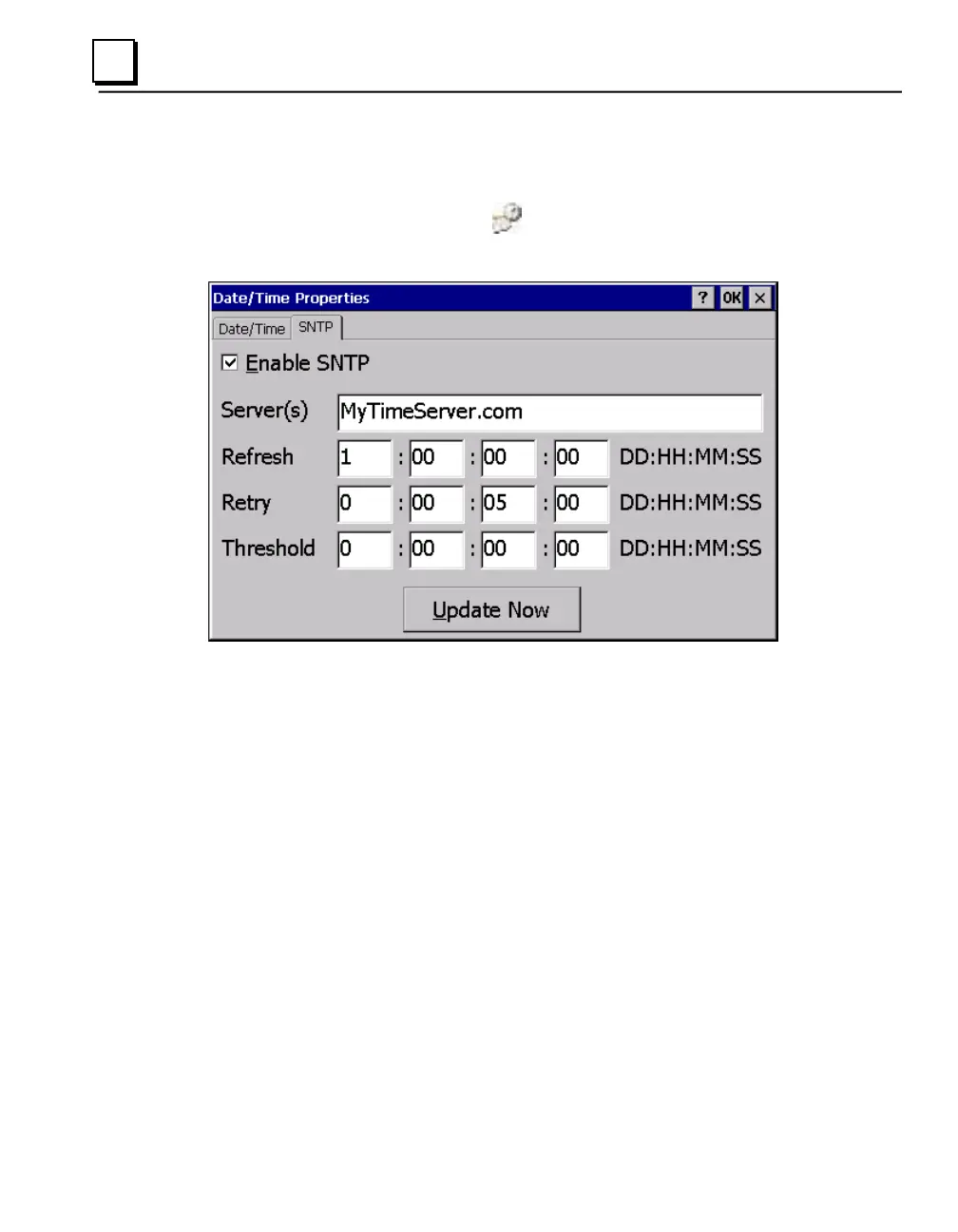
To set SNTP
1. In the Control Panel, double-tap Date/Time.
The Date/Time Properties dialog box appears.
Note: Tap Apply after making changes in any box.
2. To add or modify SNTP settings, select the SNTP tab.
3. To enable SNTP, ensure the Enable SNTP check box is selected.
4. Enter the time server name in the Server(s) field.
5. Set the Refresh, Retry, and Threshold parameters.
6. Tap Update Now to update SNTP settings immediately.
7. Tap OK to finish.
8. To save the settings, run the Backup utility. (See page 2-10.)



 To Next Page