EasyManua.ls Logo

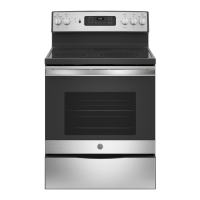
GE JB630 - User Manual

GE JB630
56 pages
Print Icon
To Next Page IconTo Next Page
Loading...
Write the model and serial
numbers here:
Model # _________________
Serial # _________________
You can find them on a label
behind the door or drawer.
ESPAÑOL
Para consultar una version en
español de este manual de
instrucciones, visite nuestro sitio de
internet GEAppliances.com.
OWNER’S MANUAL
RANGES
Electric Free-Standing
49-80689-9 02-17 GEA
SAFETY INFORMATION .......... 3
USING THE RANGE
Surface Units ........................... 7
Cookware for Radiant Glass Cooktop. . . . . .10
Oven Controls ..........................11
Special Features ........................12
Oven Racks ............................13
Aluminum Foil and Oven Liners ...........13
Cookware ..............................13
Cooking Modes .........................14
Cooking Guide .........................15
CARE AND CLEANING
Cleaning the Range – Exterior ............16
Cleaning the Range – Interior ............17
Cleaning the Glass Cooktop ..............19
Oven Light .............................21
Oven Door ............................ 22
Storage Drawer. . . . . . . . . . . . . . . . . . . . . . . . 22
TROUBLESHOOTING TIPS ....... 23
WARRANTY ....................... 26
ACCESSORIES .................... 27
CONSUMER SUPPORT ........... 28
30" Free-Standing Range
JBS65, JB620, JB630, JB640,
JB650, JB690, JB695, JB700
GE is a trademark of the General Electric Company. Manufactured under trademark license.


Questions and Answers

  • A
    Allison BellAug 28, 2025
    Why is "LOCK DOOR" flashing in the display of my GE JB630?
    • M
      Mitchell FischerAug 29, 2025
      The "LOCK DOOR" message flashes on your GE Ranges display because the self-clean cycle has been selected, but the oven door is not fully closed. Make sure to close the oven door and latch it to start the cleaning cycle.
  • S
    Steven BryantSep 3, 2025
    Why does the 'LOCK DOOR' light flash on my GE JB630?
    • K
      Kerry MorenoSep 3, 2025
      If the "LOCK DOOR" flashes in the display of your GE Ranges, close and latch the oven door, as the self-clean cycle has been selected but the door is not closed.
  • F
    freemanteresaAug 27, 2025
    Why aren't the clock and timer working on my GE JB630 Ranges?
    • J
      Javier HawkinsAug 28, 2025
      If your GE Ranges clock and timer aren't working, check your home's fuse box or circuit breaker and replace the fuse or reset the breaker if necessary. Also, make sure the electrical plug is plugged into a live, properly grounded outlet.
  • S
    Shannon AndersonSep 18, 2025
    How to fix a GE JB630 Ranges drawer that doesn't slide smoothly?
    • A
      April FordSep 18, 2025
      If the drawer of your GE Ranges does not slide smoothly, fully extend the drawer and push it all the way in. Reduce weight and redistribute the drawer contents.
  • D
    Daniel PachecoSep 23, 2025
    Why won't my GE Ranges oven self-clean?
    • J
      josecervantesSep 23, 2025
      If your GE Ranges oven will not self-clean, allow the oven to cool and reset the controls.
  • J
    jonathan37Sep 6, 2025
    What does it mean if “F— and a number or letter” flash in the display of my GE Ranges?
    • A
      adamsdorisSep 7, 2025
      If you see “F— and a number or letter” flashing on your GE Ranges display, it indicates a function error code. Press the Cancel/Off pad and allow the oven to cool for one hour before putting it back into operation. If the error repeats, disconnect all power to the oven for at least 16 seconds and then reconnect power. If the function error code repeats, call for service.
  • H
    Heather McgeeSep 10, 2025
    Why does my new GE Ranges oven doesn't cook like my old one?
    • J
      Jennifer PerezSep 10, 2025
      Your new GE Ranges oven has a different cooking system than your old oven, which may cause it to cook differently. For the first few uses, carefully follow the recipe times and temperatures. If you still believe your new oven is too hot or too cold, you can adjust the temperature to meet your specific cooking preferences.
  • F
    francis66Sep 17, 2025
    Why is my GE JB630 Ranges cooktop discolored?
    • C
      Cody GreenSep 17, 2025
      If you see areas of discoloration on your GE Ranges cooktop, this can happen when food spillovers aren't cleaned before the next use. Also, on light-colored cooktops, the surface may appear discolored when hot, which is temporary and disappears as the glass cools.
  • R
    Roy MiddletonAug 26, 2025
    What to do if my GE Ranges oven door will not open after a clean cycle?
    • C
      Catherine MosleyAug 26, 2025
      If your GE Ranges oven door won't open after a clean cycle, it's likely because the oven is still too hot. Allow the oven to cool below the locking temperature, and then try opening the door again.
  • J
    Jordan AdamsAug 25, 2025
    What to do if my GE JB630 oven does not work?
    • J
      Joanne Gibson PhDAug 26, 2025
      If your GE Ranges oven isn't working, first check if a fuse in your home has blown or the circuit breaker has tripped, and replace the fuse or reset the breaker. Also, the oven controls might be improperly set, so consult the Using the Oven section. Finally, make sure that the oven is not in Sabbath Mode, referring to the Special Features section.

GE JB630 Specifications

General IconGeneral
Oven Capacity5.3 cu. ft.
Number of Burners4
Self-CleaningYes
Wi-Fi ConnectNo
Cooktop MaterialCeramic Glass
Ignition TypeElectronic
TypeFreestanding
Color OptionsBlack, White, Stainless Steel
Width30 in
Control TypeRotary Knobs
Dimensions (Width x Depth x Height)30 in. x 28.5 in. x 47 in.

Related product manuals