EasyManua.ls Logo

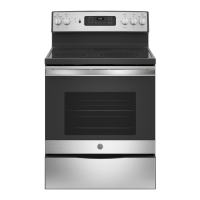
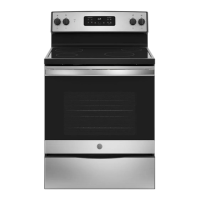
GE JB630 - User Manual

GE JB630
56 pages
Print Icon
To Next Page IconTo Next Page
Loading...
Write the model and serial
numbers here:
Model # _________________
Serial # _________________
You can find them on a label
behind the door or drawer.
ESPAÑOL
Para consultar una version en
español de este manual de
instrucciones, visite nuestro sitio de
internet GEAppliances.com.
OWNER’S MANUAL
RANGES
Electric Free-Standing
49-80689-9 02-17 GEA
SAFETY INFORMATION .......... 3
USING THE RANGE
Surface Units ........................... 7
Cookware for Radiant Glass Cooktop. . . . . .10
Oven Controls ..........................11
Special Features ........................12
Oven Racks ............................13
Aluminum Foil and Oven Liners ...........13
Cookware ..............................13
Cooking Modes .........................14
Cooking Guide .........................15
CARE AND CLEANING
Cleaning the Range – Exterior ............16
Cleaning the Range – Interior ............17
Cleaning the Glass Cooktop ..............19
Oven Light .............................21
Oven Door ............................ 22
Storage Drawer. . . . . . . . . . . . . . . . . . . . . . . . 22
TROUBLESHOOTING TIPS ....... 23
WARRANTY ....................... 26
ACCESSORIES .................... 27
CONSUMER SUPPORT ........... 28
30" Free-Standing Range
JBS65, JB620, JB630, JB640,
JB650, JB690, JB695, JB700
GE is a trademark of the General Electric Company. Manufactured under trademark license.


Questions and Answers

  • S
    Stephanie HayesAug 30, 2025
    Why is my GE JB630 Ranges display blank?
    • P
      perezandreaAug 30, 2025
      If the display on your GE Ranges goes blank, it could be due to a blown fuse or tripped circuit breaker in your home. Replace the fuse or reset the circuit breaker. It's also possible that the clock is turned off (see the Special features section) or that the oven is in Sabbath Mode (verify in the Special Features section).
  • H
    hullemilyAug 29, 2025
    Why is my GE JB630 oven temperature too hot or too cold?
    • A
      Ashley GarciaAug 29, 2025
      If your GE Ranges oven temperature is too hot or too cold, it may need adjustment. See the Special Features section for instructions on how to adjust the oven temperature.
  • M
    Michael LopezAug 29, 2025
    What to do if the DOOR LOCK light is on when I want to cook with my GE JB630?
    • L
      Lauren HarrisAug 29, 2025
      If the DOOR LOCK light is on when you want to cook with your GE Ranges, it means the oven door is locked because the temperature inside the oven hasn't dropped below the locking temperature. Press the Cancel/Off pad and allow the oven to cool down.
  • A
    Allison BellAug 28, 2025
    Why is "LOCK DOOR" flashing in the display of my GE JB630?
    • M
      Mitchell FischerAug 29, 2025
      The "LOCK DOOR" message flashes on your GE Ranges display because the self-clean cycle has been selected, but the oven door is not fully closed. Make sure to close the oven door and latch it to start the cleaning cycle.
  • J
    Joseph BeanAug 28, 2025
    Why is my GE Ranges oven not working?
    • D
      Danielle HopkinsAug 28, 2025
      If your GE Ranges oven is not working or appears not to work, check your home's fuse box or circuit breaker and replace the fuse or reset the breaker if necessary. Also, verify that the oven is not in Sabbath Mode.
  • G
    Gloria BarajasAug 31, 2025
    Why does my GE JB630 oven light not work?
    • E
      Elizabeth SimpsonAug 31, 2025
      If the oven light in your GE Ranges isn't working, the bulb might be loose or defective. Try tightening or replacing the bulb. If the pad operating the light is broken, call for service.
  • C
    Carolyn Lee MDAug 27, 2025
    Why is my GE JB630 Ranges oven not clean after self-cleaning?
    • J
      James ParsonsAug 27, 2025
      If your GE Ranges oven is not clean after a clean cycle, clean up heavy spillovers before starting the clean cycle. Heavily soiled ovens may need to self-clean again or for a longer period of time.
  • J
    jerrymaldonadoAug 27, 2025
    Why won't my GE JB630 Ranges oven steam clean?
    • A
      albert36Aug 27, 2025
      If your GE Ranges oven will not steam clean and the display flashes HOT, allow the oven to cool to room temperature before resetting the controls. Also, make sure you close the door to start steam clean cycle.
  • S
    Samantha RussellAug 27, 2025
    What to do if surface units on my GE Ranges do not work?
    • J
      Jessica MoralesAug 27, 2025
      If the surface units on your GE Ranges aren't working correctly, check your home's fuse box or circuit breaker and replace the fuse or reset the breaker if necessary. Also, verify that the cooktop controls are correctly set for the surface unit you're using.
  • E
    Eric LoveAug 26, 2025
    What to do if my GE JB630 oven will not steam clean?
    • J
      Justin KimAug 27, 2025
      If your GE Ranges oven will not steam clean, and the display flashes HOT, allow the oven to cool to room temperature and reset the controls. Also, ensure the oven controls are properly set. See the Using Steam Clean section. Make sure you close the door to start steam clean cycle.

GE JB630 Specifications

General IconGeneral
Oven Capacity5.3 cu. ft.
Number of Burners4
Self-CleaningYes
Wi-Fi ConnectNo
Cooktop MaterialCeramic Glass
Ignition TypeElectronic
TypeFreestanding
Color OptionsBlack, White, Stainless Steel
Width30 in
Control TypeRotary Knobs
Dimensions (Width x Depth x Height)30 in. x 28.5 in. x 47 in.

Related product manuals