EasyManua.ls Logo

GE JBS65 - User Manual

GE JBS65
56 pages
Print Icon
To Next Page IconTo Next Page
Loading...
Write the model and serial
numbers here:
Model # _________________
Serial # _________________
You can find them on a label
behind the door or drawer.
ESPAÑOL
Para consultar una version en
español de este manual de
instrucciones, visite nuestro sitio de
internet GEAppliances.com.
OWNER’S MANUAL
RANGES
Electric Free-Standing
49-80689-9 02-17 GEA
SAFETY INFORMATION .......... 3
USING THE RANGE
Surface Units ........................... 7
Cookware for Radiant Glass Cooktop. . . . . .10
Oven Controls ..........................11
Special Features ........................12
Oven Racks ............................13
Aluminum Foil and Oven Liners ...........13
Cookware ..............................13
Cooking Modes .........................14
Cooking Guide .........................15
CARE AND CLEANING
Cleaning the Range – Exterior ............16
Cleaning the Range – Interior ............17
Cleaning the Glass Cooktop ..............19
Oven Light .............................21
Oven Door ............................ 22
Storage Drawer. . . . . . . . . . . . . . . . . . . . . . . . 22
TROUBLESHOOTING TIPS ....... 23
WARRANTY ....................... 26
ACCESSORIES .................... 27
CONSUMER SUPPORT ........... 28
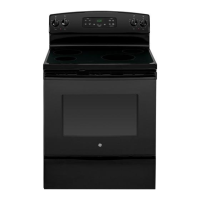
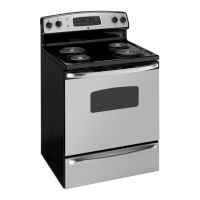
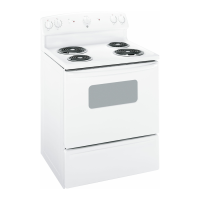
30" Free-Standing Range
JBS65, JB620, JB630, JB640,
JB650, JB690, JB695, JB700
GE is a trademark of the General Electric Company. Manufactured under trademark license.

Questions and Answers

  • Z
    zoliverAug 28, 2025
    Why is "LOCK DOOR" flashing in the display of my GE Ranges?
    • J
      johnsontimothyAug 28, 2025
      The "LOCK DOOR" message flashes on your GE Ranges display because the self-clean cycle has been selected, but the oven door is not fully closed. Make sure to close the oven door and latch it to start the cleaning cycle.
  • N
    nclarkAug 28, 2025
    Why is my GE JBS65 oven not working?
    • T
      Tracy WhiteAug 28, 2025
      If your GE Ranges oven is not working or appears not to work, check your home's fuse box or circuit breaker and replace the fuse or reset the breaker if necessary. Also, verify that the oven is not in Sabbath Mode.
  • S
    Susan DelacruzAug 27, 2025
    Why aren't the clock and timer working on my GE JBS65?
    • R
      richardslukeAug 28, 2025
      If your GE Ranges clock and timer aren't working, check your home's fuse box or circuit breaker and replace the fuse or reset the breaker if necessary. Also, make sure the electrical plug is plugged into a live, properly grounded outlet.
  • M
    melissa32Sep 7, 2025
    Why are my GE JBS65 Ranges surface units not maintaining a rolling boil?
    • C
      craig86Sep 7, 2025
      Your GE Ranges surface units may not maintain a rolling boil due to improper cookware. Use flat-bottomed pans that match the diameter of the surface unit. In areas with low voltage, cover the pan with a lid to help retain heat until the desired temperature is reached.
  • C
    Cassandra OrozcoSep 10, 2025
    Why does my new GE Ranges oven doesn't cook like my old one?
    • E
      Erica LangSep 10, 2025
      Your new GE Ranges oven has a different cooking system than your old oven, which may cause it to cook differently. For the first few uses, carefully follow the recipe times and temperatures. If you still believe your new oven is too hot or too cold, you can adjust the temperature to meet your specific cooking preferences.
  • X
    xlunaSep 13, 2025
    Why is there fan noise in my GE Ranges (on some models)?
    • N
      Natalie GarnerSep 13, 2025
      If you hear fan noise in your GE Ranges (on some models), it's because a convection fan may automatically turn on and off. This is normal. The fan is designed to operate intermittently to maximize cooking evenness. The convection fan will operate during preheat of the bake cycle and will turn off after the oven is heated to the set temperature. This is normal.
  • R
    Robin JohnsonSep 18, 2025
    What does 'F and a number' mean on my GE JBS65 Ranges display?
    • A
      Antonio FordSep 18, 2025
      If “F— and a number or letter” flash in the display of your GE Ranges, press the Cancel/Off pad. Allow the oven to cool for one hour and then put the oven back into operation. If the function error code repeats, disconnect all power to the oven for at least 15 seconds and then reconnect power. If the function error code repeats, call for service.
  • J
    Jeffrey YoungAug 26, 2025
    What to do if my GE Ranges oven will not self-clean?
    • J
      Joshua TuckerAug 26, 2025
      If your GE Ranges oven will not self-clean, it could be because the temperature is too high to start a self-clean operation. Allow the oven to cool down and then reset the controls. Also, ensure that the oven controls are properly set by referring to the Cleaning the Oven section.
  • W
    Wendy RussellAug 26, 2025
    What to do if my GE JBS65 Ranges oven door will not open after a clean cycle?
    • B
      Brian BeltranAug 26, 2025
      If your GE Ranges oven door won't open after a clean cycle, it's likely because the oven is still too hot. Allow the oven to cool below the locking temperature, and then try opening the door again.
  • M
    Martin GonzalezAug 25, 2025
    What to do if my GE JBS65 oven does not work?
    • M
      Mary BrownAug 26, 2025
      If your GE Ranges oven isn't working, first check if a fuse in your home has blown or the circuit breaker has tripped, and replace the fuse or reset the breaker. Also, the oven controls might be improperly set, so consult the Using the Oven section. Finally, make sure that the oven is not in Sabbath Mode, referring to the Special Features section.

GE JBS65 Specifications

General IconGeneral
TypeFreestanding
Fuel TypeElectric
Oven Capacity5.3 cu. ft.
Number of Burners5
Self-CleaningYes
ConvectionNo
Ignition TypeElectronic
Width30 in
ColorStainless Steel

Related product manuals