SENSOR POPCORN
NOTE: Do NOT use the metal shelf with the
Sensor Popcorn program.
The Sensor Popcorn feature is designed to be used
only with prepackaged microwave popcorn weighing
3.0 to 3.5 ounces.
Step 1: Remove the outer wrapper from the
microwave popcorn.
:
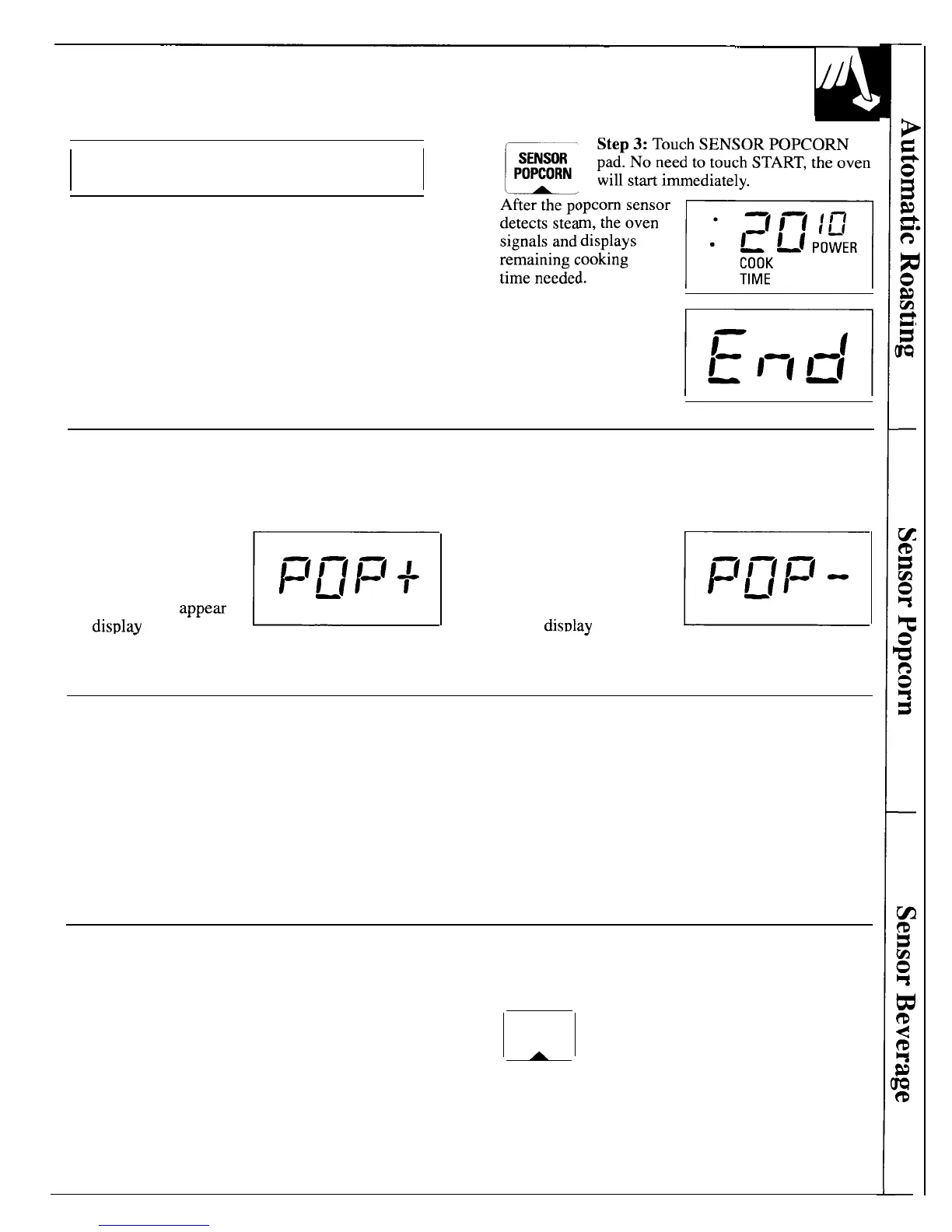
pad. No need to touch START, the oven
After the popcorn sensor
gd
G;::F
remammg cooking
Step 2: Open oven door and place package of
Step 4: When cooking is
popcorn in the center of the oven floor as directed
completed, the oven
by the package instructions. Close oven door.
signals and flashes
“End”. Open the door
and remove the popcorn.
m
How to Adjust the Sensor Popcorn Program to Provide a Shorter or Longer Cook Time
If your favorite popcorn is not completely popped,
there is a simple adjustment you can make.
Touch the SENSOR
POPCORN pad. (The oven
will start immediately.)
E
1:(1—(1=(
+
Then touch number pad 9.
1
~[1
A plus sign will appem on
the
display
beside the
If your favorite popcorn is overcooked, there is a
simple adjustment you can make.
Touch the SENSOR
POPCORN pad. (The oven
will start immediately.)
E
1=(1—11=1
-
Then touch number pad 1.
1
~[1
A minus sign will appear
on the
disulav
beside the
.
.
word “POP”. The plus sign indicates 20 seconds more
.
.
word “POP”. The minus sign indicates 20 seconds less
cooking time is being provided.
cooking time is being provided.
Questions and Answers
Q. I opened the door to check on the popcorn and
Q. Can I use regular popcorn with the Sensor
“Error” appeared on the display. Why?
Popcorn feature in my microwave oven?
A. The Sensor Popcorn program
first detects steam
A. No. This automatic function is designed to be used
and then switches to Micro Cook. If you open the
only with prepackaged microwave popcorn.
door while “POP” is displayed, “Error” will appear.
Close the door, touch CLEAR/OFF and begin
again. You may open the door when “End” appears
on display.
SENSOR BEVERAGE
The Sensor Beverage program makes it simple to heat
Touch SENSOR BEVERAGE pad.
a cup of hot chocolate or other beverage. Use a cup
SENSOR
No
need to touch START, the oven will
that has no metal decoration and is microwave-safe
BEVERAGE
start immediately.
A
(refer to the Microwaving Tips section).
The oven will signal and turn off automatically
when finished.
CAUTION: Beverages heated with the Sensor
Beverage feature may be quite hot. Remove the
container with care.
19



 To Next Page