SENSOR COOK
The Sensor Cook feature makes cooking your favorite
Because most cooking containers must be covered
foods easy. By actually sensing the steam that escapes
during Sensor Cook, this feature is best with foods
as food cooks, this feature automatically adjusts the
that you want to steam or retain moisture.
oven’s cooking time to various types and amounts
of food.
NOTE: Do NOT use the metal shelf with
Sensor Cook.
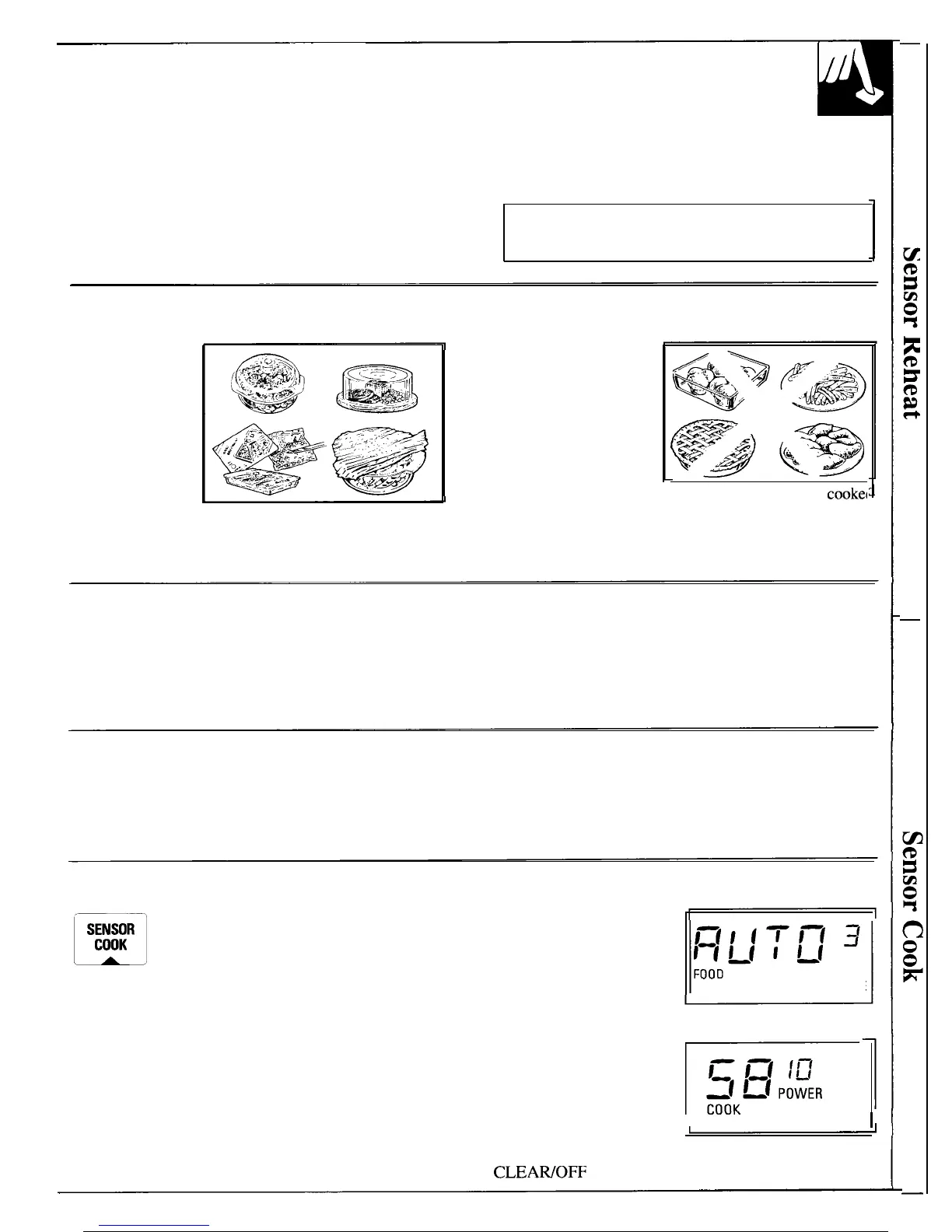
Foods Recommended
A wide variety
of foods including
meats, fish and
vegetables can be
cooked using this
feature.
Foods Not Recommended
Foods that must be
cooked uncovered,
foods that require
constant attention,
foods that require
addition of ingredients
during cooking and
foods calling for a dry
($$P’j$k-j
look or crisp surface ‘after cooking should not be
cookel
using this feature. It is best to Micro Cook them.
Foods that microwave best using the temperature
probe should be Temp Cooked or Auto Roasted.
Easy to Use
Keep Door Closed
Simply touch 3 control pads—SENSOR COOK, Do not open the oven door while the word “AUTO”
desired CODE, and START. The word “AUTO” is displayed—steam escaping from the oven can
appears on the display and the sensor is activated to
affect cooking performance. If the door is opened,
sense steam from food.
close the door and touch START immediately.
Sensor Cook Codes
Sensor Cook codes 1 through 7 are designed to give you easy, automatic
results with a number of popular foods. See the Sensor Cooking Control
Guide section for specific foods and instructions.
Example:
m
Step 1: Place covered food in oven.
SENSOR
COOK
Touch SENSOR COOK pad. “ENTER
FOOD CODE” flashes on display.
Step 2: Touch number pad of desired food code. The
code and food type you selected will appear on the
display. “FOOD” and “CODE” flash. After 4 seconds,
“START” flashes on the display. Touch START.
Word “AUTO” shows
on display, indicating
steam sensor is activated.
DO NOT OPEN DOOR.
OPENING DOOR MAY
AFFECT COOKING
PERFORMANCE.
Beep sounds when steam
is sensed and “AUTO”
is replaced by cook time.
Rotate or stir food, if
necessary. When done,
oven beeps every minute
until door is opened or
CLEAIVOFF
is touched.
CODE
I TIME
I
21



 To Next Page