Setting the Oven Controls
Step 1: ksert temperature probe in food as shown
below. Plug other end of probe securely into oven
wdl
receptacle and close oven door.
n
Step
2:
Touch Microwave
:::;
MICRO COOK.
Step
3:
Touch the number pads
•~~~~
intheorderyou
read them.
[~][?]]~]~l~]
Forexarnple, for
130°F.,
touch
1,3, and O.
How to Change Power Level
1. Press Microwave MICRO COOK.
2. Select cooking temperature.
3. Press POWER LEVEL.
4. Select power.
5. Press START.
Step 4: The oven will temperature cook automatically
o
Step 5: Touch START to begin cooking.
~AM The display shows “-80”
ifactual
food
at power level 10, unless a different power level
temperature is below
80°F.
After
80°F.
is
is selected.
~
reached, the display shows food
temperature as it rises. When food reaches
the preset temperature, “Hold” flashes,
oven signals and holds temperature.
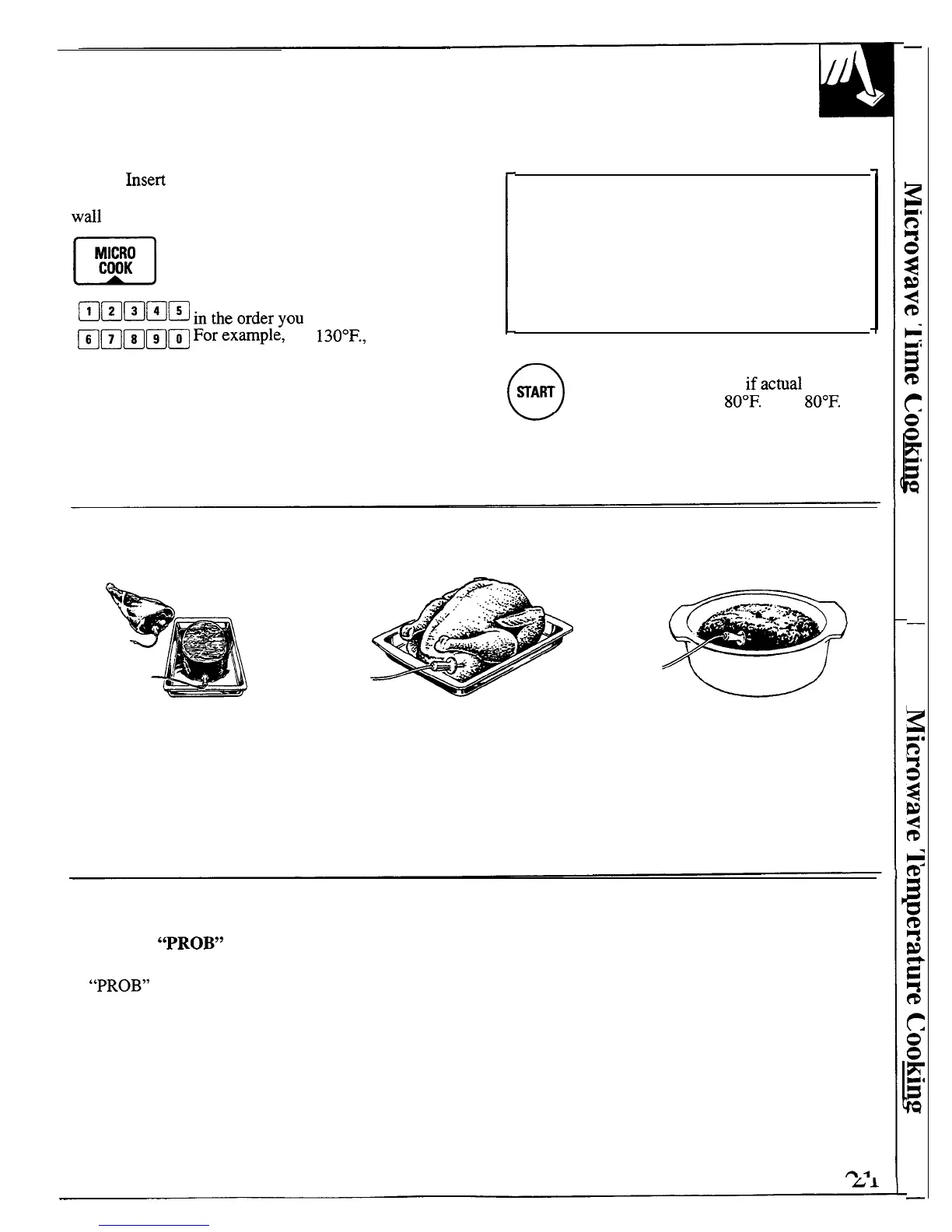
How to Use the Temperature Probe
Place probe so that point rests in
Insert probe into meatiest part of For dishes such as meat loaf or
center of the thickest meaty part
inner thigh, below and parallel to
casserole, insert probe into center.
of roast, or into the cut end or
the leg of a whole turkey.
meatiest part of boneless ham or
lamb. Point should not touch bone,
fat or gristle. For bone-in ham or
lamb, insert probe into center of
lowest large muscle or joint.
Questions and Answers
Q. Why did “PROB” flash on the display after I Q. Can I leave the probe in the oven if it’s not
touched the START pad?
inserted in the food?
A.
“PROB” will flash if you don’t seat the cable
A. No. If the probe is touching the oven wall, and is
end of the probe securely into the receptacle
not inserted into food, you may damage the oven.
in the oven wall.



 To Next Page