CO~~ATION
TEmERA~RE
COO~G
With this function of your new oven, you can enjoy
the
benefi~ of combination cooking with the
precision of the temperature probe. Four
combination codes are shown on the guide in the
Combination Time Cooking section to make it easy
to program microwave power level and oven
temperature with only one entry. The probe makes
it simple to cook to the exact degree of doneness
desired, by monitoring the internal temperature of
the food.
This function is exactly
like
combination time
cooking except you set internal food temperature
desired instead of cooking time.
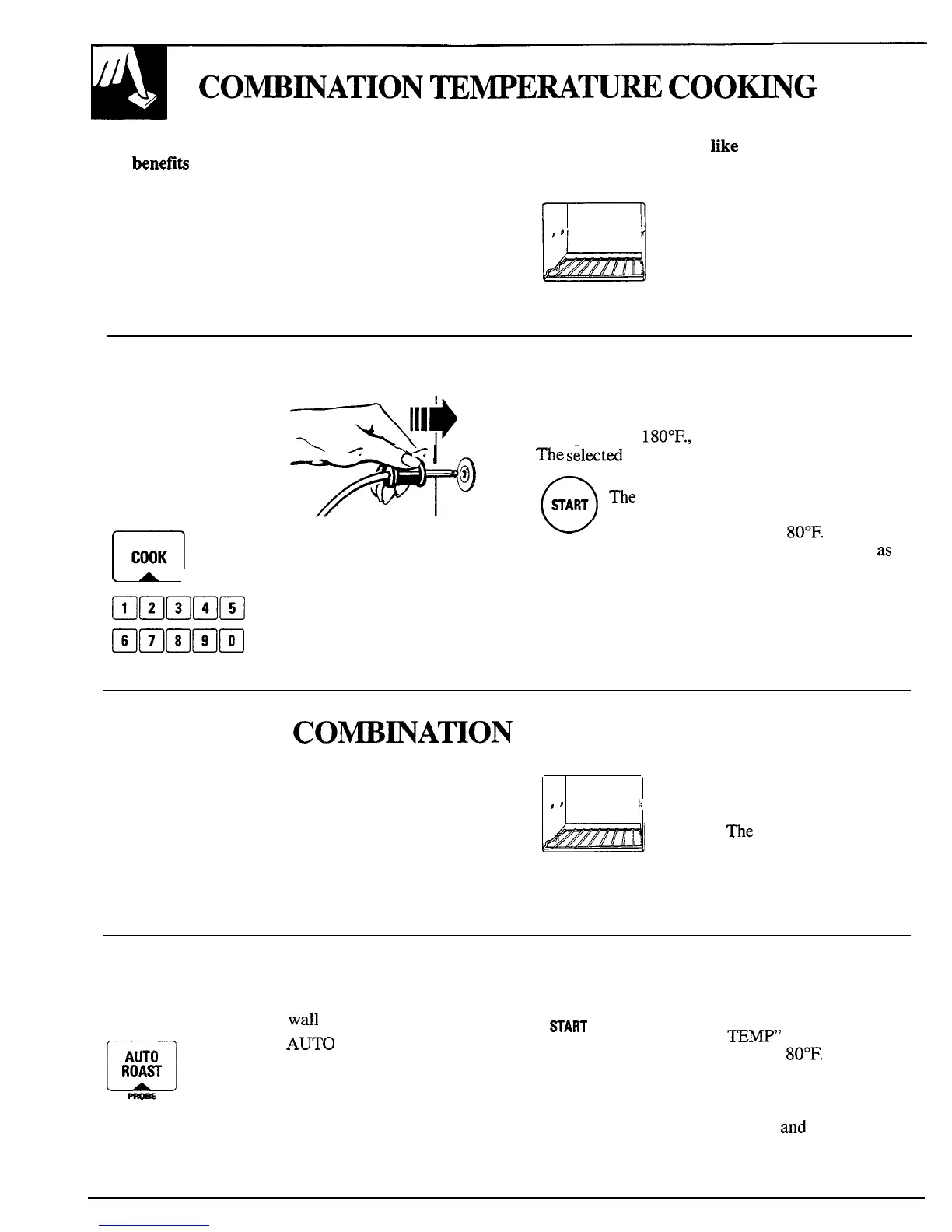
(The metal shelf must be in place
on the oven floor when using
convection or combination
cooking.)
How to Combination Temperature Cook
Step 1: Insert the
~llp
Step 4: Enter the desired finished food temperature
temperature probe into by touching the number pads in sequence. For
food as directed in the example, to set
180°F.,
touch 1, 8 and O in that order.
*@
Microwave Temperature
\
<
I
The
tilected
temperature is shown on the display.
Cooking section. Plug the
other end securely into the
oven wall receptacle.
n
Step 2: Touch Combination
COOK
COOK pad.
(
A
J
Bmmmm
Step 3: Select the combination
code by touching a number pad
Hammm
from 1 to 4 depending on oven
For information on cookware for combination
temperature needed.
temperature cooking, refer to the Cookware and
Accessories section.
Step
5: Touch START to begin cooking.
The selected food temperature disappears
and the display shows “-80” until internal
food temperature reaches
80°F.
Then
display shows actual food temperature
as
it
rises. When food reaches the selected
temperature, the display shows “End” and
the oven signals and turns off.
CO~~ATION
AUTO ROAST
Auto Roast is a combination function which is
similar to combination temperature cooking,
using both microwave and convection cooking in
conjunction with the temperature probe. However,
the Auto Roast feature eliminates most of the steps
necessary to program combination temperature
cooking. Instead, you can set the entire cooking
program by selecting just 1 Auto Roast code.
r
##
1:
(The metal shelf must be in place
on the oven floor when using
convection or combination
cooking.)
The
food is placed in a
glass dish on a trivet for cooking
during Auto Roast. To select a code
from 1 to 8 see the Combination
Auto Roast Guide.
How to Combination Auto Roast
Step 1: Insert temperature probe into meat and plug
the probe firmly into oven
wdl
receptacle.
o
~A~
m
Step 2: Touch
A~O
ROAST pad.
AWO
ROAR
Step
3:
Enter the desired Auto Roast cooking code by
touching a number pad from 1 to 8.
Step 4: Touch START. Auto Roast Code
number disappears. Display shows
“ROAST FOOD
TEMP” and “-80” until
food temperature reaches
80”F.
Then
display shows actual food temperature as it
rises. When food reaches the programmed
temperature for proper degree of doneness,
the display shows “End”
and
the oven
signals and turns off.
26



 To Next Page