EasyManua.ls Logo

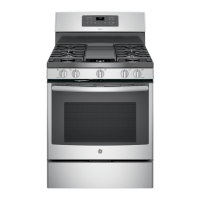
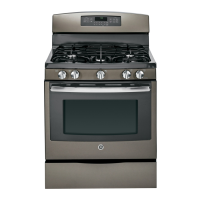
GE JGB735 - User Manual

GE JGB735
36 pages
Print Icon
To Next Page IconTo Next Page
Loading...
Write the model and serial
numbers here:
Model # _________________
Serial # _________________
You can find the rating label on the
front behind the range drawer.
ESPAÑOL
Para consultar una version en
español de este manual de
instrucciones, visite nuestro sitio de
internet GEAppliances.com.
OWNER’S MANUAL
RANGES
Self-Cleaning Gas
49-2000782 Rev. 3 04-21 GEA
GE is a trademark of the General Electric Company. Manufactured under trademark license.
JGB660
JGB735
PGB935
SAFETY INFORMATION .......... 3
USING THE RANGE
In Case of a Power Failure ............... 8
Surface Burners ........................ 8
Griddle ................................10
Oven Controls ..........................12
WiFi Connect ..........................13
Special Features ........................14
Sabbath Mode - OU and CRC .............15
Sabbath Mode - Standard ................16
Oven Racks ............................17
Aluminum Foil and Oven Liners ...........17
Oven Cooking Modes ...................18
Oven Air Vents .........................18
Oven Cooking Guide ....................19
Air Fry Cooking Guide ...................21
CARE AND CLEANING
Range – Exterior ....................... 22
Range – Interior ....................... 23
Cooktop ..............................24
Door and Drawer ......................26
Oven Light ............................ 27
Oven Door ............................ 28
TROUBLESHOOTING TIPS .......29
LIMITED WARRANTY ............34
ACCESSORIES ....................35
CONSUMER SUPPORT ...........36

Questions and Answers

  • M
    Melissa JohnsonSep 23, 2025
    Why GE JGB735 Ranges oven light does not work?
    • Z
      zaguilarSep 23, 2025
      If your GE Ranges oven light does not work, the light bulb may be loose or defective. Try tightening or replacing the bulb. See the Maintenance section for instructions on how to replace the bulb.
  • S
    Sarah HouseAug 31, 2025
    Why is there excessive smoking during the clean cycle of my GE JGB735 Ranges?
    • R
      Rhonda TateAug 31, 2025
      Excessive smoking during the clean cycle of your GE Ranges usually indicates excessive soil or grease. Press the Cancel/Off pad, open windows to vent the smoke, and wait for the LOCKED light to turn off. Wipe up the excess soil and then reset the clean cycle.
  • S
    Sharon Garcia DDSAug 25, 2025
    Why won't the burners light on my GE JGB735?
    • J
      Joseph StewartAug 25, 2025
      If your GE Ranges burners do not light, ensure the range is properly plugged into a grounded outlet. Also, check that the gas supply is connected and turned on. Check the fuse or circuit breaker, and ensure burner parts are correctly replaced. Clear any clogs from burner slots or the lighter port, and polish the electrode tip if there's food residue.
  • M
    Michelle AlvarezAug 25, 2025
    How to unlock the oven door on my GE JGB735 Ranges?
    • C
      Cristian GarciaAug 26, 2025
      If your GE Ranges oven door won't open and the LOCKED light is on, it means the oven temperature hasn't cooled down enough. Press the Cancel/Off pad and wait for the oven to cool below the locking temperature.
  • R
    Richard BrayAug 26, 2025
    Why is my GE JGB735 oven not working?
    • A
      Amber CarterAug 26, 2025
      If your GE Ranges oven and/or display appear not to work, check if a fuse in your home has blown or the circuit breaker has tripped and replace the fuse or reset the circuit breaker. Also, ensure the oven controls are properly set and that the oven is not in Sabbath Mode. Lastly, check if the clock is turned off.
  • J
    Jennifer FreemanAug 26, 2025
    What to do if my GE JGB735 Ranges oven and/or display appears not to work?
    • Z
      zachary54Aug 26, 2025
      If your GE Ranges oven and/or display isn't working, there are several potential causes. First, check your home's fuse box or circuit breaker and replace the fuse or reset the breaker if necessary. Also, ensure the oven controls are properly set. The oven might be in Sabbath Mode, or the clock may be turned off. Refer to the Settings section to resolve this.
  • E
    Elizabeth EllisAug 27, 2025
    Why don't my GE JGB735 burners light?
    • M
      Madison ParsonsAug 27, 2025
      If your GE Range burners do not light, ensure the electrical plug is properly inserted into a grounded outlet. Also, make sure the gas supply is connected and turned on. Check for blown fuses or tripped circuit breakers in your home and replace or reset them if necessary. Verify burner parts are correctly replaced after cleaning, and clean any clogged burner slots or the lighter port. If there's food residue on the electrode, lightly polish the flat tip with a nail file or sandpaper until shiny.
  • L
    Lonnie TaylorAug 27, 2025
    What to do if GE Ranges oven door will not open or LOCKED light is on?
    • L
      Larry PrattAug 27, 2025
      If your GE Ranges oven door will not open or the LOCKED light is on when you want to cook, it means the oven door is locked because the temperature inside the oven has not dropped below the locking temperature. Press the Cancel/Off pad and allow the oven to cool below the locking temperature.
  • D
    Duane HarrisAug 27, 2025
    What to do if my GE JGB735 Ranges oven is still dirty after self-cleaning?
    • C
      Connie HowardAug 27, 2025
      If your GE Ranges oven isn't clean after a cleaning cycle, it might be due to improperly set oven controls or a heavily soiled oven. Refer to the Cleaning the Oven section for control settings. For heavily soiled ovens, clean up any significant spills before starting the cleaning cycle. You may need to run the self-clean cycle again or for a longer duration.
  • O
    Olivia DavisAug 28, 2025
    Why does my new GE JGB735 smell like it's burning?
    • J
      Jeffrey GilbertAug 28, 2025
      If your GE Ranges are emitting a strong burning or oily odor from the vent, this is normal for a new oven and will fade over time. To speed up the process, run a self-clean cycle for at least 3 hours. This is only temporary.

Summary

Safety Information

General Safety Guidelines

Essential warnings and precautions for safe appliance operation and accident prevention.

Specific Safety Scenarios

Guidance for fire prevention, cooktop, oven, and self-cleaning safety.

Using the Range

Surface Burner and Griddle Operation

Guides for operating surface burners, lighting, flame adjustment, and griddle usage.

Oven Controls, Modes, and Features

Explanation of oven controls, cooking modes, special features, and WiFi connectivity.

Cooking Guides and Special Modes

Oven rack placement, cooking guides, Sabbath modes, and Air Fry.

Care and Cleaning

Exterior and Cooktop Cleaning

How to clean exterior surfaces, control panel, cooktop, and burners.

Interior Oven and Component Cleaning

Methods for cleaning the oven interior, door, racks, and light bulb.

Troubleshooting and Support

Troubleshooting Oven and Burner Issues

Solutions for common problems with oven performance, burners, and error codes.

Warranty, Accessories, and Support

Information on limited warranty, available accessories, and customer support contacts.

GE JGB735 Specifications

General IconGeneral
Fuel TypeGas
Oven Capacity5.0 cu. ft.
Number of Burners5
ConvectionYes
Self-CleaningYes
Oven TypeConvection
Width30 inches
Burner TypeSealed
ColorStainless Steel
BTU18, 000
Dimensions (H x W x D)30 x 28 3/4 inches

Related product manuals