EasyManua.ls Logo

GE JK3000SFSS - User Manual

GE JK3000SFSS
16 pages
Print Icon
To Next Page IconTo Next Page
Loading...
49-80656-2 04-13 GE
GEAppliances.com
Safety Information .........2
Warranty .....................4
Assistance / Accessories ...5
Using The Oven
Oven Controls ...................6
Special Features ................8
Oven Racks .....................9
Cooking Modes ................10
Cookware ......................10
Cooking Guide .................11
Care and Cleaning
Control Panel ..................12
Oven Exterior ..................12
Stainless Steel Surfaces ........12
Oven Interior ...................12
Flat Racks ......................12
Maintenance ...................13
Troubleshooting Tips ......15
Wall Oven
Built-In Electric
Write the model and serial
numbers here:
Model # __________________
Serial # ___________________
You can find them on a label
on the side trim or on the front of
the (lower) oven behind the oven
door.
Printed in the United States
Printed on
Recycled Paper
For a Spanish version of this
manual, visit our Website at
GEAppliances.com.
Para consultar una version
en español de este manual
de instrucciones, visite
nuestro sitio de internet
GEAppliances.com.
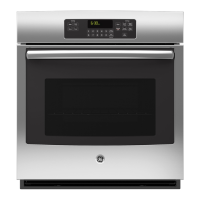
JK3000 - 27" Single Wall Oven
JT3000 - 30" Single Wall Oven
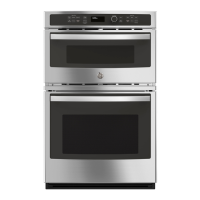
JK3500 - 27" Double Wall Oven
JT3500 - 30" Double Wall Oven
Owner’s Manual

Other manuals for GE JK3000SFSS

Questions and Answers

  • J
    Juan BarnesSep 9, 2025
    What does it mean when "F— and a number or letter" flash in the display of my GE JK3000SFSS Oven?
    • J
      Julia SnyderSep 9, 2025
      When "F— and a number or letter" flash in the display of your GE oven, it indicates a function error code. Press the Cancel/Off pad and allow the oven to cool for one hour, then put the oven back into operation. If the function code repeats, disconnect all power to the oven for at least 30 seconds and then reconnect power. If the function error code repeats, call for service.
  • C
    Caroline WilliamsAug 23, 2025
    What to do if my GE Oven temperature is too hot or too cold?
    • D
      Danielle CisnerosAug 23, 2025
      If your GE oven temperature is too hot or too cold, the oven temperature may need adjustment. See the Special Features section for instructions.
  • S
    Steven PrinceAug 25, 2025
    What to do if the LOCKED light is on when I want to cook in my GE Oven?
    • A
      Andrew ManningAug 25, 2025
      If the LOCKED light is on when you want to cook in your GE oven, it means the oven door is locked because the temperature inside the oven has not dropped below the locking temperature. Press the Cancel/Off pad and allow the oven to cool.
  • T
    Taylor SantosAug 26, 2025
    What to do if my GE JK3000SFSS will not self- clean?
    • V
      Veronica SmithAug 27, 2025
      If your GE oven won't self-clean, it could be that the temperature is too high to set a self-clean operation. Allow the oven to cool and reset the controls. Also, make sure the oven controls are properly set.
  • D
    dana64Aug 27, 2025
    What to do if my GE Oven door will not open after a clean cycle?
    • R
      rhallAug 28, 2025
      If your GE oven door won't open after a clean cycle, it's likely because the oven is still too hot. Allow the oven to cool below locking temperature.
  • B
    Brandon GregoryAug 29, 2025
    Why is my GE JK3000SFSS Oven food not baking properly?
    • V
      vincent26Aug 29, 2025
      If food is not baking properly in your GE oven, several factors could be the cause. These include: * Oven controls improperly set. * Rack position is incorrect or the rack is not level. * Incorrect cookware or cookware of improper size being used. * Oven temperature needs adjustment. * Ingredient substitution.
  • R
    Robert RussellSep 17, 2025
    Why is my GE JK3000SFSS Oven making fan noise?
    • B
      Brianna AdamsSep 17, 2025
      Fan noise from your GE oven is normal. A cooling fan may automatically turn on to cool internal parts. It may run for up to 1-1/2 hours after the oven is turned off.
  • E
    Emily AndersonSep 19, 2025
    Why does my GE Oven door glass appear to be "tinted" or have a "rainbow" color?
    • T
      Timothy FreySep 19, 2025
      The "tinted" or "rainbow" color appearance of your GE oven door glass is normal. The inner oven glass is coated with a heat barrier to reflect the heat back into the oven to prevent heat loss and keep the outer door cool while baking. Under certain light or angles, you may see this tint or rainbow color.
  • A
    ashleyhornSep 7, 2025
    Why does my new GE Oven cook differently than my old one?
    • C
      Claudia LaneSep 7, 2025
      Your new GE oven may cook differently because it has a different cooking system than your old oven. For the first few uses, follow your recipe times and temperatures carefully. If you still think your new oven is too hot or too cold, you can adjust the temperature yourself to meet your specific cooking preference.
  • A
    Albert BurkeSep 4, 2025
    Why does my GE Oven display go blank?
    • Q
      qhicksSep 4, 2025
      A blank display on your GE oven could indicate a blown fuse or tripped circuit breaker, so replace the fuse or reset the circuit breaker. Alternatively, the clock might be turned off, or the oven could be in Sabbath Mode.

Summary

Safety Information

Proposition 65 Warning

Warning regarding chemicals known to cause cancer or birth defects.

General Safety Instructions

Essential guidelines for safe operation and preventing hazards during use.

Safety Information

Flammable Materials Warning

Instructions to keep flammable items away from the oven to prevent fire.

Fire Prevention and Response

Steps to take in case of a fire and general oven safety practices.

Self-Cleaning Oven Safety

Specific safety precautions for operating the self-cleaning feature.

Warranty

GE Electric Range Warranty Terms

Details of the manufacturer's warranty coverage for parts and labor.

Warranty Exclusions

Lists conditions and situations not covered by the product warranty.

Extended Warranty Options

Information on purchasing additional warranty coverage after the initial period.

Assistance and Accessories

Obtaining Service and Support

How to schedule service, find parts, and get help via website or phone.

Product Accessories and Cleaning Supplies

Catalog of available accessories and recommended cleaning products for the appliance.

Removing Protective Film

Instructions for safely removing shipping film and adhesive tape from the appliance.

Using The Oven

Single Wall Oven Controls

Identification and function of each control button for single wall ovens.

Using The Oven

Double Wall Oven Controls

Identification and function of each control button for double wall ovens.

Using The Oven

Special Oven Features

Explains adjustable temperatures, timer signals, display options, and Sabbath mode.

Using The Oven

Oven Racks and Positions

Guidance on rack placement for optimal cooking results and handling flat racks.

Oven Floor and Aluminum Foil Caution

Warnings against placing items on the oven floor and proper use of aluminum foil.

Using The Oven

Oven Cooking Modes

Descriptions of various cooking functions like Bake, Broil, Proof, and Warm.

Cookware Guidelines

Advice on selecting and using cookware for best baking and cooking performance.

Using The Oven

Cooking Guide by Food Type

Recommended modes, rack positions, and suggestions for various food types.

Care and Cleaning

Oven Cleaning Methods

Instructions for cleaning the control panel, exterior, interior, and flat racks.

Steam Clean Mode Operation

How to use the steam clean feature for light spills and maintenance.

Self-Clean Cycle Operation

Detailed steps and precautions for running the self-cleaning cycle.

Care and Cleaning

Oven Light Maintenance

Procedure for replacing the oven light bulb and glass cover safely.

Care and Cleaning

Lift-Off Oven Door Procedure

Instructions for safely removing and reinstalling the oven door.

Troubleshooting Tips

Common Oven Performance Issues

Solutions for problems like incorrect cooking, broiling, temperature, or oven not working.

Operational Sounds and Preheat

Explanations for normal operating sounds and tips for faster preheating.

Troubleshooting Tips

Troubleshooting Specific Functions

Solutions for issues with oven light, self-clean, door lock, display errors, and odors.

GE JK3000SFSS Specifications

General IconGeneral
BrandGE
ModelJK3000SFSS
Fuel TypeElectric
Capacity5.0 cu. ft.
Width30 in
ColorStainless Steel
Oven Cleaning TypeSelf-Cleaning
Number of Oven Racks2
Self-CleaningYes
Convection CookingNo
Precision Cooking SystemNo
BroilerYes
Warming DrawerNo
Control TypeElectronic

Related product manuals