EasyManua.ls Logo

GE JKS3000 - User Manual

GE JKS3000
40 pages
Print Icon
To Next Page IconTo Next Page
Loading...
Write the model and serial
numbers here:
Model # ____________________
Serial # ____________________
You can find them on a label on
the side trim or on the front of the
(lower) oven behind the oven door.
GE is a trademark of the General Electric Company. Manufactured under trademark license.
OWNER’S MANUAL
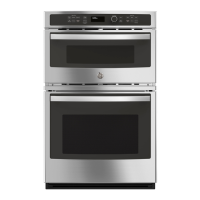
WALL OVEN
Built-In Electric
49-2000253 Rev. 1 07-19 GEA
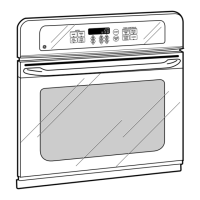
JKS3000 - 27" Single Wall Oven
JTS3000 - 30" Single Wall Oven
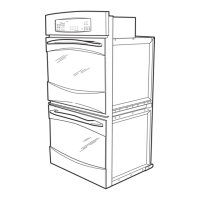
JKD3000 - 27" Double Wall Oven
JTD3000 - 30" Double Wall Oven
SAFETY INFORMATION ..........3
USING THE OVEN
Single Wall Oven Controls ...............6
Double Wall Oven Controls ..............7
Special Features ........................8
Sabbath Mode ..........................9
Oven Racks ...........................10
Aluminum Foil and Oven Liners ..........10
Cookware .............................10
Cooking Modes ........................ 11
Cooking Guide ........................12
CARE AND CLEANING
Oven .................................13
Oven Light ............................14
Oven Door ............................15
TROUBLESHOOTING TIPS .......16
LIMITED WARRANTY ............18
ACCESSORIES ....................19
CONSUMER SUPPORT ...........20

Other manuals for GE JKS3000

Questions and Answers

  • A
    adamgonzalezSep 10, 2025
    Why does the oven light in my GE JKS3000 not work?
    • J
      Johnny CoxSep 10, 2025
      If the oven light in your GE Oven isn't working, first check if the bulb is loose or defective and needs tightening or replacing. If the bulb is okay, the pad operating the light may be broken, and you may need to call for service.
  • G
    gabriela76Aug 22, 2025
    What to do if my GE JKS3000 Oven door will not open after a clean cycle?
    • K
      Kenneth IbarraAug 23, 2025
      If the oven door of your GE Oven will not open after a clean cycle, it's likely because the oven is still too hot. Allow the oven to cool below the locking temperature.
  • M
    Michael DaughertyAug 25, 2025
    Why is my GE JKS3000 Oven locked when I want to cook?
    • B
      Brenda LindseyAug 25, 2025
      If your GE Oven is locked when you want to cook, it's likely because the temperature inside the oven hasn't dropped below the locking temperature. Press the Cancel/Off pad and allow the oven to cool down.
  • R
    rileychristopherAug 26, 2025
    Why isn't my food baking properly in my GE JKS3000 Oven?
    • M
      Monica BanksAug 26, 2025
      If food isn't baking properly in your GE Oven, several factors could be at play. Ensure the oven controls are set correctly. Check that the rack position is correct and level. Using incorrect cookware or cookware of the wrong size can also cause issues. The oven temperature may need adjustment, and substituting ingredients can alter the outcome.
  • X
    xharrisonAug 27, 2025
    How to fix a GE JKS3000 Oven that will not self-clean?
    • C
      Christina BrownAug 27, 2025
      If your GE Oven won't self-clean, first ensure the oven has cooled down sufficiently, as the temperature may be too high to start a self-clean cycle. After cooling, reset the controls.
  • G
    george04Aug 29, 2025
    Why is my food not broiling properly in my GE JKS3000?
    • B
      Benjamin BrownAug 29, 2025
      If your food isn't broiling properly in your GE Oven, check that you've selected the correct broil mode and are using the proper rack position. Ensure your cookware is cool and suited for broiling; use a pan designed for broiling. If using foil, make sure it's fitted properly with slits. In areas with low voltage, preheat the broil element for 10 minutes.
  • B
    Brendan CookSep 18, 2025
    Why does my GE JKS3000 door glass appear to be "tinted" or have a "rainbow" color?
    • M
      Monica DavisSep 18, 2025
      The inner oven glass of your GE Oven is coated with a heat barrier to reflect heat back into the oven and keep the outer door cool. This is normal. You may see a tint or rainbow color under certain lighting or angles.
  • M
    mary77Sep 12, 2025
    Why doesn't my new GE JKS3000 Oven cook like my old one?
    • T
      Trevor MyersSep 12, 2025
      Your new GE oven may cook differently than your old one due to a different cooking system. For the first few uses, carefully monitor recipe times and temperatures. If you still find your new oven cooks too hot or cold, you can adjust the temperature to match your cooking preferences.
  • K
    Kimberly PriceSep 8, 2025
    Why does the display on my GE Oven go blank?
    • M
      Melanie SinghSep 8, 2025
      If the display on your GE Oven goes blank, check if a fuse in your home has blown or if the circuit breaker has tripped, and replace or reset it if necessary. Also, check if the clock is turned off or if the oven is in Sabbath Mode.
  • Y
    ymarshallSep 5, 2025
    Why is there excessive smoking during broiling in my GE JKS3000?
    • M
      Michael MontgomerySep 5, 2025
      If you experience excessive smoking while broiling in your GE Oven, it may be because the food is too close to the burner element. Try lowering the rack position of the food.

Summary

Safety Information

General Safety Instructions

General safety rules for appliance operation.

Flammable Materials Warning

Keep flammable items away from the oven.

Fire Safety Steps

Instructions for handling oven fires safely.

Oven Safety Precautions

Specific safety guidelines for oven usage.

Self-Cleaning Oven Safety

Safety instructions for the self-cleaning function.

Using the Oven

Single Wall Oven Controls

Explanation of the control panel for single wall ovens.

Double Wall Oven Controls

Explanation of the control panel for double wall ovens.

Care and Cleaning

Troubleshooting Tips

Limited Warranty

GE JKS3000 Specifications

General IconGeneral
Oven TypeElectric
Self-CleaningYes
Number of Racks2
BroilerYes
Voltage240V
Control TypeElectronic
Width29 7/8 in

Related product manuals