EasyManua.ls Logo

GE JK3800 - User Manual

GE JK3800
64 pages
Print Icon
To Next Page IconTo Next Page
Loading...
49-80737 Rev. 2 08-19 GEA
Write the model and serial
numbers here:
Model # _________________
Serial # _________________
You can find them on a label
on the side trim or on the front of
the (lower) oven behind the oven
door.
ESPAÑOL
Para consultar una version en
español de este manual de
instrucciones, visite nuestro sitio de
internet GEAppliances.com.
OWNER’S MANUAL
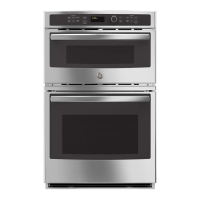
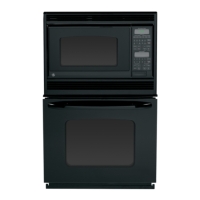
JT3800 - 30" Double Wall Oven
JK3800 - 27" Double Wall Oven
GE is a trademark of the General Electric Company. Manufactured under trademark license.
WALL OVEN
Built-In Combination Microwave/Thermal
SAFETY INFORMATION .......... 3
USING THE RANGE
Oven Controls ..........................10
Oven Settings ..........................11
Oven Options ..........................12
Microwaving ...........................13
Cooking Modes .........................17
Sabbath Mode ..........................18
Cooking Guide .........................19
Rack .................................20
Aluminum Foil/Oven Liners .............20
CARE AND CLEANING
Cleaning the Range .....................21
Oven Maintenance ..................... 23
Oven Door ............................ 23
TROUBLESHOOTING TIPS .......24
LIMITED WARRANTY ............30
ACCESSORIES .....................31
CONSUMER SUPPORT ........... 32

Questions and Answers

  • I
    Isabel EricksonAug 16, 2025
    What to do if my GE JK3800 is smoking excessively during the clean cycle?
    • D
      Darrell NashAug 16, 2025
      Excessive smoking during a clean cycle usually indicates excessive soil or grease in the oven. Press the Clear/Off pad, open windows to vent the smoke, and wait for the 'OVEN IS COOLING DOOR IS LOCKED' message to disappear. Then, wipe up the excess soil and reset the clean cycle.
  • S
    Steven SmithAug 19, 2025
    What to do if my GE JK3800 Oven door will not open after a clean cycle?
    • J
      joneswhitneyAug 19, 2025
      If your GE oven door won't open after a clean cycle, it's likely because the oven is still too hot. Allow the oven to cool down below the locking temperature, and then the door should open.
  • S
    Shawn JohnsonAug 22, 2025
    Why won't my GE JK3800 start?
    • J
      Jesse BurkeAug 22, 2025
      If your GE Oven won't start, check your home's fuse box or circuit breaker. A blown fuse or tripped breaker could be the reason. Replace the fuse or reset the circuit breaker.
  • J
    john00Aug 26, 2025
    Why do my clock and timer not work in GE JK3800 Oven?
    • A
      Amanda SuttonAug 26, 2025
      If the clock and timer on your GE oven aren't working, check your home's fuse box or circuit breaker. Replace the fuse or reset the circuit breaker if needed.
  • A
    Aaron NicholsonAug 28, 2025
    What to do if food is not fully cooked in GE JK3800?
    • J
      Jerry JacksonAug 28, 2025
      If food isn't fully cooked or browned in your GE oven after a cooking program, the programmed times may not be correct for the size or amount of food. Adjust the cooking time for doneness, or adjust the upper or lower lamps for browning.
  • T
    Tyler BallAug 31, 2025
    How to fix a GE Oven light that does not work?
    • C
      Colleen PorterAug 31, 2025
      If the oven light in your GE oven isn't working, the bulb might be loose or defective. Try tightening the bulb first. If that doesn't work, replace the bulb.
  • T
    tiffanybrownSep 3, 2025
    Why is my GE JK3800 fan still running after cooking?
    • D
      Danielle BurnsSep 3, 2025
      If the fan in your GE oven continues to run after cooking stops, it means the oven is in cooling mode. The fan will automatically shut off once the internal parts of the oven have cooled down.
  • J
    Jillian AlexanderSep 6, 2025
    Why won't my GE Oven self-clean?
    • K
      keiththompsonSep 6, 2025
      If your GE oven won't self-clean, the internal temperature might be too high. Allow the oven to cool down before trying to start the self-clean cycle again.
  • C
    Caitlyn HerreraSep 9, 2025
    Why are the pads on one side of my GE JK3800 Oven control not working?
    • B
      Bradley NortonSep 9, 2025
      If the pads on one side of your GE oven control aren't working, the control might have locked out the use of those pads. To reset it, press and hold the Clear/Off pad on the other side of the display for 30 seconds. If this doesn't work, try cycling the circuit breaker.
  • R
    Robert HaleySep 12, 2025
    What causes a burning odor in a GE Oven?
    • L
      Lawrence RobbinsSep 12, 2025
      A “burning” or “oily” odor from a new GE oven is normal and will disappear over time. To speed up the process, run a self-clean cycle for at least 3 hours.

Summary

Safety Information

Microwave Energy & General Safety

Safety guidelines for microwave energy and general appliance use.

Specific Hazard Warnings

Warnings for pacemakers, arcing, and superheated water.

Lower Oven & Fire Safety

Safety for lower oven, fires, and flammable materials.

Self-Cleaning Oven Safety

Safety procedures for the self-cleaning feature.

Oven Controls and Settings

Control Panel Overview

Description of common, upper, and lower oven control buttons.

Oven Settings and Options

Accessing and using oven settings and features like clock and delay start.

Microwaving and Cooking Modes

Microwave Operation and Presets

Using microwave functions, presets, and sensor cooking.

Defrosting and Power Levels

Methods for defrosting food and adjusting microwave power levels.

Cooking Mode Descriptions

Explanations of various cooking modes like Bake, Broil, Proof, Warm.

Oven Racks, Cookware, and Cleaning

Rack and Cookware Guidelines

Recommendations for rack positions and cookware selection.

Oven Cleaning Procedures

Methods for cleaning the oven interior, exterior, and specific modes.

Oven Maintenance and Troubleshooting

Lower Oven Maintenance

Replacing oven light bulbs and removing the oven door.

Troubleshooting Common Issues

Solutions for common upper and lower oven problems.

Warranty and Consumer Support

Product Warranty Information

Details of the limited warranty coverage and exclusions.

Support Resources and Accessories

Information on customer support, parts, and accessories.

GE JK3800 Specifications

General IconGeneral
BrandGE
ModelJK3800
CategoryOven
LanguageEnglish

Related product manuals