EasyManua.ls Logo

GE JK3000 - User Manual

GE JK3000
20 pages
Print Icon
To Next Page IconTo Next Page
Loading...
Write the model and serial
numbers here:
Model # ____________________
Serial # ____________________
You can find them on a label on
the side trim or on the front of the
(lower) oven behind the oven door.
GE is a trademark of the General Electric Company. Manufactured under trademark license.
ESPAÑOL
Para consultar una version en
español de este manual de
instrucciones, visite nuestro sitio de
internet GEAppliances.com.
OWNER’S MANUAL
WALL OVEN
Built-In Electric
49-80721 Rev. 2 08-19 GEA
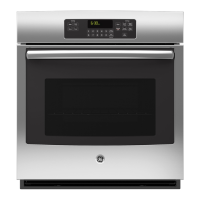
JK3000 - 27" Single Wall Oven
JT3000 - 30" Single Wall Oven
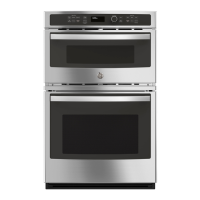
JK3500 - 27" Double Wall Oven
JT3500 - 30" Double Wall Oven
SAFETY INFORMATION ..........3
USING THE OVEN
Single Wall Oven .......................6
Double Wall Oven ......................7
Special Features ........................8
Oven Racks ............................9
Aluminum Foil and Oven Liners ...........9
Cookware ..............................9
Cooking Modes ........................10
Cooking Guide ........................ 11
CARE AND CLEANING
Oven .................................12
Oven Light ............................13
Oven Door ............................14
TROUBLESHOOTING TIPS .......15
LIMITED WARRANTY ............18
ACCESSORIES ....................19
CONSUMER SUPPORT ...........20

Questions and Answers

  • S
    Steven WestAug 20, 2025
    What to do if my GE JK3000 door will not open after a clean cycle?
    • R
      Richard FreyAug 20, 2025
      If your GE oven door will not open after a clean cycle, it is likely because the oven is still too hot. Allow the oven to cool below the locking temperature.
  • D
    Dana NelsonAug 22, 2025
    Why does my GE oven display 'LOCK DOOR'?
    • K
      Kimberly HuynhAug 22, 2025
      If your GE oven displays "LOCK DOOR" it means that the self-clean cycle has been selected, but the door is not closed. Close the oven door.
  • R
    Robert HernandezAug 25, 2025
    How to stop excessive smoking during GE JK3000 Oven clean cycle?
    • S
      Stacey WalkerAug 25, 2025
      If you experience excessive smoking during a clean cycle in your GE oven, it's likely due to excessive soil or grease. Press the Cancel/Off pad and open the windows to rid the room of smoke. Wait until the LOCKED light goes off, then wipe up the excess soil and reset the clean cycle.
  • C
    Crystal HarrisAug 26, 2025
    Why does my GE oven take longer to preheat?
    • Z
      zhawkinsAug 26, 2025
      If your GE oven is taking longer to preheat to the same temperature, it could be due to cookware or food being present in the oven. Removing these items can reduce preheat time. Additionally, the number of racks in the oven can also affect preheating time, so removing some racks may help.
  • B
    Brandi MilesAug 28, 2025
    Why aren't the clock and timer working on my GE JK3000?
    • D
      Daniel RyanAug 28, 2025
      If the clock and timer on your GE oven do not work, a fuse in your home may be blown, or the circuit breaker tripped. Replace the fuse or reset the circuit breaker.
  • N
    Nicolas ThompsonAug 30, 2025
    Why won't my GE JK3000 Oven self-clean?
    • S
      Sierra ClarkAug 30, 2025
      If your GE oven will not self-clean, it could be because the temperature is too high to set a self-clean operation. Allow the oven to cool and reset the controls. Alternatively, the oven controls may be improperly set; refer to the Cleaning the Oven section for guidance.
  • S
    Stephanie RojasSep 1, 2025
    Why is my food not baking properly in my GE oven?
    • J
      James WhiteSep 1, 2025
      If food does not bake properly in your GE oven, several factors could be the cause. Ensure the oven controls are properly set by consulting the Cooking Modes section. Check that the rack position is correct and level, referring to the Cooking Modes section and Cooking Guide. Verify that you are using the correct cookware of the proper size, as detailed in the Cookware section. Consider whether the oven temperature needs adjustment, as explained in the Special Features section. Finally, be aware that ingredient substitutions can alter the recipe outcome.
  • J
    James GomezSep 3, 2025
    Why is my food not broiling properly in my GE JK3000?
    • E
      Erik SmithSep 3, 2025
      If food does not broil properly in your GE oven, ensure you have selected the appropriate broil mode. Check the Cooking Guide for rack location suggestions. Make sure cookware is cool before use. Use a pan specifically designed for broiling. If using aluminum foil on the broiling pan and grid, ensure it is fitted properly and slit as recommended. In areas with low voltage, preheat the broil element for 10 minutes.
  • L
    Lawrence WoodSep 5, 2025
    How to fix a GE JK3000 light that is not working?
    • M
      matthewkimSep 5, 2025
      If the oven light in your GE oven does not work, the light bulb may be loose or defective. Tighten or replace the bulb.
  • R
    reevescynthiaSep 7, 2025
    Why does the display on my GE oven go blank?
    • M
      Melissa FrazierSep 7, 2025
      If the display on your GE oven goes blank, a fuse in your home may be blown, or the circuit breaker tripped. Replace the fuse or reset the circuit breaker. It's also possible that the clock is turned off; see the Special Features section for instructions. Additionally, the oven may be in Sabbath Mode; verify this by checking the Special Features section.

Summary

Oven Safety Information

General Safety Precautions

General guidelines for safe operation and maintenance of the oven.

Flammable Materials Safety

Precautions regarding flammable materials near the oven to prevent fire.

Fire Prevention and Response

Steps to take in case of a fire to prevent injury and spread.

Safe Oven Operation

Instructions for safe oven operation and usage, including hot surfaces.

Self-Cleaning Oven Safety Guidelines

Safety precautions for using the self-cleaning feature to prevent burns.

Removing Protective Shipping Film

Instructions for safely removing protective film and tape from the appliance before use.

Using the Oven

Single Wall Oven Controls Overview

Detailed explanation of each control button and its function for single wall ovens.

Double Wall Oven Controls Overview

Explanation of controls for the double oven model, including upper and lower oven selection.

Special Oven Features Explained

Explains features like temperature adjustment, timer signals, and Sabbath mode.

Oven Racks, Foil, and Cookware Guidelines

Guidance on rack positions, foil use, and selecting appropriate cookware.

Oven Cooking Modes Guide

Descriptions of Bake, Proof, Warm, and Broiling modes for optimal cooking.

Oven Care and Cleaning

Cleaning Control Panel and Oven Exterior

Instructions for cleaning the control panel and oven exterior surfaces safely.

Cleaning Stainless Steel Surfaces

Specific guidance for cleaning stainless steel finishes on the appliance without scratching.

Oven Interior Cleaning Procedures

Details manual, steam, and self-clean methods for interior oven cleaning.

Oven Light Bulb Replacement Guide

Step-by-step guide for replacing the oven light bulb and cover.

Oven Door Removal and Replacement

Procedures for safely removing and reinstalling the oven door.

Oven Troubleshooting Tips

Oven Limited Warranty

Limited Warranty Coverage and Exclusions

Details what the limited warranty covers and what it excludes.

Extended Warranty Information

Information on purchasing extended warranties for appliances.

Oven Accessories

Oven Accessories, Parts, and Supplies

Lists optional accessories, replacement parts, and cleaning supplies for the oven.

Oven Consumer Support

Online Resources and Product Registration

How to access the GE Appliances website and register your product.

Service Scheduling and Support Contacts

Information on scheduling service, extended warranties, and contacting support.

GE JK3000 Specifications

General IconGeneral
BrandGE
ModelJK3000
TypeWall Oven
Fuel TypeElectric
Oven Capacity5.0 cu. ft.
Self-CleaningYes
ConvectionYes
Interior LightingYes
Number of Oven Racks2
Wi-Fi ConnectNo
ColorStainless Steel
Installation TypeBuilt-In
Control TypeTouch
Width30 inches

Related product manuals