EasyManua.ls Logo

GE JK5000 - User Manual

GE JK5000
40 pages
Print Icon
To Next Page IconTo Next Page
Loading...
Write the model and serial
numbers here:
Model # ____________________
Serial # ____________________
You can find them on a label on
the side trim or on the front of the
(lower) oven behind the oven door.
GE is a trademark of the General Electric Company. Manufactured under trademark license.
ESPAÑOL
Para consultar una version en
español de este manual de
instrucciones, visite nuestro sitio de
internet GEAppliances.com.
OWNER’S MANUAL
WALL OVEN
Convection Built-In Electric
49-80722 Rev. 2 08-19 GEA
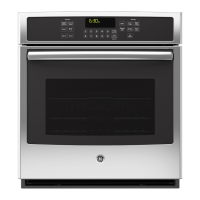
JK5000 - 27" Single Wall Oven
JT5000 - 30" Single Wall Oven
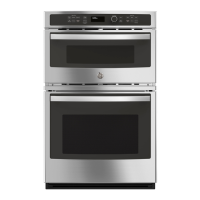
JK5500 - 27" Double Wall Oven
JT5500 - 30" Double Wall Oven
SAFETY INFORMATION ..........3
USING THE OVEN
Single Wall Oven .......................6
Double Wall Oven ......................7
Special Features ........................8
Oven Racks ............................9
Aluminum Foil and Oven Liners ...........9
Cookware ..............................9
Cooking Modes ........................10
Cooking Guide ........................ 11
CARE AND CLEANING
Oven .................................12
Oven Light ............................13
Oven Door ............................13
TROUBLESHOOTING TIPS .......14
LIMITED WARRANTY ............18
ACCESSORIES ....................19
CONSUMER SUPPORT ...........20

Other manuals for GE JK5000

Questions and Answers

  • W
    Wendy TrevinoSep 14, 2025
    Why is my GE JK5000 Oven making fan noise?
    • M
      Matthew VillaSep 14, 2025
      A cooling fan may automatically turn on in your GE oven, which is normal. The cooling fan will turn on to cool internal parts and may run for up to several hours after the oven is turned off.
  • Y
    Yolanda BrownAug 25, 2025
    What to do if my GE JK5000 Oven temperature is too hot or too cold?
    • S
      Steve PhillipsAug 25, 2025
      If your GE oven temperature is too hot or too cold, the oven temperature may need adjustment. See the Special Features section for instructions.
  • S
    smithbrettAug 25, 2025
    Why is 'LOCK DOOR' flashing on my GE JK5000 display?
    • G
      gkingAug 26, 2025
      The 'LOCK DOOR' message flashes on the display because the self-clean cycle has been selected, but the oven door is not closed. Ensure the oven door is fully closed.
  • X
    xcastroAug 26, 2025
    What to do if my GE JK5000 door will not open after a clean cycle?
    • K
      Kristen JohnsonAug 26, 2025
      If your GE oven door won't open after a clean cycle, it's likely because the oven is still too hot. Allow the oven to cool below the locking temperature.
  • J
    Jennifer DelacruzSep 14, 2025
    What to do if the oven light does not work in my GE JK5000 Oven?
    • C
      Courtney EdwardsSep 15, 2025
      If the oven light does not work in your GE oven, try to tighten or replace the bulb. If the pad operating light is broken, call for service.
  • A
    Ariel FigueroaSep 23, 2025
    Why is there fan noise coming from my GE Oven?
    • D
      Daniel BryantSep 23, 2025
      A cooling fan may automatically turn on to cool internal parts. This is normal. The cooling fan may run for up to 1-1/2 hours after the oven is turned off.
  • L
    larry47Sep 7, 2025
    Why does my GE Oven sometimes take longer to preheat to the same temperature?
    • G
      gzunigaSep 7, 2025
      Several factors can affect preheating time: * Cookware or food in the oven will cause it to take longer to preheat. Remove items to reduce preheat time. * Adding more racks to the oven will increase preheat time. Remove some racks. * Different cooking modes use different preheat methods. Some modes will take longer than others (i.e., convection bake multi).
  • Y
    Yvonne MillerSep 7, 2025
    What to do if my GE JK5000 Oven display goes blank?
    • M
      Mark PollardSep 8, 2025
      If your GE oven display goes blank, check if a fuse in your home may be blown or the circuit breaker tripped and replace the fuse or reset the circuit breaker. Also, the clock may be turned off (see the Special features section), or the oven may be in Sabbath Mode (verify, that the oven is not in Sabbath Mode in the Special Features section).
  • R
    Robin PerezSep 23, 2025
    Why does the glass on my GE JK5000 Oven door appear tinted or have a rainbow color?
    • S
      Sue BullockSep 23, 2025
      The inner oven glass is coated with a heat barrier to reflect the heat back into the oven to prevent heat loss and keep the outer door cool while baking. This is normal. Under certain light or angles, you may see this tint or rainbow color.
  • S
    Susan CuevasAug 31, 2025
    Why does "LOCK DOOR" flash on my GE JK5000 Oven display?
    • N
      Nancy WeaverAug 31, 2025
      The "LOCK DOOR" message flashes when the self-clean cycle has been selected, but the door is not closed. Simply close the oven door.

GE JK5000 Specifications

General IconGeneral
BrandGE
Fuel TypeElectric
Oven Capacity5.0 cu. ft.
Self-CleaningYes
Wi-Fi ConnectNo
ColorStainless Steel
Number of Oven Racks2
Installation TypeBuilt-In

Related product manuals