EasyManua.ls Logo

GE JK5000 - User Manual

GE JK5000
40 pages
Print Icon
To Next Page IconTo Next Page
Loading...
Write the model and serial
numbers here:
Model # ____________________
Serial # ____________________
You can find them on a label on
the side trim or on the front of the
(lower) oven behind the oven door.
GE is a trademark of the General Electric Company. Manufactured under trademark license.
ESPAÑOL
Para consultar una version en
español de este manual de
instrucciones, visite nuestro sitio de
internet GEAppliances.com.
OWNER’S MANUAL
WALL OVEN
Convection Built-In Electric
49-80722 Rev. 2 08-19 GEA
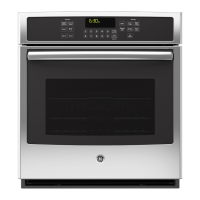
JK5000 - 27" Single Wall Oven
JT5000 - 30" Single Wall Oven
JK5500 - 27" Double Wall Oven
JT5500 - 30" Double Wall Oven
SAFETY INFORMATION ..........3
USING THE OVEN
Single Wall Oven .......................6
Double Wall Oven ......................7
Special Features ........................8
Oven Racks ............................9
Aluminum Foil and Oven Liners ...........9
Cookware ..............................9
Cooking Modes ........................10
Cooking Guide ........................ 11
CARE AND CLEANING
Oven .................................12
Oven Light ............................13
Oven Door ............................13
TROUBLESHOOTING TIPS .......14
LIMITED WARRANTY ............18
ACCESSORIES ....................19
CONSUMER SUPPORT ...........20

Other manuals for GE JK5000

Questions and Answers

  • S
    smithbrettAug 25, 2025
    Why is 'LOCK DOOR' flashing on my GE JK5000 display?
    • G
      gkingAug 26, 2025
      The 'LOCK DOOR' message flashes on the display because the self-clean cycle has been selected, but the oven door is not closed. Ensure the oven door is fully closed.
  • X
    xcastroAug 26, 2025
    What to do if my GE JK5000 door will not open after a clean cycle?
    • K
      Kristen JohnsonAug 26, 2025
      If your GE oven door won't open after a clean cycle, it's likely because the oven is still too hot. Allow the oven to cool below the locking temperature.
  • Y
    yrichmondAug 27, 2025
    What to do if my GE JK5000 Oven will not self-clean?
    • I
      Isabella GarrettAug 27, 2025
      If your GE oven will not self-clean, the temperature might be too high to set a self-clean operation. Allow the oven to cool and reset the controls. Also, make sure the oven controls are properly set (see the Cleaning the Oven section).
  • N
    Nicole HernandezAug 28, 2025
    Why is my GE JK5000 not baking food properly?
    • C
      Charles ThomasAug 28, 2025
      Improper baking can occur due to several reasons: * Oven controls may be improperly set. * The rack position might be incorrect or not level. * You might be using incorrect cookware or cookware of an improper size. * The oven temperature may need adjustment. * Substituting ingredients can also change the recipe outcome.
  • A
    Allison ToddAug 28, 2025
    What to do if my GE JK5000 Oven is smoking excessively during the clean cycle?
    • D
      Derek MartinezAug 28, 2025
      Excessive smoking during the clean cycle is often due to excessive soil or grease. Press the Cancel/Off pad, open the windows to rid the room of smoke, wait until the LOCKED light goes off, wipe up the excess soil, and then reset the clean cycle.
  • T
    Tracie BennettAug 29, 2025
    Why won't my GE JK5000 Oven self-clean?
    • J
      John RussoAug 29, 2025
      If your oven won't self-clean, it could be due to: * The temperature being too high. Allow the oven to cool and reset the controls. * Improperly set oven controls.
  • P
    pgreenAug 30, 2025
    Why is my GE Oven not clean after running a clean cycle?
    • C
      Cory TranAug 30, 2025
      If your oven isn't clean after a clean cycle, it could be due to: * Improperly set oven controls. * The oven being heavily soiled. Clean up heavy spillovers before starting the clean cycle. Heavily soiled ovens may need to self-clean again or for a longer period of time.
  • A
    Adam RobinsonAug 23, 2025
    What to do if my GE JK5000 Oven does not work?
    • E
      emilysantiagoAug 25, 2025
      If your GE oven isn't working, check if a fuse in your home may be blown or the circuit breaker tripped and replace the fuse or reset the circuit breaker. Also, refer to the Using the Oven section to ensure the oven controls are properly set. Finally, verify that the oven is not in Sabbath Mode by checking the Special Features section.
  • M
    Michelle LopezSep 1, 2025
    What to do if the LOCKED light is on when I want to cook in my GE Oven?
    • Q
      qwyattSep 1, 2025
      If the LOCKED light is on when you want to cook, the oven door is locked because the temperature inside the oven hasn't dropped below the locking temperature. Press the Cancel/Off pad and allow the oven to cool.
  • M
    Monique BurgessSep 2, 2025
    Why is the LOCKED light on when I want to cook in my GE JK5000?
    • A
      Amber GarciaSep 2, 2025
      The oven door is locked because the temperature inside the GE oven has not dropped below the locking temperature. Press the Cancel/Off pad and allow the oven to cool.

GE JK5000 Specifications

General IconGeneral
BrandGE
Fuel TypeElectric
Oven Capacity5.0 cu. ft.
Self-CleaningYes
Wi-Fi ConnectNo
ColorStainless Steel
Number of Oven Racks2
Installation TypeBuilt-In

Related product manuals