EasyManua.ls Logo

GE JKS5000 - User Manual

GE JKS5000
56 pages
Print Icon
To Next Page IconTo Next Page
Loading...
Write the model and serial
numbers here:
Model # ____________________
Serial # ____________________
You can find them on a label on
the side trim or on the front of the
(lower) oven behind the oven door.
GE is a trademark of the General Electric Company. Manufactured under trademark license.
OWNER’S MANUAL
WALL OVEN
Convection Built-In Electric
49-2000254 Rev. 1 08-19 GEA
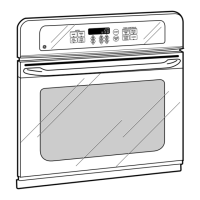
JKS5000 - 27” Single Wall Oven
JTS5000 - 30” Single Wall Oven
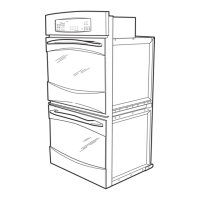
JKD5000 - 27” Double Wall Oven
JTD5000 - 30” Double Wall Oven
SAFETY INFORMATION ..........3
USING THE OVEN
Single Wall Oven Controls ...............6
Double Wall Oven Controls ..............7
Options. . . . . . . . . . . . . . . . . . . . . . . . . . . . . . . . 8
Settings ...............................8
Sabbath Mode .........................10
Oven Racks ........................... 11
Aluminum Foil and Oven Liners .......... 13
Cookware ............................. 13
Cooking Modes ........................14
Probe ................................15
Cooking Guide - Lower Oven ............16
Cooking Guide - Upper/Single Oven .....17
CARE AND CLEANING
Oven .................................18
Probe ................................19
Oven Light ............................19
Oven Door ............................20
TROUBLESHOOTING TIPS ....... 21
LIMITED WARRANTY ............26
ACCESSORIES ....................27
CONSUMER SUPPORT ...........28

Questions and Answers

  • S
    saracrawfordSep 8, 2025
    Why is there a “Burning” or “oily” odor emitting from the vent of my GE JKS5000?
    • A
      Alicia AlexanderSep 8, 2025
      A "burning" or "oily" odor emitting from the vent of your GE oven is normal in a new oven and will disappear over time. To speed up the process, set a self-clean cycle for a minimum of 3 hours, consulting the Cleaning the Oven section.
  • D
    davisbenjaminAug 23, 2025
    Why is there excessive smoking during broiling in my GE JKS5000?
    • L
      Lauren SanchezAug 23, 2025
      If you notice excessive smoking while broiling in your GE oven, it might be because the food is too close to the burner element. To resolve this, simply lower the rack position of the food.
  • K
    Kevin ChangAug 25, 2025
    Why is there excessive smoking during the clean cycle of my GE JKS5000?
    • V
      Victoria KellyAug 25, 2025
      If you experience excessive smoking during the clean cycle of your GE oven, it's likely due to excessive soil or grease. To resolve this, press the Cancel/Off pad, open the windows to ventilate the room, wait until the smoke clears, wipe up the excess soil, and then reset the clean cycle.
  • P
    Patricia WilliamsAug 27, 2025
    What to do if my GE JKS5000 door will not open after a clean cycle?
    • A
      Alexis HowellAug 27, 2025
      If your GE oven door won't open after a clean cycle, it's likely because the oven is still too hot. Allow the oven to cool down below the locking temperature, and then you should be able to open the door.
  • B
    Beverly EnglishAug 27, 2025
    What to do if my GE JKS5000 is not clean after a clean cycle?
    • J
      Jason WoodAug 27, 2025
      If your GE oven is not clean after running a clean cycle, it could be due to improperly set oven controls. Alternatively, the oven may have been heavily soiled before starting the cleaning cycle. To address this, clean up any heavy spillovers before initiating the clean cycle. For heavily soiled ovens, consider running the self-clean cycle again or for a longer duration.
  • J
    Jonathan PerrySep 22, 2025
    Why will my GE oven not work remotely?
    • K
      Kevin HenrySep 22, 2025
      If your GE oven will not work remotely, it could be due to router issues, lack of a wireless signal, or other connectivity problems. For assistance with oven wireless network connectivity, please call 800.220.6899. Also, the oven may not be connected, no answer.
  • W
    wolfemichealSep 16, 2025
    What to do if there is a power outage and the clock flashes on my GE JKS5000?
    • A
      Ashley RangelSep 16, 2025
      If you've experienced a power outage and the clock on your GE oven is flashing, reset the clock. If the oven was in use during the outage, you must reset it by pressing the Cancel/Off pad, setting the clock, and resetting any cooking function.
  • C
    Cody SimmonsSep 18, 2025
    Why is my GE oven making fan noise?
    • C
      Carolyn PhillipsSep 18, 2025
      If you hear fan noise from your GE oven, a cooling fan may have automatically turned on. This is normal, as the cooling fan will turn on to cool internal parts. It may run for up to 1-1/2 hours after the oven is turned off.
  • K
    Kathleen PayneSep 7, 2025
    How to fix GE Oven light that does not work?
    • J
      Joseph SmithSep 7, 2025
      If your GE oven light is not working, the light bulb may be loose or defective. Try tightening or replacing the bulb. If that doesn't work, the pad operating the light might be broken, in which case, no answer.
  • Z
    Zachary GrahamSep 4, 2025
    What does it mean if “F— and a number or letter” flash in the display of my GE JKS5000?
    • K
      Kim StewartSep 4, 2025
      If your GE oven displays an error code that looks like “F— and a number or letter,” it indicates a function error. First, press the Cancel/Off pad and let the oven cool down for one hour. Then, try using the oven again. If the error code reappears, disconnect all power to the oven for at least 30 seconds before reconnecting it. If the function error persists after that, no answer.

Summary

Safety Information

General Safety Instructions

Key warnings and precautions for appliance operation and user safety.

Flammable Materials and Garments

Warnings about keeping flammable items away from the oven and clothing.

Fire Safety Procedures

Steps to take in case of oven fire and general oven safety guidelines.

Self-Cleaning Oven Safety

Specific safety precautions for using the self-cleaning feature.

Using the Oven

Single Wall Oven Controls

Overview of buttons and functions for single wall ovens.

Double Wall Oven Controls

Overview of buttons and functions for double wall ovens.

Oven Options

Explains features like Cook Time and Delay Time.

Oven Settings

Details on WiFi connect, sound, temperature adjustments.

Sabbath Mode Operation

How to enable and use Sabbath mode.

Oven Rack Placement and Use

Guide to using oven racks and their positions.

Cookware and Oven Liners

Guidelines for cookware selection and use of foil/liners.

Cooking Modes Explained

Descriptions of various baking, broiling, and proofing modes.

Oven Probe Usage

Instructions for probe placement, usage, and care.

Cooking Guides

Recommendations for cooking specific foods in the lower oven.

Oven Care and Cleaning

Cleaning the Oven Interior

Manual, Steam Clean, and Self Clean procedures for the oven cavity.

Cleaning Exterior Surfaces

Instructions for control panel, exterior, and specific finishes like stainless steel.

Oven Rack Cleaning and Maintenance

How to clean and maintain oven racks, including after self-clean.

Oven Light Replacement

Steps to safely replace the oven light bulb.

Oven Door Removal and Reinstallation

Procedures for removing and reinstalling the oven door for cleaning access.

GE JKS5000 Specifications

General IconGeneral
BrandGE
ModelJKS5000
Fuel TypeElectric
Oven Capacity5.0 cu. ft.
Self-CleaningYes
ConvectionYes
Number of Oven Racks2
Interior LightYes
Wi-Fi ConnectNo
Burners4
Width30 inches
ColorBlack
Dimensions30 x 28 x 47 inches

Related product manuals