EasyManua.ls Logo

GE JK3000 - User Manual

GE JK3000
20 pages
Print Icon
To Next Page IconTo Next Page
Loading...
Write the model and serial
numbers here:
Model # ____________________
Serial # ____________________
You can find them on a label on
the side trim or on the front of the
(lower) oven behind the oven door.
GE is a trademark of the General Electric Company. Manufactured under trademark license.
ESPAÑOL
Para consultar una version en
español de este manual de
instrucciones, visite nuestro sitio de
internet GEAppliances.com.
OWNER’S MANUAL
WALL OVEN
Built-In Electric
49-80721 Rev. 2 08-19 GEA
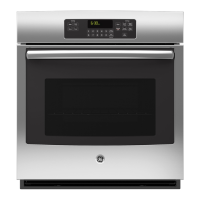
JK3000 - 27" Single Wall Oven
JT3000 - 30" Single Wall Oven
JK3500 - 27" Double Wall Oven
JT3500 - 30" Double Wall Oven
SAFETY INFORMATION ..........3
USING THE OVEN
Single Wall Oven .......................6
Double Wall Oven ......................7
Special Features ........................8
Oven Racks ............................9
Aluminum Foil and Oven Liners ...........9
Cookware ..............................9
Cooking Modes ........................10
Cooking Guide ........................ 11
CARE AND CLEANING
Oven .................................12
Oven Light ............................13
Oven Door ............................14
TROUBLESHOOTING TIPS .......15
LIMITED WARRANTY ............18
ACCESSORIES ....................19
CONSUMER SUPPORT ...........20

Questions and Answers

  • T
    Thomas AlvarezSep 9, 2025
    What to do after a power outage if my GE oven clock flashes?
    • L
      lisacampbellSep 9, 2025
      If you experience a power outage and the clock on your GE oven flashes, reset the clock. If the oven was in use, you must reset it by pressing the Cancel/Off pad, setting the clock, and resetting any cooking function.
  • C
    Charles ThompsonSep 12, 2025
    Why does my new GE JK3000 Oven have a burning or oily odor?
    • C
      Chris CabreraSep 12, 2025
      If you notice a “burning” or “oily” odor emitting from the vent of your new GE oven, this is normal and will disappear in time. To speed up the process, set a self-clean cycle for a minimum of 3 hours. See the Cleaning the Oven section. This is temporary.
  • S
    Samantha BallardSep 13, 2025
    Why does my GE JK3000 have a strong odor when I use it?
    • L
      Luis TorresSep 13, 2025
      If you notice a strong odor when using your GE oven for the first few times, it is normal. The odor comes from the insulation around the inside of the oven. This is temporary and will go away after several uses or a self-clean cycle.
  • B
    Brittany HicksSep 15, 2025
    Why is my GE JK3000 making fan noise?
    • A
      agonzalezSep 15, 2025
      If you hear fan noise from your GE oven, it is normal. A cooling fan may automatically turn on to cool internal parts and may run for up to 1-1/2 hours after the oven is turned off.
  • L
    linda52Sep 17, 2025
    Why does my GE JK3000 door glass appear tinted or have a rainbow color?
    • D
      davisphillipSep 17, 2025
      The inner oven glass of your GE oven is coated with a heat barrier to reflect heat back into the oven, prevent heat loss, and keep the outer door cool while baking. This is normal. Under certain light or angles, you may see this tint or rainbow color.

Summary

Oven Safety Information

General Safety Precautions

General guidelines for safe operation and maintenance of the oven.

Flammable Materials Safety

Precautions regarding flammable materials near the oven to prevent fire.

Fire Prevention and Response

Steps to take in case of a fire to prevent injury and spread.

Safe Oven Operation

Instructions for safe oven operation and usage, including hot surfaces.

Self-Cleaning Oven Safety Guidelines

Safety precautions for using the self-cleaning feature to prevent burns.

Removing Protective Shipping Film

Instructions for safely removing protective film and tape from the appliance before use.

Using the Oven

Single Wall Oven Controls Overview

Detailed explanation of each control button and its function for single wall ovens.

Double Wall Oven Controls Overview

Explanation of controls for the double oven model, including upper and lower oven selection.

Special Oven Features Explained

Explains features like temperature adjustment, timer signals, and Sabbath mode.

Oven Racks, Foil, and Cookware Guidelines

Guidance on rack positions, foil use, and selecting appropriate cookware.

Oven Cooking Modes Guide

Descriptions of Bake, Proof, Warm, and Broiling modes for optimal cooking.

Oven Care and Cleaning

Cleaning Control Panel and Oven Exterior

Instructions for cleaning the control panel and oven exterior surfaces safely.

Cleaning Stainless Steel Surfaces

Specific guidance for cleaning stainless steel finishes on the appliance without scratching.

Oven Interior Cleaning Procedures

Details manual, steam, and self-clean methods for interior oven cleaning.

Oven Light Bulb Replacement Guide

Step-by-step guide for replacing the oven light bulb and cover.

Oven Door Removal and Replacement

Procedures for safely removing and reinstalling the oven door.

Oven Troubleshooting Tips

Oven Limited Warranty

Limited Warranty Coverage and Exclusions

Details what the limited warranty covers and what it excludes.

Extended Warranty Information

Information on purchasing extended warranties for appliances.

Oven Accessories

Oven Accessories, Parts, and Supplies

Lists optional accessories, replacement parts, and cleaning supplies for the oven.

Oven Consumer Support

Online Resources and Product Registration

How to access the GE Appliances website and register your product.

Service Scheduling and Support Contacts

Information on scheduling service, extended warranties, and contacting support.

GE JK3000 Specifications

General IconGeneral
BrandGE
ModelJK3000
TypeWall Oven
Fuel TypeElectric
Oven Capacity5.0 cu. ft.
Self-CleaningYes
ConvectionYes
Interior LightingYes
Number of Oven Racks2
Wi-Fi ConnectNo
ColorStainless Steel
Installation TypeBuilt-In
Control TypeTouch
Width30 inches

Related product manuals