EasyManua.ls Logo

GE JS630 - User Manual

GE JS630
28 pages
Print Icon
To Next Page IconTo Next Page
Loading...
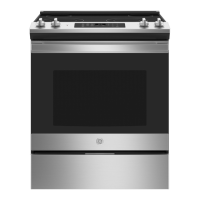
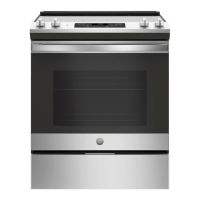
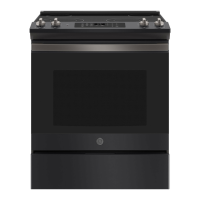
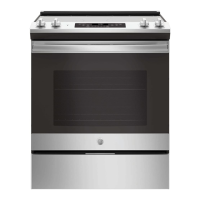
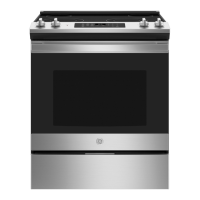
JS630 - 30" Slide In Range
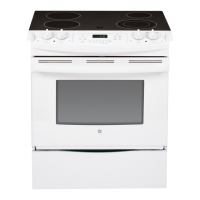
JD630 - 30" Drop In Range
49-80693 08-13 GE
GEAppliances.com
Write the model and serial
numbers here:
Model # __________________
Serial # ___________________
You can find them on a label
on the side trim or on the front of
the (lower) oven behind the oven
door.
Printed in the United States
Printed on
Recycled Paper
For a Spanish version of this
manual, visit our Website at
GEAppliances.com.
Para consultar una version
en español de este manual
de instrucciones, visite
nuestro sitio de internet
GEAppliances.com.
Owner’s Manual
Ranges
Electric Slide-In and Drop-In
Safety Information ............2
Warranty .......................7
Assistance / Accessories .....8
Using The Range
Surface Units .....................9
Cookware for Radiant
Glass Cooktop .................11
Oven Controls ...................12
Special Features ................13
Oven Racks .....................14
Cookware .......................14
Cooking Modes .................15
Cooking Guide ..................16
Care and Cleaning
Cleaning the Range – Exterior . . . 17
Cleaning the Range – Interior ....18
Cleaning the Glass Cooktop ......19
Maintenance ....................21
Troubleshooting Tips .......25

Questions and Answers

  • P
    phillip64Aug 25, 2025
    Why is my GE JS630 making a 'clicking' noise when using my oven?
    • C
      carla33Aug 25, 2025
      If the GE Ranges is making a clicking noise when using the oven, this is normal. The range cycles the heating elements by turning relays on and off to maintain the oven temperature.
  • J
    Joseph BeardAug 25, 2025
    What to do if my GE Ranges oven does not work?
    • M
      morganjerryAug 26, 2025
      If the oven in your GE Ranges does not work or appears not to work, first check if a fuse in your home has blown or if the circuit breaker has tripped, and replace the fuse or reset the circuit breaker. Also, ensure that the oven controls are properly set and that the oven is not in Sabbath Mode.
  • W
    wgreenAug 26, 2025
    Why won’t my GE Ranges oven self-clean?
    • J
      Jeffery BrightAug 26, 2025
      If your GE Ranges oven will not self-clean, it could be because the temperature is too high to set a self-clean operation. Allow the oven to cool and reset the controls.
  • T
    tcortezAug 27, 2025
    How to stop excessive smoking during broiling in my GE JS630?
    • N
      Nicholas DodsonAug 27, 2025
      If you notice excessive smoking during a broiling cycle on your GE Ranges, the food might be too close to the burner element. Try lowering the rack position to increase the distance between the food and the burner.
  • S
    Sara ZunigaAug 27, 2025
    What to do if there is excessive smoking during clean cycle on my GE JS630 Ranges?
    • J
      janicegregoryAug 27, 2025
      If you experience excessive smoking during the clean cycle on your GE Ranges, it's likely due to excessive soil or grease in the oven. Press the Cancel/Off pad, open the windows to ventilate the room, wait for the LOCKED light to turn off, wipe up the excess soil, and then restart the clean cycle.
  • A
    Amanda GrantAug 28, 2025
    What to do if the oven door will not open after a clean cycle on my GE JS630 Ranges?
    • A
      andreacarneyAug 28, 2025
      If your GE Ranges oven door will not open after a clean cycle, it is likely that the oven is still too hot. Allow the oven to cool completely below the locking temperature before attempting to open the door.
  • J
    Jo SmithAug 29, 2025
    Why is my GE JS630 oven not clean after a clean cycle?
    • R
      Robert DavisAug 29, 2025
      If your GE Ranges oven is not clean after running a clean cycle, this could be because the oven controls were improperly set or the oven was heavily soiled. Clean up any significant spills before starting the clean cycle. If the oven is heavily soiled, you may need to run the self-clean cycle again or for a longer duration.
  • A
    Anthony MaldonadoAug 30, 2025
    What does 'F— and a number or letter' flashing in the display of my GE Ranges mean?
    • K
      Kristin BennettAug 30, 2025
      If 'F— and a number or letter' flash in the display of your GE Ranges, it indicates a function error code. Press the Cancel/Off pad, allow the oven to cool for one hour, and then try using the oven again. If the error code repeats, disconnect all power to the oven for at least 30 seconds, then reconnect it. If the error persists, call for service.
  • N
    Nicholas SmithAug 23, 2025
    What to do if the surface units on my GE JS630 Ranges do not work properly?
    • K
      Karla PetersAug 23, 2025
      If your GE Ranges surface units aren't working properly, first check your home's fuse box or circuit breaker and replace the fuse or reset the breaker if necessary. Also, ensure that the cooktop controls are correctly set for the specific surface unit you are using.
  • P
    Peter AndersonAug 31, 2025
    What to do if the clock and timer do not work on my GE JS630?
    • L
      Lisa CareyAug 31, 2025
      If the clock and timer on your GE Ranges are not working, check if a fuse in your home has blown or if the circuit breaker has tripped and replace the fuse or reset the circuit breaker. Also, make sure the range is fully plugged into a properly grounded electrical outlet.

Summary

Safety Information

Anti-Tip Device Installation and Use

Instructions on installing and using the anti-tip device to prevent range tipping hazards.

General Safety Guidelines

Flammable Materials Proximity Warning

Warning to keep flammable items away from the range to prevent fire or personal injury.

Fire Safety Procedures

Cooktop Fire Prevention and Response

Safety guidelines for operating the cooktop, preventing fires and injuries.

Specific Appliance Safety Warnings

Radiant Cooktop Usage Precautions

Safety precautions for using the radiant glass cooktop.

Oven Operation Safety Instructions

Safety guidelines for using the oven.

Self-Cleaning Oven Safety

Safe Operation of Self-Cleaning Feature

Safety instructions for operating the self-cleaning feature.

Warranty Information

GE Electric Range Limited Warranty Details

Details of the GE electric range warranty, coverage, and exclusions.

Using the Surface Units

Surface Unit Controls and Operation

Instructions on how to use surface unit controls.

Dual and Triple Surface Unit Types

Explanation of dual and triple surface units.

Surface Unit Usage and Features

Radiant Glass Cooktop Specifics

Information for radiant glass cooktop models.

Cookware for Radiant Glass Cooktops

Recommended Cookware Materials

Guidance on choosing appropriate cookware materials.

Oven Controls Overview

Oven Cooking Modes Explained

Broiling Modes: High and Low

How to use Broil Hi and Broil Lo.

Exterior Range Cleaning

Interior Oven Cleaning Procedures

Self-Clean Mode Operation Guide

Detailed steps for self-cleaning.

Glass Cooktop Cleaning Instructions

Advanced Glass Cooktop Cleaning

Troubleshooting Common Range Issues

Oven Cooking Performance Problems

New oven cooking differences, improper baking.

Troubleshooting Oven and Control Issues

Broiling and Temperature Inaccuracies

Broiling problems, temp too hot/cold.

Troubleshooting Self-Clean and Display Errors

Self-Clean Cycle Malfunctions

Problems with self-cleaning function.

Advanced Troubleshooting and Solutions

GE JS630 Specifications

General IconGeneral
BrandGE
ModelJS630
CategoryRanges
LanguageEnglish

Related product manuals