EasyManua.ls Logo

GE JS630 - User Manual

GE JS630
28 pages
Print Icon
To Next Page IconTo Next Page
Loading...
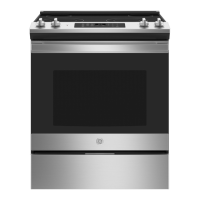
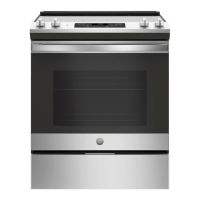
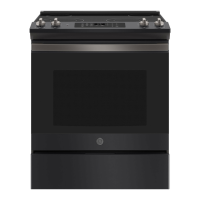
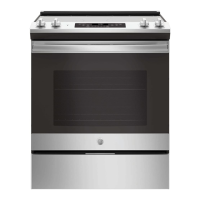
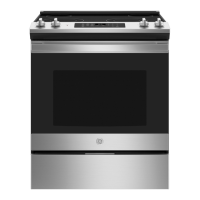
JS630 - 30" Slide In Range
JD630 - 30" Drop In Range
49-80693 08-13 GE
GEAppliances.com
Write the model and serial
numbers here:
Model # __________________
Serial # ___________________
You can find them on a label
on the side trim or on the front of
the (lower) oven behind the oven
door.
Printed in the United States
Printed on
Recycled Paper
For a Spanish version of this
manual, visit our Website at
GEAppliances.com.
Para consultar una version
en español de este manual
de instrucciones, visite
nuestro sitio de internet
GEAppliances.com.
Owner’s Manual
Ranges
Electric Slide-In and Drop-In
Safety Information ............2
Warranty .......................7
Assistance / Accessories .....8
Using The Range
Surface Units .....................9
Cookware for Radiant
Glass Cooktop .................11
Oven Controls ...................12
Special Features ................13
Oven Racks .....................14
Cookware .......................14
Cooking Modes .................15
Cooking Guide ..................16
Care and Cleaning
Cleaning the Range – Exterior . . . 17
Cleaning the Range – Interior ....18
Cleaning the Glass Cooktop ......19
Maintenance ....................21
Troubleshooting Tips .......25

Questions and Answers

  • C
    Crystal CollinsSep 1, 2025
    Why does the display on my GE Ranges go blank?
    • K
      Kenneth MartinezSep 1, 2025
      If the display on your GE Ranges goes blank, it could be due to a blown fuse or tripped circuit breaker in your home; replace the fuse or reset the circuit breaker. Alternatively, the clock may be turned off or the oven might be in Sabbath Mode.
  • M
    Matthew JohnsonSep 2, 2025
    What to do when the clock flashes after a power outage on my GE JS630 Ranges?
    • L
      Lisa JonesSep 2, 2025
      If you experience a power outage and the clock on your GE Ranges is flashing, reset the clock. If the oven was in use during the outage, you'll need to cancel any ongoing cooking function, set the clock, and then reset the cooking function.
  • J
    Jeffery Odonnell PhDSep 3, 2025
    Why does my GE Ranges oven take longer to preheat sometimes?
    • D
      Derrick AllenSep 3, 2025
      If your GE Ranges oven is taking longer to preheat, it could be due to cookware or food already in the oven, which will increase preheating time; remove these items to reduce preheat time. Also, the number of racks in the oven can affect preheating time; removing some racks may help.
  • S
    Sarah JohnsonSep 4, 2025
    Why is there steam coming from the vent of my GE JS630 Ranges?
    • A
      Angelica MartinezSep 4, 2025
      If you see steam coming from the vent of your GE Ranges while using the ovens, this is normal. The amount of visible steam will increase as the number of racks or the amount of food being cooked increases.
  • D
    David HebertSep 4, 2025
    What to do if food does not bake properly in my GE JS630 Ranges?
    • M
      Maurice WilliamsonSep 4, 2025
      If food does not bake properly in your GE Ranges, there are several possible causes. Ensure the oven controls are properly set, the rack position is correct and level, and that you're using the correct cookware of the appropriate size. Also, the oven temperature may need adjustment, and ingredient substitutions can affect the outcome.
  • D
    Dennis BauerSep 5, 2025
    Why does the surface unit stop glowing when turned to a lower setting on my GE Ranges?
    • T
      teresa90Sep 5, 2025
      If the surface unit on your GE Ranges stops glowing when turned to a lower setting, this is normal. The unit is still on and hot.
  • J
    James RodriguezSep 6, 2025
    What to do if food does not broil properly in my GE Ranges?
    • T
      Tyler HollandSep 6, 2025
      If food is not broiling properly in your GE Ranges, make sure you select the appropriate broil mode and use the correct rack position. Ensure the food is not being cooked in a hot pan and that you are using cookware suited for broiling. If using aluminum foil, make sure it's properly fitted and slit as recommended. In areas with low voltage, preheat the broil element for 10 minutes.

Summary

Safety Information

Anti-Tip Device Installation and Use

Instructions on installing and using the anti-tip device to prevent range tipping hazards.

General Safety Guidelines

Flammable Materials Proximity Warning

Warning to keep flammable items away from the range to prevent fire or personal injury.

Fire Safety Procedures

Cooktop Fire Prevention and Response

Safety guidelines for operating the cooktop, preventing fires and injuries.

Specific Appliance Safety Warnings

Radiant Cooktop Usage Precautions

Safety precautions for using the radiant glass cooktop.

Oven Operation Safety Instructions

Safety guidelines for using the oven.

Self-Cleaning Oven Safety

Safe Operation of Self-Cleaning Feature

Safety instructions for operating the self-cleaning feature.

Warranty Information

GE Electric Range Limited Warranty Details

Details of the GE electric range warranty, coverage, and exclusions.

Using the Surface Units

Surface Unit Controls and Operation

Instructions on how to use surface unit controls.

Dual and Triple Surface Unit Types

Explanation of dual and triple surface units.

Surface Unit Usage and Features

Radiant Glass Cooktop Specifics

Information for radiant glass cooktop models.

Cookware for Radiant Glass Cooktops

Recommended Cookware Materials

Guidance on choosing appropriate cookware materials.

Oven Controls Overview

Oven Cooking Modes Explained

Broiling Modes: High and Low

How to use Broil Hi and Broil Lo.

Exterior Range Cleaning

Interior Oven Cleaning Procedures

Self-Clean Mode Operation Guide

Detailed steps for self-cleaning.

Glass Cooktop Cleaning Instructions

Advanced Glass Cooktop Cleaning

Troubleshooting Common Range Issues

Oven Cooking Performance Problems

New oven cooking differences, improper baking.

Troubleshooting Oven and Control Issues

Broiling and Temperature Inaccuracies

Broiling problems, temp too hot/cold.

Troubleshooting Self-Clean and Display Errors

Self-Clean Cycle Malfunctions

Problems with self-cleaning function.

Advanced Troubleshooting and Solutions

GE JS630 Specifications

General IconGeneral
BrandGE
ModelJS630
CategoryRanges
LanguageEnglish

Related product manuals