EasyManua.ls Logo

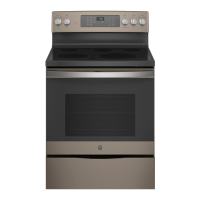
GE JS760BL2TS - User Manual

GE JS760BL2TS
28 pages
Print Icon
To Next Page IconTo Next Page
Loading...
Write the model and serial
numbers here:
Model # _________________
Serial # _________________
You can find them on a label
behind the door or drawer.
ESPAÑOL
Para consultar una version en
español de este manual de
instrucciones, visite nuestro sitio de
internet GEAppliances.com.
OWNER’S MANUAL
RANGES
Electric Front Control
49-80815-1 06-18 GEA
SAFETY INFORMATION .......... 3
USING THE RANGE
Surface Units ........................... 7
Cookware for Radiant Glass Cooktop. . . . . .10
Oven Controls ..........................11
Special Features ........................12
Sabbath Mode ..........................13
Oven Racks ............................14
Aluminum Foil and Oven Liners ...........14
Cookware ..............................14
Cooking Modes .........................15
Cooking Guide .........................16
CARE AND CLEANING
Cleaning the Range – Exterior ............17
Cleaning the Range – Interior ............18
Cleaning the Glass Cooktop ..............19
Oven Light ............................20
Oven Door .............................21
Removable Storage Drawer ............. 22
TROUBLESHOOTING TIPS ....... 23
LIMITED WARRANTY ............ 26
ACCESSORIES .................... 27
CONSUMER SUPPORT ........... 28
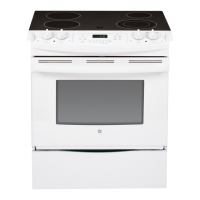
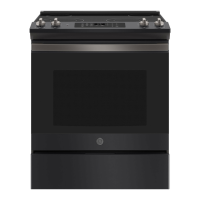
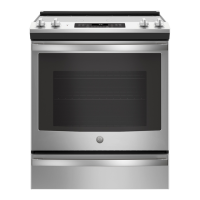
JS760 - 30" Front Control Range
GE is a trademark of the General Electric Company. Manufactured under trademark license.

Questions and Answers

  • L
    Linda BennettAug 27, 2025
    What to do if surface units on my GE JS760BL2TS Ranges do not work properly?
    • A
      allencookAug 27, 2025
      If the surface units on your GE Ranges aren't working, first check your home's fuse box or circuit breaker and replace the fuse or reset the breaker if needed. Also, ensure the cooktop controls are correctly set for the specific surface unit you're trying to use.
  • R
    Renee PittsSep 6, 2025
    How to broil food properly in GE JS760BL2TS Ranges?
    • E
      elizabethbrooksSep 6, 2025
      To broil food properly in your GE Ranges, ensure you select the appropriate broil mode and use the correct rack position. Make sure food is cooked in a cool pan specifically designed for broiling. If using aluminum foil on the broiling pan and grid, ensure it has been fitted properly and slit as recommended. In some areas the power (voltage) may be low, preheat the broil element for 10 minutes.
  • T
    Tyler AndersonAug 27, 2025
    How to fix GE JS760BL2TS clock and timer that do not work?
    • S
      Stacy ThompsonAug 27, 2025
      If the clock and timer on your GE Ranges are not working, check the following: * Ensure that a fuse in your home hasn't blown or the circuit breaker hasn't tripped; replace the fuse or reset the circuit breaker if necessary. * Make sure the range's electrical plug is fully inserted into a properly grounded outlet. * Verify that the oven controls are properly set. * Check if the clock display is turned off in the Special Features section.
  • M
    mary79Sep 18, 2025
    What does “F— and a number or letter” mean on my GE JS760BL2TS Ranges display?
    • T
      Theodore SnyderSep 18, 2025
      If “F— and a number or letter” flash in the display of your GE Ranges, it indicates a function error code. Press the Cancel/Off pad and allow the oven to cool for one hour before putting it back into operation. If the function code repeats, disconnect all power to the oven for at least 30 seconds and then reconnect power. If the error persists, call for service.
  • A
    ashley04Sep 12, 2025
    What to do if plastic melted to the surface of my GE Ranges?
    • A
      Austin MclaughlinSep 12, 2025
      If plastic has melted to the surface of your GE Ranges, it's because the hot cooktop came into contact with plastic. See the Cleaning the glass cooktop section as there is potential for permanent damage without proper care.
  • D
    Destiny RobertsonSep 8, 2025
    What does 'F— and a number or letter' mean on my GE JS760BL2TS display?
    • G
      gmckenzieSep 8, 2025
      If you see “F— and a number or letter” flashing on your GE Ranges display, it indicates a function error code. Press the Cancel/Off pad and allow the oven to cool for one hour before putting it back into operation. If the code repeats, disconnect power to the oven for at least 60 seconds, then reconnect it. If the error persists, call for service.
  • J
    jennifer92Sep 14, 2025
    How to remove scratches on my GE Ranges cooktop glass surface?
    • R
      ramosjoelSep 14, 2025
      Scratches on the cooktop glass surface of your GE Ranges are not removable, and incorrect cleaning methods are often the cause. Tiny scratches will become less visible over time as a result of cleaning. To avoid scratches, use the recommended cleaning procedures. Ensure the bottoms of your cookware are clean before use, and use cookware with smooth bottoms to prevent further scratching.
  • D
    David YoderSep 22, 2025
    Why is there fan noise on my GE JS760BL2TS?
    • J
      Jacob ReedSep 22, 2025
      A convection fan may automatically turn on and off. This is normal. The fan is designed to operate intermittently to maximize cooking evenness. The convection fan will operate during preheat of the bake cycle. The fan will turn off after the oven is heated to the set temperature. This is normal. Also, a cooling fan may automatically turn on and off, which is normal on some models. The cooling fan will turn off and on to cool internal parts and may run after the oven is turned off.
  • T
    Thomas ThompsonAug 28, 2025
    Why is my GE JS760BL2TS Ranges making a 'clicking' noise when using my oven?
    • J
      jessejohnsonAug 28, 2025
      Your GE Ranges cycles the heating elements by turning relays on and off to maintain the oven temperature. This is normal.
  • D
    David MorrisAug 28, 2025
    Why clock and timer do not work in my GE Ranges?
    • M
      Miguel JimenezAug 28, 2025
      If the clock and timer on your GE Ranges aren't working, several factors could be the cause. Check whether a fuse in your home has blown or a circuit breaker has tripped, and replace the fuse or reset the breaker if necessary. Ensure the range is fully plugged into a properly grounded electrical outlet. Also, check Clock Display settings in the Special Features section.

GE JS760BL2TS Specifications

General IconGeneral
BrandGE
ModelJS760BL2TS
TypeSlide-In
Fuel TypeElectric
Cooktop SurfaceCeramic Glass
Number of Burners5
Oven Capacity5.3 cu. ft.
Self-CleaningYes
Wi-Fi ConnectYes
ConvectionYes
Width30 in.

Related product manuals