After Self-Cleaning
You
may
notice
some white ash in the oven. Just wipe
If the oven is not clean after one clean cycle,
it up with a damp cloth after the oven cools.
repeat the
cycle.
If
white spots remain, remove them with a soap-filled
If the shelves have become hard to slide, wipe the
steel woo] pad. Be sure to rinse thoroughly with a
shelf supports with cooking oil.
vinegar and water mixture. These deposits are usually
NOTE: No
functions can be programmed before the
a
salt residue that cannot be removed by the clean cycle.
door automatically unlocks.
How to Set Delay Start of Cleaning
Quick Reminder:
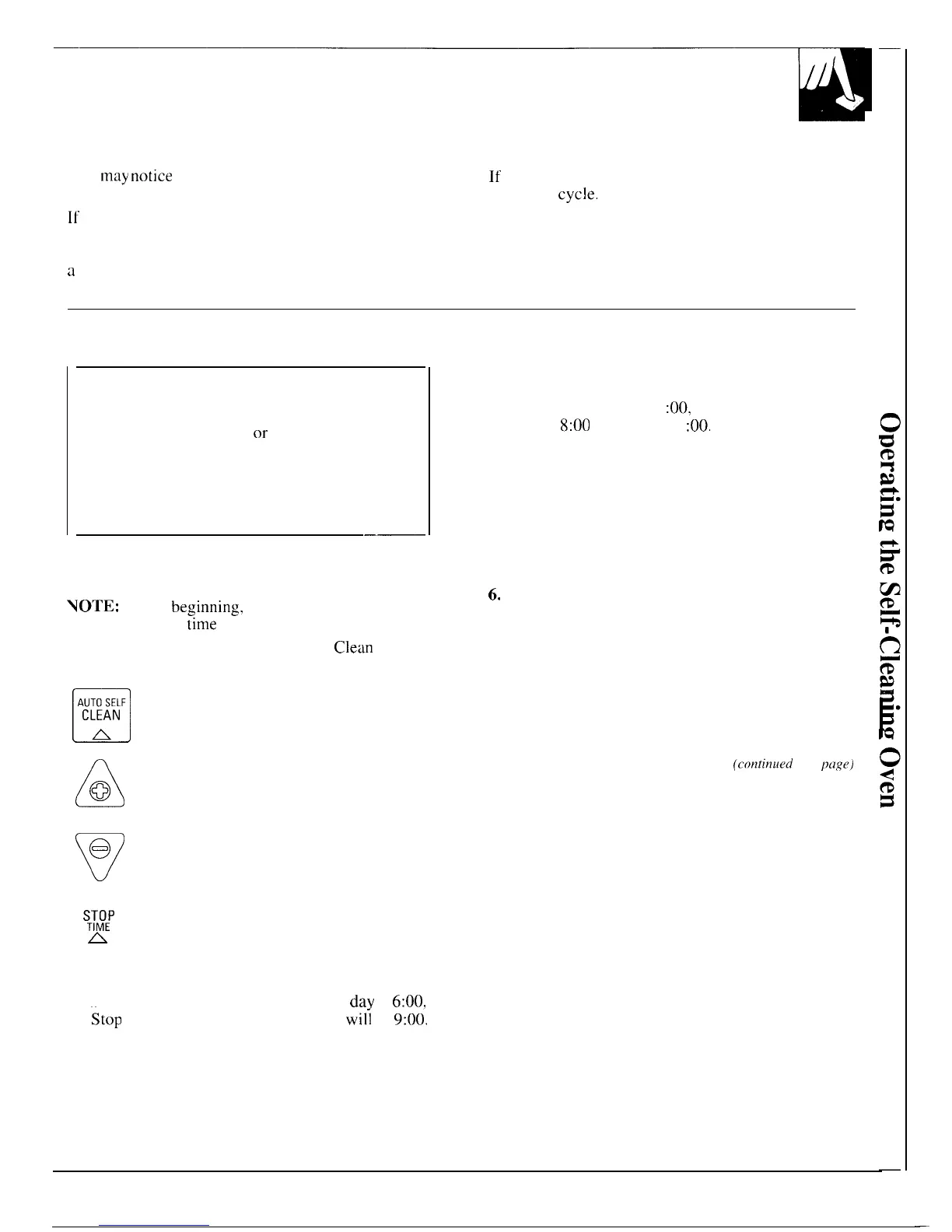
1. Press the AUTO SELF CLEAN pad.
2. Press the INCREASE or DECREASE pad
until the desired Clean Time appears.
3.
Press the STOP TIME pad.
4. Press the INCREASE or DECREASE pad until
the desired Stop Time appears in the display.
——
Delay
Start is setting the oven timer to start the clean
cycle automatically at a later time than the present
time of day.
NOTE:
Before
beginnin&,
make sure the oven clock
shows the correct
time
of day.
1.
Follow the directions in the Before a
Clean
Cycle
section.
n
2. After closing the door, press the
AUTO SELF
CLEAN
AUTO SELF CLEAN pad.
w
A
3.
Press the INCREASE or DECREASE
@
pad to enter the Clean Time.
5.
Press the INCREASE pad to change the Stop Time
to a later time of day if desired. For example: If
you set Stop Time at 11
:00,
oven will start clean
cycle at
8:00
and end at 11
:00.
The door latches
automatically.
The self-clean cycle will automatically begin after
“CLEAN” is displayed and the time for clean cycle
is set. The words “ON” and “LOCK” will appear in
the display when the door automatically locks. It
will not be possible to open the oven door until the
temperature drops below the lock temperature and
the LOCK light goes off.
6.
When the LOCK light is off, open the door.
NOTE:
●
During a delayed self-clean operation you can find
out when the oven is set to turn on by pressing and
holding the AUTO SELF CLEAN pad for 3 seconds.
●
A fan may automatically turn on and off to cool
internal parts. This is normal, and the fan may
continue to run after the oven is turned off.
(continueli
next
[]age)
v
@
❑
4. Press the STOP TIME pad. “STOP
y~:f
TIME” and the earliest Stop Time you
A
can set will appear in the display.
The earliest Stop Time will be the Clean Time
selected plus the time of day.
For example:
If the
Clean Time is three hours and the time of
dav
is
6:00.
the
stop
Time that appears in the display
wifi
be
9:06.
21
—



 To Next Page