EasyManua.ls Logo

GE JTS3000 - User Manual

GE JTS3000
40 pages
Print Icon
To Next Page IconTo Next Page
Loading...
Write the model and serial
numbers here:
Model # ____________________
Serial # ____________________
You can find them on a label on
the side trim or on the front of the
(lower) oven behind the oven door.
GE is a trademark of the General Electric Company. Manufactured under trademark license.
OWNER’S MANUAL
WALL OVEN
Built-In Electric
49-2000253 Rev. 1 07-19 GEA
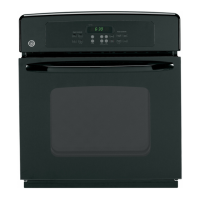
JKS3000 - 27" Single Wall Oven
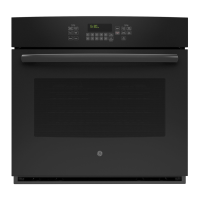
JTS3000 - 30" Single Wall Oven
JKD3000 - 27" Double Wall Oven
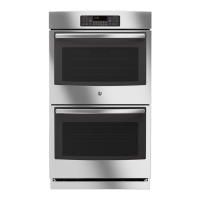
JTD3000 - 30" Double Wall Oven
SAFETY INFORMATION ..........3
USING THE OVEN
Single Wall Oven Controls ...............6
Double Wall Oven Controls ..............7
Special Features ........................8
Sabbath Mode ..........................9
Oven Racks ...........................10
Aluminum Foil and Oven Liners ..........10
Cookware .............................10
Cooking Modes ........................ 11
Cooking Guide ........................12
CARE AND CLEANING
Oven .................................13
Oven Light ............................14
Oven Door ............................15
TROUBLESHOOTING TIPS .......16
LIMITED WARRANTY ............18
ACCESSORIES ....................19
CONSUMER SUPPORT ...........20


Other manuals for GE JTS3000

Questions and Answers

  • C
    Christina TaylorSep 3, 2025
    What to do if my GE Oven is not clean after a clean cycle?
    • K
      kevin48Sep 3, 2025
      If your GE Oven isn't clean after running a clean cycle, it could be due to improperly set oven controls. Also, if the oven was heavily soiled, clean up heavy spillovers before starting the cycle. Heavily soiled ovens may need to self-clean again or for a longer period.
  • L
    lauraparkerSep 1, 2025
    What causes excessive smoking during the clean cycle of my GE JTS3000 Oven?
    • G
      greenjulianSep 1, 2025
      If there's excessive smoking during the clean cycle of your GE Oven, it's likely due to excessive soil or grease. Press the Cancel/Off pad, open windows to clear the smoke, wait for the oven to cool, wipe up the excess soil, and then reset the clean cycle.
  • S
    Stephanie JohnstonAug 31, 2025
    What should I do when the clock flashes on my GE Oven after a power outage?
    • C
      Claudia StevensAug 31, 2025
      In case of a power outage or surge causing the clock on your GE Oven to flash, reset the clock. If the oven was in use during the outage, press the Cancel/Off pad, set the clock, and reset any cooking functions.
  • J
    James SimmonsAug 29, 2025
    Why is my food not broiling properly in my GE JTS3000?
    • A
      ahillAug 29, 2025
      If your food isn't broiling properly in your GE Oven, check that you've selected the correct broil mode and are using the proper rack position. Ensure your cookware is cool and suited for broiling; use a pan designed for broiling. If using foil, make sure it's fitted properly with slits. In areas with low voltage, preheat the broil element for 10 minutes.
  • S
    Steven MaysAug 27, 2025
    How to fix a GE JTS3000 Oven that will not self-clean?
    • D
      Daniel LoveAug 27, 2025
      If your GE Oven won't self-clean, first ensure the oven has cooled down sufficiently, as the temperature may be too high to start a self-clean cycle. After cooling, reset the controls.
  • D
    Doris HansenAug 26, 2025
    Why isn't my food baking properly in my GE Oven?
    • A
      Andrea SmithAug 26, 2025
      If food isn't baking properly in your GE Oven, several factors could be at play. Ensure the oven controls are set correctly. Check that the rack position is correct and level. Using incorrect cookware or cookware of the wrong size can also cause issues. The oven temperature may need adjustment, and substituting ingredients can alter the outcome.
  • W
    Willie MayoAug 25, 2025
    Why is my GE JTS3000 locked when I want to cook?
    • V
      Victoria StoneAug 25, 2025
      If your GE Oven is locked when you want to cook, it's likely because the temperature inside the oven hasn't dropped below the locking temperature. Press the Cancel/Off pad and allow the oven to cool down.
  • J
    jennifer58Aug 22, 2025
    What to do if my GE JTS3000 Oven door will not open after a clean cycle?
    • E
      Emily MuellerAug 22, 2025
      If the oven door of your GE Oven will not open after a clean cycle, it's likely because the oven is still too hot. Allow the oven to cool below the locking temperature.

Summary

Important Safety Information

General Safety Guidelines

General safety guidelines for using the appliance.

Flammable Material Warnings

Warnings about storing flammable materials near the oven.

Fire Safety and Oven Operation

Steps for fire safety and general oven operation.

Self-Cleaning Oven Safety

Safety precautions for using the self-cleaning feature.

Using the Oven: Single Wall Oven Controls

Using the Oven: Double Wall Oven Controls

Using the Oven: Special Features

Oven Temperature Adjustment

Calibrate oven temperature offset.

Using the Oven: Sabbath Mode

Activating and Using Sabbath Mode

Steps to activate, use, and exit Sabbath mode.

Using the Oven: Cooking Modes

Broiling Modes and Techniques

General advice and specific instructions for Broil Hi and Broil Lo.

Using the Oven: Cooking Guide

Care and Cleaning: Oven

Interior Cleaning Methods

Manual, Steam Clean, and Self Clean interior cleaning.

Care and Cleaning: Oven Door

Troubleshooting Oven Issues

Limited Warranty Information

GE JTS3000 Specifications

General IconGeneral
Fuel TypeElectric
Oven Capacity5.3 cu. ft.
ConvectionYes
Interior LightingYes
ColorStainless Steel
Cooktop SurfaceCeramic Glass
Number of Elements4
Number of Oven Racks2
Precision Cooking SystemYes
Warm & Keep Warm SettingYes
Hidden Bake ElementYes
Adjustable Cooking RacksYes
Oven TypeElectric
Oven FeaturesSelf-Cleaning

Related product manuals