EasyManua.ls Logo

GE MDS TransNEXT NET9L - RJ45 to DB9 Adapter Wiring and LED;Button Panel

GE MDS TransNEXT NET9L
69 pages
To Next Page IconTo Next Page
To Previous Page IconTo Previous Page
Loading...
18 MDS TransNEXT Technical Manual MDS 05-7280A01, Rev. A
NOTE GE MDS part number 73-2434A25 provides a custom RJ45 to DB9 Adapter for use with the
TransNEXT and other GE MDS products. The chart below provides details for connections
made using this adapter.
WIRING CHART
RJ-45 PIN
FUNCTION
DB9 PIN
1
DSR
6
2
DCD
1
3
DTR
4
4
GND
5
5
RXD
2
6
TXD
3
7
CTS
8
8
RTS
7
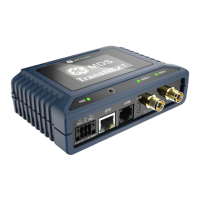
LED / Button Panel The LEDs on the top of the unit provide visual indications of device status. The
push button (appearing like a thin white circle) is used for special functions like controlling the optional
E-ink display screen.
Figure 2-6. LED Indicators & Push Button

Table of Contents