EasyManua.ls Logo

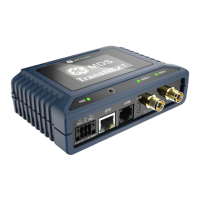
GE MDS TransNEXT NET9L - User Manual

GE MDS TransNEXT NET9L
69 pages
To Next Page IconTo Next Page
Loading...
MDS
TransNEXT
MDS TransNEXT Technical Manual, Rev. A
December 2023
Technical
Manual
Technical
Manual
`

Table of Contents

Question and Answer IconNeed help?

Do you have a question about the GE MDS TransNEXT NET9L and is the answer not in the manual?

GE MDS TransNEXT NET9L Specifications

General IconGeneral
Frequency Range902-928 MHz
ModulationFHSS
InterfaceEthernet
Power Supply9-30 VDC
Operating Temperature-40°C to +70°C

Summary

RF Regulatory Information

RF Exposure Notice

Information about concentrated energy from directional antennas and safety distances.

Approved Antennas

Antenna Model and Power Setpoints

Lists approved antennas and required power setpoints for compliance.

FCC Part 15 and Industry Canada RSS Notices

Operational Safety Notices

Regulatory Limitations

Servicing Precautions

Manual Revision and Accuracy

Environmental Information

Cyber Security Policy

Safety Regulatory Information

CSA;us C1 D2 Safety Notice

Specific safety information for Class 1, Division 2 hazardous locations.

Product Overview and Applications

Introduction to TransNEXT

Describes the TransNEXT as a successor to TransNET, offering enhanced features.

About This Manual

Intended audience and availability of documentation.

Software Command Notations

Formatting conventions for software commands in the manual.

Product Description

Key Features of TransNEXT

Highlights of the device's functionalities like compatibility, OTA reprogramming, and E-ink display.

Typical Applications for TransNEXT

Common uses of the TransNEXT, including MAS systems.

TransNEXT Connectors and Indicators

Power and I;O Connector Details

Information on the 6-pin power and I/O connection, including pinouts and wiring.

Ethernet, USB, and COM Port Details

COM Port Pin Details (RS-232)

COM Port Pin Details (RS-485)

RJ45 to DB9 Adapter Wiring and LED;Button Panel

LED Status Indicators

Grounding Considerations

Mounting Options

Optional DIN Rail Mounting

Antenna Planning and Installation

Coaxial Cable Signal Loss and Accessories

Initial Settings Overview

Setting Basic Parameters

Essential first steps for configuring the device, including passwords and network address.

Device Management Overview

Using the Web User Interface

Steps to connect, manage, and log into the device using a web browser.

Logging On to the Web UI

Dashboard Overview

Device Configuration via Web UI

Device Actions: Reboot and Reprogramming

System Event Logging

Using the Command Line Interface (CLI)

CLI Access Methods

Comparison of accessing the CLI via USB, serial, or SSH.

Establishing SSH Communication

Step-by-step guide to establishing a connection using SSH.

Establishing USB Communication

Steps to connect and access the CLI via the USB port.

Establishing Serial Interface Communication

Steps to connect and access the CLI via the serial COM port.

CLI Command Overview

Device Configuration

Configuration Command Overview

Details on the "cfg" command and its usage for managing configuration items.

Radio Settings Configuration

Owner Settings Configuration

System Settings Configuration

Display Settings Configuration

Ethernet (Eth) Settings Configuration

COM1 Serial Port Settings

IP;Payload (Ippl) Settings

DLINK Settings

Password Settings Configuration

System Health and Status

Using Show Commands

Lists CLI commands to display device information, status, and logs.

Event Logging Details

Explanation of how system events are logged and retrieved.

System Snapshots and Recovery

Firmware Reprogramming

Local Device Reprogramming

Steps for performing firmware updates using a terminal emulator.

Over-the-Air Reprogramming

How to broadcast firmware updates wirelessly to multiple devices.

Technical Reference

Radio Interference Considerations

Advice on minimizing radio interference and optimizing performance.

Troubleshooting Basics

LED Status Indicators

Interpreting the status of the device's Power (PWR) and Radio LEDs.

Event Log for Troubleshooting

Using the event log to identify the cause of system problems.

Setup Mode for Testing

How to use setup mode for direct testing of transmit and receive functions.

Technical Specifications

Glossary of Terms and Abbreviations

Appendix A: Electronic Ink Display

E-Ink Display Introduction and Status

Overview of the E-ink display technology and its functionalities.

Antenna Alignment Page

Tool for assisting with antenna positioning and alignment.

Spectrum Analyzer Page

Appendix B: Operating Frequencies

Appendix C: Licenses

Open Source License Declaration

Details on open-source software and how to obtain source code.

Appendix D: Country Specific Information

Appendix E: Alarm Codes

Technical Assistance and Support

Repair Service and Returns

Replacement Parts