EasyManua.ls Logo

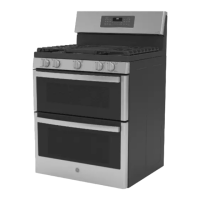
GE PGB960EEJES - User Manual

GE PGB960EEJES
64 pages
Print Icon
To Next Page IconTo Next Page
Loading...
49-85223 07-15 GE
Safety Information ............2
Warranty ........................7
Assistance / Accessories ......8
Using The Cooktop
In Case of a Power Failure ..........9
Surface Burners ....................9
Griddle ............................11
Using The Oven
Oven Controls .....................14
Special Features ..................16
Sabbath Mode ....................17
Cookware Guidelines ..............18
Cooking Modes ...................18
Oven Racks .......................19
Oven Air Vents ....................19
Cooking Guide ....................20
Aluminum Foil and Oven Liners ....21
Care and Cleaning
Cleaning the Oven ................22
Cleaning The Cooktop .............23
Cleaning the Door .................27
Maintenance ......................28
Troubleshooting Tips .........30
Ranges
Double Oven Gas
Write the model and serial
numbers here:
Model # __________________
Serial # ___________________
You can find the rating label on the
front behind the range drawer.
In Canada contact us at:
www.GEAppliances.ca
For a Spanish version of this
manual, visit our Website at
GEAppliances.com.
Para consultar una version
en español de este manual
de instrucciones, visite
nuestro sitio de internet
GEAppliances.com.
Owner’s Manual

Questions and Answers

  • S
    Suzanne SchmittSep 10, 2025
    Why is there excessive smoking during broiling in my GE PGB960EEJES?
    • K
      Kelly DeleonSep 10, 2025
      Excessive smoking during broiling in your GE Ranges often occurs because the food is too close to the burner element. Lower the rack position of the food.
  • I
    ihallAug 22, 2025
    How to reset the clock on my GE PGB960EEJES Ranges after a power outage?
    • M
      Mrs. Casey ClaytonAug 23, 2025
      If your GE Ranges clock is flashing after a power outage, reset the clock. If the oven was in use, reset it by pressing the Cancel/Off pad, setting the clock, and resetting any cooking function.
  • L
    Lauren WilsonAug 25, 2025
    What to do if the "LOCK DOOR" flashes in the display of my GE PGB960EEJES Ranges?
    • M
      Michelle JohnsonAug 25, 2025
      If "LOCK DOOR" is flashing on your GE Ranges display, it means the self-clean cycle has been selected but the oven door isn't closed. Simply close the oven door to resolve this.
  • V
    Victoria AlvarezAug 26, 2025
    Why won't my GE PGB960EEJES Ranges oven door open, or why is the LOCKED light on?
    • J
      Jill PetersonAug 26, 2025
      If your GE Ranges oven door won't open or the LOCKED light is on, it's because the oven door is locked because the temperature inside the oven has not dropped below the locking temperature. Press the Cancel/Off pad and allow the oven to cool below the locking temperature.
  • A
    Alan YorkAug 27, 2025
    What to do if my GE PGB960EEJES oven temperature is too hot or too cold?
    • M
      Mary MonroeAug 27, 2025
      If your GE Ranges oven temperature is too hot or too cold, the oven temperature likely needs adjustment. See the Special Features section for instructions on how to adjust it.
  • T
    Tiffany BellAug 29, 2025
    What to do if my GE PGB960EEJES burners do not light?
    • E
      Erika WuAug 29, 2025
      If the burners on your GE Ranges aren't lighting, there are several potential causes: * Ensure the range is fully plugged into a properly grounded electrical outlet. * Confirm the gas supply is connected and turned on (refer to the Installation Instructions). * Check for blown fuses or tripped circuit breakers and replace or reset them. * Verify burner parts are correctly replaced (refer to the Care and Cleaning section). * Inspect burner slots near the electrode for clogs and clean if necessary (refer to the Care and Cleaning section).
  • W
    William LynchSep 18, 2025
    Why is my new GE PGB960EEJES Ranges oven cooking differently than my old one?
    • E
      Eric FosterSep 18, 2025
      Your new GE Ranges oven may cook differently than your old one because it has a different cooking system. For the first few uses, carefully follow recipe times and temperatures, and use rack positions recommended in the Cooking Guide. If you still think your new oven is too hot or too cold, you can adjust the temperature yourself to meet your specific cooking preference.
  • R
    richard65Sep 12, 2025
    What to do if the oven light does not work on my GE Ranges?
    • M
      Megan Jenkins MDSep 12, 2025
      If the oven light in your GE Ranges isn't working, the light bulb may be loose or defective. Try tightening or replacing the bulb.
  • C
    Christopher CooperSep 8, 2025
    Why are the flames on my GE PGB960EEJES Ranges burner very large or yellow?
    • T
      tcarpenterSep 8, 2025
      If the burner flames on your GE Ranges are very large or yellow, it indicates an improper air to gas ratio. If your range is connected to Propane gas, contact the technician who installed it or made the conversion.
  • S
    stricklandjacksonSep 5, 2025
    How to fix uneven burning on my GE PGB960EEJES Ranges top burners?
    • J
      Jenna BarrettSep 5, 2025
      Uneven burning on your GE Ranges top burners can be caused by improper burner assembly or clogged burner slots. Make sure the burner caps are seated correctly. You can remove the burners for cleaning.

Summary

Safety Information

Anti-Tip Device Installation

Instructions for installing and using the anti-tip device to prevent range tipping.

General Safety Precautions

General safety precautions for using the appliance, including electrical and installation safety.

Warranty and Registration

GE Gas Range Warranty Details

Details the terms, coverage, exclusions, and duration of the GE gas range warranty.

Using the Cooktop

Surface Burner Operation

Instructions for lighting, using, and selecting flame size for surface burners.

Using the Oven

Oven Controls Overview

Diagram and explanation of the oven control panel buttons and their functions.

Cooking Guide for Foods

A guide providing recommended modes, rack positions, and suggestions for various foods.

Care and Cleaning

Oven Interior Cleaning Methods

Instructions for manual, steam clean, and self-clean modes for the oven interior.

Troubleshooting Tips

Oven Performance Issues

Solutions for common problems like improper cooking, temperature issues, and unusual sounds.

GE PGB960EEJES Specifications

General IconGeneral
BrandGE
ModelPGB960EEJES
CategoryRanges
LanguageEnglish

Related product manuals