EasyManua.ls Logo

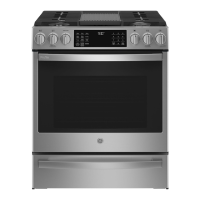
GE Profile PGS930YPFS - User Manual

GE Profile PGS930YPFS
64 pages
Print Icon
To Next Page IconTo Next Page
Loading...
Write the model and serial
numbers here:
Model # _________________
Serial # _________________
You can find the rating label on the
front behind the range drawer.
ESPAÑOL
Para consultar una version en
español de este manual de
instrucciones, visite nuestro sitio de
internet GEAppliances.com.
OWNER’S MANUAL
RANGES
Self-Cleaning Gas
49-2000781 Rev. 2 10-20 GEA
SAFETY INFORMATION .......... 3
USING THE RANGE
In Case of a Power Failure ............... 8
Surface Burners ........................ 8
Griddle ................................10
Oven Controls ..........................11
Cooking Options. . . . . . . . . . . . . . . . . . . . . . . .12
Settings ...............................12
Sabbath Mode ..........................14
Oven Racks ............................15
Aluminum Foil and Oven Liners ...........15
Oven Cooking Modes ...................16
Oven Air Vents .........................17
Oven Probe ............................17
Oven Cooking Guide ....................18
Air Fry Cooking Guide ..................20
CARE AND CLEANING
Range – Exterior ........................21
Range – Interior ....................... 22
Cooktop .............................. 23
Door and Drawer ...................... 25
Oven Probe ........................... 25
Oven Light ............................26
Oven Door ............................ 26
TROUBLESHOOTING TIPS ....... 27
LIMITED WARRANTY ............30
ACCESSORIES .....................31
CONSUMER SUPPORT ........... 32
GE is a trademark of the General Electric Company. Manufactured under trademark license.
PGS930

Questions and Answers

  • C
    Caleb AdkinsAug 21, 2025
    Why is my GE Profile PGS930YPFS oven smoking excessively during the clean cycle?
    • P
      pjohnsonAug 22, 2025
      Excessive smoking during the clean cycle is often due to excessive soil or grease in the oven. To resolve this, press the Cancel/Off pad, open windows to ventilate the room, and wait for the LOCKED light to turn off. Then, wipe up the excess soil before resetting the clean cycle.
  • I
    iholmesSep 4, 2025
    What causes excessive smoking during broiling in GE Profile PGS930YPFS Ranges?
    • P
      Phillip WalkerSep 4, 2025
      Excessive smoking during broiling is often caused by the food being too close to the burner element. Lower the rack position of the food to resolve this issue.
  • C
    Cynthia RodriguezSep 2, 2025
    What to do if my GE Profile PGS930YPFS surface burners light but bake and broil burners do not?
    • J
      Joanne EricksonSep 2, 2025
      If the surface burners light but the bake and broil burners do not, the gas to the oven burners may have been shut off. The oven gas shut-off is located on the gas regulator near the gas line attachment to your range. Locate it and flip the lever.
  • J
    James FordSep 1, 2025
    How to fix GE Ranges top burners that do not burn evenly?
    • S
      stevenjacksonSep 1, 2025
      To fix burners that don't burn evenly, first ensure the burner caps are seated correctly. If that doesn't work, remove the burners for cleaning, as the burner slots on the side of the burner may be clogged.
  • K
    kayla50Aug 30, 2025
    What to do if my GE Profile PGS930YPFS oven will not self-clean?
    • D
      Dustin JacobsonAug 31, 2025
      If your oven won't self-clean, it might be because the temperature is too high. Allow the oven to cool down and then reset the controls. Also, ensure that the oven controls are properly set for self-cleaning.
  • W
    William SchmidtAug 29, 2025
    Why is my GE Profile PGS930YPFS Ranges oven temperature too hot or too cold?
    • D
      David MoranAug 29, 2025
      If your oven temperature is too hot or too cold, it may need adjustment. See the Oven Controls section for instructions on how to adjust the oven temperature.
  • H
    heather49Aug 28, 2025
    What to do if my GE Profile PGS930YPFS Ranges burners do not light?
    • D
      Debra BellAug 28, 2025
      If the burners do not light, first ensure the range is completely plugged into a live, properly grounded electrical outlet. If it's a gas range, check that the gas supply is connected and turned on. Also, check for a blown fuse or tripped circuit breaker. Make sure burner parts are replaced correctly and that burner slots near the electrode, or the round lighter port on the oval burner, are not clogged. Finally, lightly polish the flat tip of the electrode with a nail file or sandpaper until shiny to remove any food residue.
  • D
    Derek MartinAug 27, 2025
    What to do if my GE Profile PGS930YPFS oven and/or display appears not to work?
    • D
      David ConnerAug 27, 2025
      If your oven or display isn't working, check a few things: First, make sure a fuse in your home hasn't blown or the circuit breaker hasn't tripped; if so, replace the fuse or reset the breaker. Next, ensure the oven controls are properly set. Also, verify that the oven is not in Sabbath Mode and that the clock is turned on.
  • E
    Edwin CarterAug 25, 2025
    What does "LOCK DOOR" flashes in the display of my GE Profile PGS930YPFS Ranges mean?
    • E
      Emily BarronAug 25, 2025
      If "LOCK DOOR" flashes in the display, it means the self-clean cycle has been selected but the door is not closed. Close the oven door to resolve this.
  • S
    Scott HinesAug 23, 2025
    What to do if my GE Profile PGS930YPFS Ranges oven door will not open or the LOCKED light is on?
    • C
      Cathy PaulAug 23, 2025
      If the oven door won't open and the LOCKED light is on, it means the oven door is locked because the temperature inside the oven has not dropped below the locking temperature. Press the Cancel/Off pad and allow the oven to cool down below the locking temperature.

Summary

Safety Information

General Safety Precautions

Essential safety warnings and installation guidance for the appliance.

Fire Prevention and Cooktop Safety

Guidelines to prevent fires and safety rules for the cooktop.

Oven and Self-Cleaning Safety

Safety rules for oven operation and self-cleaning cycles.

Wireless Feature and Shipping Material Removal

FCC compliance, wireless features, and removing shipping materials.

Using the Range

Surface Burners and Griddle

Operation, lighting, and types of surface burners and the griddle.

Oven Controls and Settings

Understanding oven controls, modes, and advanced cooking settings.

Oven Cooking Modes and Guides

Detailed explanation of various oven cooking modes and guides.

Special Oven Features

Using Sabbath mode, oven probe, and other special features.

Care and Cleaning

Exterior Cleaning

Instructions for cleaning the range's exterior surfaces.

Interior Cleaning

Manual, steam, and self-cleaning methods for the oven interior.

Cooktop and Griddle Cleaning

Procedures for cleaning cooktop burners, grates, and the griddle.

Door, Drawer, and Oven Probe Care

Cleaning instructions for the oven door, removable drawer, and oven probe.

Troubleshooting and Support

Troubleshooting Tips

Solutions for common range operational problems.

Limited Warranty

Details of the product warranty and coverage.

Accessories

Available accessories to improve cooking and maintenance.

Consumer Support

Contact information and resources for customer support.

GE Profile PGS930YPFS Specifications

General IconGeneral
BrandGE Profile
ModelPGS930YPFS
Fuel TypeGas
ColorStainless Steel
Cooktop Burners5
Oven Capacity5.6 cu. ft.
Convection OvenYes
Self-CleaningYes
Wi-Fi ConnectYes
Cooktop SurfacePorcelain
Width30 in.
Weight200 lbs

Related product manuals