EasyManua.ls Logo

GE PSS93 - User Manual

GE PSS93
64 pages
Print Icon
To Next Page IconTo Next Page
Loading...
Write the model and serial
numbers here:
Model # _________________
Serial # _________________
You can find them on a label
behind the door or drawer.
OWNER’S MANUAL
RANGES
Electric Front Control
49-2000723 Rev. 0 02-20 GEA
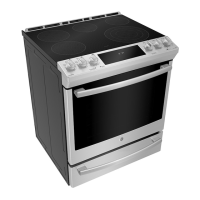
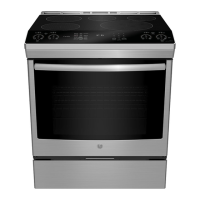
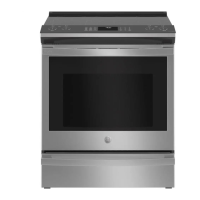
30" Front Control Range
PSS93
GE is a trademark of the General Electric Company. Manufactured under trademark license.
SAFETY INFORMATION .......... 3
USING THE RANGE
Surface Units ........................... 7
Cookware for Radiant Glass Cooktop ......10
Oven Controls ..........................11
Cooking Options ........................12
Settings ...............................13
Sabbath Mode ..........................14
Oven Racks ............................15
Aluminum Foil and Oven Liners ...........16
Cookware ..............................16
Cooking Modes .........................16
Oven Probe ............................18
Cooking Guide .........................19
CARE AND CLEANING
Cleaning the Range – Exterior ...........20
Cleaning the Range – Interior ............21
Cleaning the Glass Cooktop ............. 22
Oven Probe ........................... 23
Oven Light ............................ 24
Soft Close Drawer ..................... 25
TROUBLESHOOTING TIPS .......26
LIMITED WARRANTY ............30
ACCESSORIES .....................31
CONSUMER SUPPORT ........... 32

Questions and Answers

  • B
    Bethany PatelSep 10, 2025
    Why is there a strong odor coming from my GE Ranges oven?
    • H
      Holly BurnsSep 12, 2025
      A strong odor from the insulation inside a GE Ranges oven is normal during the first few uses. This is temporary and will go away after several uses or a self-clean cycle.
  • M
    mariahernandezSep 9, 2025
    Why are the oven racks difficult to slide in my GE PSS93 Ranges?
    • M
      Mr. William CastilloSep 9, 2025
      If the shiny, silver-colored racks in your GE Ranges are difficult to slide, especially after a steam clean cycle, apply a small amount of vegetable oil to a paper towel and wipe the edges of the oven racks. Do not use lubricant sprays.
  • R
    Richard RussellSep 8, 2025
    Why are there areas of discoloration on my GE PSS93 Ranges cooktop?
    • R
      Ryan HodgesSep 8, 2025
      Discoloration on your GE Ranges cooktop can be due to food spillovers not cleaned before the next use; refer to the Cleaning the glass cooktop section. On light-colored cooktops, a hot surface may appear discolored, which is normal and temporary, disappearing as the glass cools.
  • F
    Frank RoyAug 22, 2025
    What to do if GE PSS93 surface units do not work properly?
    • S
      shermankatherineAug 23, 2025
      If the surface units on your GE Ranges aren't working, first check if a fuse in your home has blown or if the circuit breaker has tripped; replace the fuse or reset the breaker. Also, ensure the cooktop controls are properly set for the surface unit you're using.
  • D
    David ForbesSep 5, 2025
    Why doesn't my new GE PSS93 Ranges oven cook like my old one?
    • C
      Cameron RoweSep 5, 2025
      Your new GE Ranges oven may cook differently because it has a different cooking system than your old oven. Carefully monitor recipe times and temperatures for the first few uses. If you still think your new oven is too hot or cold, you can adjust the temperature yourself to meet your specific cooking preference. Note that this adjustment affects Bake and Convection Bake temperatures only.
  • M
    Mr. Jeffrey DelacruzSep 4, 2025
    What does it mean when “F— and a number or letter” flash in the display of GE Ranges?
    • G
      Gail JonesSep 4, 2025
      When “F— and a number or letter” flash in the display of your GE Ranges, it indicates a function error code. Press the Cancel/Off pad and allow the oven to cool for one hour before putting it back into operation. If the error code repeats, disconnect power to the oven for at least 30 seconds, then reconnect it. If the error persists, call for service.
  • R
    Richard WolfSep 3, 2025
    What to do if food does not broil properly in GE Ranges?
    • W
      williamsjudithSep 3, 2025
      If food isn't broiling correctly in your GE Ranges, first check that you've selected the appropriate broil mode and are using the proper rack position. Ensure the cookware is cool and suited for broiling. If using foil, make sure it's correctly fitted and slit as recommended. In areas with low voltage, preheat the broil element for 10 minutes.
  • D
    dansmithSep 2, 2025
    Why won't my GE PSS93 Ranges surface unit maintain a rolling boil?
    • C
      crossmichelleSep 2, 2025
      Your GE Ranges surface unit might not maintain a rolling boil because of improper cookware. Use flat pans that match the diameter of the surface unit. Alternatively, low voltage in your area could be the cause. Try covering the pan with a lid to retain heat until the desired temperature is reached.
  • C
    Courtney FigueroaSep 1, 2025
    Why does “DOOR LOCKING” flash in the display of my GE PSS93 Ranges?
    • N
      nielsensaraSep 1, 2025
      If “DOOR LOCKING” is flashing on your GE Ranges display, the self-clean cycle has been selected, but the door isn't closed. Close and latch the oven door to start the cycle.
  • L
    Lisa Henderson MDAug 30, 2025
    What to do after a power outage with my GE Ranges, and the clock flashes?
    • C
      chelseaevansAug 31, 2025
      After a power outage, if the clock on your GE Ranges is flashing, reset the clock. If the oven was in use, you must also reset it by pressing the Cancel/Off pad, setting the clock, and resetting any cooking function.

Summary

Safety Information

Anti-Tip Device Installation

Instructions for securing the range to prevent tipping hazards and ensure safety.

General Safety Instructions

Essential safety guidelines for operating the appliance safely and preventing common hazards.

Cooktop Safety Guidelines

Specific safety precautions for operating the cooktop to prevent burns and fires.

Oven Safety Guidelines

Key safety measures to follow when operating the oven to prevent hazards.

WiFi Equipment Safety

Information regarding FCC compliance and safety for the appliance's wireless communication equipment.

Using the Range

Surface Units Operation

Guide to operating surface cooking elements, including warming zone and synchronized burners.

Cookware for Radiant Glass Cooktop

Recommendations for cookware selection and guidelines for achieving best results.

Oven Controls and Modes

Explanation of oven controls, cooking modes, Sabbath mode, and probe usage.

Oven Racks and Settings

Instructions for oven rack usage and adjusting appliance settings like clock and WiFi.

Care and Cleaning

Exterior Cleaning

Instructions for cleaning the range's exterior, control panel, and stainless steel surfaces.

Interior Oven Cleaning

Methods for manually cleaning the oven interior and using the Steam Clean mode.

Glass Cooktop Cleaning

Detailed steps for cleaning the glass cooktop, including residue and spill removal.

Oven Light and Door Maintenance

Instructions for replacing the oven light bulb and caring for the oven door.

Troubleshooting Tips

Surface Unit and Cooktop Issues

Solutions for problems related to surface units, cooktop performance, and appearance.

Oven Performance Problems

Troubleshooting oven temperature, operation, noise, and cleaning cycle issues.

Operational Errors and Display Issues

Resolving function errors, display problems, and unusual odors or sounds.

Specific Function Troubleshooting

Guidance for issues with cook time, racks, drawers, steam clean, and probe prompts.

Limited Warranty

GE Electric Range Warranty Details

Information on the one-year limited warranty coverage for GE electric ranges.

Warranty Exclusions and Limitations

List of conditions not covered by the warranty and limitations on implied warranties.

Accessories

Available Accessories and Parts

List of optional accessories like broiler pans and essential replacement parts.

Cleaning Supplies

Recommended cleaning products for maintaining the appliance's surfaces and cooktop.

Consumer Support

Online Support and Registration

Accessing the GE Appliances website for support, registration, and product information.

Service, Warranties, and Contact

Information on scheduling service, extended warranties, and contacting customer relations.

GE PSS93 Specifications

General IconGeneral
TypeSlide-In
Number of Burners5
Self-CleaningYes
WiFi ConnectYes
ConvectionYes
ColorStainless Steel
Width30 in.

Related product manuals