EasyManua.ls Logo

GE PT7800 - User Manual

GE PT7800
76 pages
Print Icon
To Next Page IconTo Next Page
Loading...
49-2001077 Rev. 2 06-24 GEA
Write the model and serial
numbers here:
Model # ____________________
Serial # ____________________
You can find them on a label on
the side trim or on the front of the
(lower) oven behind the oven door.
GE is a trademark of the General Electric Company. Manufactured under trademark license.
OWNER’S MANUAL
WALL OVEN
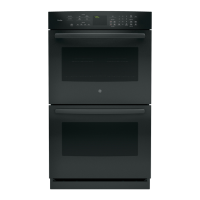
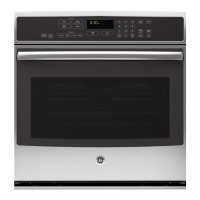
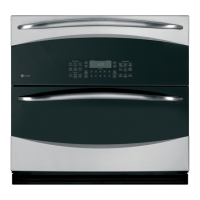
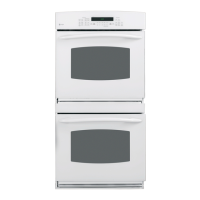
Built-In Combination Convection-Microwave/Convection
PT7800
PK7800
SAFETY INFORMATION ..........3
USING THE OVEN
Oven Controls .........................12
Oven Settings .........................13
Oven Options .........................14
Baking ...............................15
Warming and Proofing .................16
Microwaving ..........................17
Cooking Modes ........................21
Probe ................................22
Sabbath Mode .........................23
Cooking Guide ........................24
Racks ................................26
Aluminum Foil and Oven Liners ..........27
Cookware .............................27
CARE AND CLEANING
Oven .................................28
Oven Racks ...........................30
Lower Oven Maintenance ...............31
TROUBLESHOOTING TIPS .......32
LIMITED WARRANTY ............36
ACCESSORIES ....................37
CONSUMER SUPPORT ...........38
ENGLISH / ESPAÑOL

Questions and Answers

  • T
    Timothy PinedaSep 3, 2025
    Why is there excessive smoking during the clean cycle of my GE Oven?
    • M
      Maria BurnsSep 3, 2025
      Excessive smoking during the clean cycle of your GE oven is often due to excessive soil or grease. Press the Clear/Off pad, open the windows to rid the room of smoke, and wait until the OVEN IS COOLING DOOR IS LOCKED display goes off. Wipe up the excess soil and reset the clean cycle.
  • T
    tinacooperSep 3, 2025
    Why does my GE PT7800 Oven show "OVEN IS COOLING DOOR IS LOCKED"?
    • V
      Victoria BaldwinSep 3, 2025
      The message 'OVEN IS COOLING DOOR IS LOCKED' appears on the display because the temperature inside the oven has not dropped below the unlocking temperature. Press the Clear/Off pad and allow the oven to cool.
  • C
    cheryl08Sep 4, 2025
    Why does my GE PT7800 Oven sometimes take longer to preheat to the same temperature?
    • E
      Emma MooreSep 4, 2025
      The cookware or food in the oven will cause the oven to take longer to preheat. Remove items to reduce preheat time. Adding more racks to the oven will cause the oven to take longer to preheat, so remove some racks. The different cooking modes use different preheat methods to heat the oven for the specific cooking mode, so some modes will take longer than others (i.e. convection bake multi).
  • K
    Kathy AndersonSep 4, 2025
    What to do if my GE PT7800 Oven will not start?
    • A
      ambersandersSep 4, 2025
      If your GE Oven won't start, check the fuse in your home to see if it's blown, or check if the circuit breaker has tripped. Replace the fuse or reset the circuit breaker.
  • W
    Wendy SheaSep 5, 2025
    Why does my GE PT7800 light not work?
    • G
      gramirezSep 5, 2025
      If the oven light in your GE Oven isn't working, the bulb might be loose or defective. Try tightening it, and if that doesn't work, replace the bulb.
  • A
    Ashley StokesSep 6, 2025
    What to do if my GE PT7800 Oven display is blank?
    • J
      Julia MosleySep 6, 2025
      If the display on your GE Oven is blank, it could be due to several reasons: * Power saver mode might be activated. Check the Settings menu for clock display settings and turn the display on. * A fuse in your home may be blown, or the circuit breaker tripped. Replace the fuse or reset the circuit breaker. * There may have been a power outage or surge. Reset the clock. If the oven was in use, reset it by pressing the Clear/Off pad, setting the clock, and resetting any cooking function.
  • E
    ejonesSep 6, 2025
    Why does my GE PT7800 fan continue to run after cooking?
    • C
      Connor MayerSep 6, 2025
      The fan in your GE Oven continues to run after cooking because the oven is cooling. The fan will automatically shut off when the internal parts of the oven have cooled.
  • E
    Erin AlexanderSep 7, 2025
    Why does my GE Oven smell?
    • R
      Robert McgeeSep 7, 2025
      An odor from the insulation around the inside of the GE Oven is normal for the first few times the oven is used. This is temporary and will go away after several uses or a self-clean cycle.

Summary

Safety Information

Precautions to Avoid Possible Exposure to Excessive Microwave Energy

Safety guidelines to prevent harm from microwave energy exposure.

To Reduce the Risk of Fire in the Cavity

Precautions to mitigate fire risks within the oven cavity.

To Reduce the Risk of Burns

Safety measures to prevent burns during oven operation.

Operating Safety Tips

General operating safety tips for the appliance.

Using the Oven

Oven Controls Overview

Overview of upper oven, lower oven, and common controls and their functions.

Upper Oven Cooking Modes

Instructions for using upper oven features like microwave, warming, proofing, and baking.

Lower Oven Features

Details on lower oven specific features like probe and Sabbath mode.

Cooking Guidance and Accessories

Guidance on cooking modes, rack positions, cookware, and oven accessories.

Care and Cleaning

General Cleaning Tips

General tips for keeping the oven clean and fresh.

Control Panel and Exterior Cleaning

How to clean the oven's control panel and exterior surfaces safely.

Interior Oven Cleaning

Detailed instructions for cleaning the oven interior, door seal, and turntable.

Troubleshooting Tips

Fan and Cooking Issues

Resolving common problems related to oven fan operation and cooking results.

Display and Control Issues

Addressing issues with the oven's display screen and unresponsive controls.

Other Oven Problems

Solutions for miscellaneous oven problems like hot surfaces or locked controls.

Limited Warranty

Warranty Service and Coverage

Information on obtaining warranty service and what is covered or excluded.

Implied Warranties and Exclusions

Details on implied warranties and their limitations.

Extended Warranties

Information on purchasing extended warranties for the appliance.

Accessories and Parts

Ordering Accessories

Information on how to order additional accessories for the appliance.

Replacement Parts

List of available replacement parts for the oven.

Cleaning Supplies

List of recommended cleaning supplies for appliance maintenance.

Consumer Support

Online Support Resources

Accessing support, product registration, and service information online.

Scheduling Service and Extended Warranties

How to schedule repair service and information on purchasing extended warranties.

Contact and Connectivity Assistance

Assistance for remote connectivity and contacting customer support.

GE PT7800 Specifications

General IconGeneral
BrandGE
ModelPT7800
CategoryOven
LanguageEnglish

Related product manuals