EasyManua.ls Logo

GE PTS7000 - User Manual

GE PTS7000
72 pages
Print Icon
To Next Page IconTo Next Page
Loading...
Write the model and serial
numbers here:
Model # _________________
Serial # _________________
You can find them on a label on
the side trim or on the front of the
(lower) oven behind the oven door.
OWNER’S MANUAL
WALL OVEN
Direct Air Convection Built-In Electric
49-2000963 Rev. 0 08-21 GEA
GE is a trademark of the General Electric Company. Manufactured under trademark license.
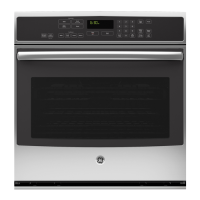
30" Single Wall Oven
PTS7000
PTS700L
PTS700R
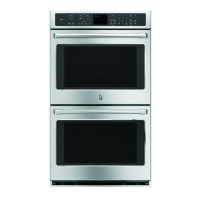
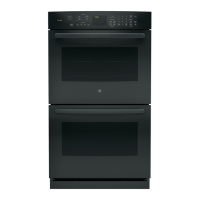
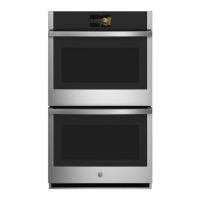
30" Double Wall Oven
PTD7000
PTD700L
PTD700R
SAFETY INFORMATION ..........3
USING THE OVEN
Oven Controls .........................6
Double Oven ..........................7
Settings ..............................7
Sabbath ..............................9
Oven Racks ..........................10
Aluminum Foil and Oven Liners .........12
Cookware ............................12
Cooking Modes .......................12
Probe ...............................14
Cooking Guide .......................15
CARE AND CLEANING
Cleaning The Oven - Exterior ...........17
Cleaning The Oven - Interior ...........18
Probe ...............................18
Oven Light ...........................19
Oven Door ...........................19
TROUBLESHOOTING TIPS ..... 20
LIMITED WARRANTY ...........22
ACCESSORIES ...................23
CONSUMER SUPPORT ......... 24
FRANÇAIS
Pour obtenir une version
française de ce manuel,
visitez notre site web sur
GEAppliances.com.
ESPAÑOL
Para consultar una versión en
español de este manual de
instrucciones, visite nuestro
sitio de internet
GEAppliances.com.

Questions and Answers

  • E
    Eric SmithSep 8, 2025
    Why is the LCD not functioning properly on my GE oven?
    • T
      Timothy BuckleySep 8, 2025
      If the LCD on your GE oven is not functioning properly, there are several potential causes: * A fuse in your home may be blown, or the circuit breaker tripped. Replace the fuse or reset the circuit breaker. * Oven controls might be improperly set. See the Cooking Modes or Settings section to ensure proper use. Ensure the unit is updated to the most recent software update. * The LCD screen may be locked. Unlock the screen by pressing the Unlock icon. If this does not correct the issue, cycle power at the circuit breaker and ensure the unit is updated to the most recent software update.
  • H
    haleytaylorSep 10, 2025
    Why GE PTS7000 Oven will not self-clean?
    • D
      donna85Sep 10, 2025
      Your GE oven may not self-clean for a couple of reasons: * The temperature might be too high to start a self-clean operation. Allow the oven to cool and reset the controls. * The oven controls might be improperly set. Consult the Cleaning the Oven section.
  • M
    Melissa JimenezSep 12, 2025
    Why does my GE PTS7000 door glass appear tinted?
    • M
      Melissa BestSep 12, 2025
      The inner oven glass is coated with a heat barrier to reflect the heat back into the oven to prevent heat loss and keep the outer door cool while baking. This is normal. Under certain light or angles, you may see this tint or rainbow color on your GE oven door glass.
  • A
    Abigail WeaverSep 14, 2025
    Why is my GE oven fan making noise?
    • C
      Courtney SmithSep 14, 2025
      This is normal. The cooling fan will turn on to cool internal parts. It may run for up to three hours after the oven is turned off.
  • J
    Jacob RamosSep 15, 2025
    How to fix clock and timer if they do not work on GE oven?
    • C
      Crystal BrownSep 16, 2025
      If the clock and timer on your GE oven do not work, a fuse in your home may be blown, or the circuit breaker tripped. Replace the fuse or reset the circuit breaker.
  • S
    Sabrina HartmanSep 18, 2025
    How do I fix my GE PTS7000 Oven light if it does not work?
    • S
      Sarah FreemanSep 18, 2025
      Tighten or replace the bulb.

Summary

SAFETY INFORMATION

General Safety Guidelines

General safety rules for oven operation, installation, and maintenance to prevent injury.

Fire Prevention and Safety

Precautions against fire hazards, including flammable materials and emergency procedures.

Oven Operation Safety

Safety advice for oven operation, self-cleaning, and door gasket care.

Disposal and Film Removal

Instructions for proper appliance disposal and removing protective shipping film.

USING THE OVEN

Oven Control Panel

Explanation of the oven's control panel, buttons, and main interface.

Cooking Modes and Functions

Details on Bake, Broil, Convection, Air Fry, Proof, Warm, and Precision Cooking.

Wi-Fi and Remote Operation

Connecting the oven to Wi-Fi for remote control and app usage.

Oven Racks and Probe Usage

Guidance on rack placement, extension racks, and using the temperature probe.

CARE AND CLEANING

Exterior Cleaning Procedures

Instructions for cleaning the oven's exterior, control panel, and surfaces.

Interior Cleaning Methods

Details on manual, steam clean, and self-clean modes for the oven interior.

Oven Light and Door Maintenance

Procedures for replacing the oven light bulb and removing/reinstalling the oven door.

TROUBLESHOOTING TIPS

Common Oven Performance Issues

Troubleshooting common problems like baking, broiling, temperature, and control malfunctions.

Error Codes and Connectivity Troubleshooting

Solutions for error codes, connectivity issues, and general operational problems.

LIMITED WARRANTY

Warranty Coverage and Exclusions

Information on the one-year limited warranty coverage, exclusions, and consumer rights.

ACCESSORIES

Oven Accessory Options

List of optional accessories for the oven, including broiler pans, parts, and cleaning supplies.

CONSUMER SUPPORT

Customer Support and Service

Contact information, website, service scheduling, and warranty support details.

GE PTS7000 Specifications

General IconGeneral
BrandGE
ModelPTS7000
CategoryOven
LanguageEnglish

Related product manuals