EasyManua.ls Logo

GE PVM9215 - User Manual

GE PVM9215
32 pages
Print Icon
To Next Page IconTo Next Page
Loading...
350A4502P742 49-40714 07-13 ATS
GEAppliances.ca
Write the model and serial numbers here:
Model # __________________________
Serial # __________________________
You can find them on a label when the
door is open.
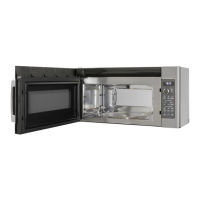
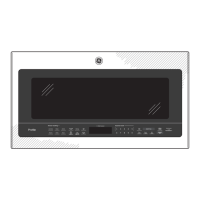
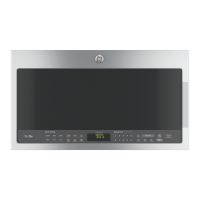
Microwave Oven
PVM9215
Owner’s Manual
Safety Instructions
........25
Operating Instructions
Convenience Features ..........11
Exhaust Features ...........21, 22
Microwave Terms ..............15
MyPlate Feature ...............12
Oven Features ................7, 8
Other Features .............17, 18
Power Levels ...................16
Replacing the Light Bulb ........21
Sensor Features .............13-14
Time Features ................9, 10
Care and Cleaning ......19-20
Troubleshooting Tips
Before you call for Service . . 23–25
Consumer Support
Consumer Support ......Back Cover
Optional Kits ......................6
Product Registration ............ 29
Warranty ......................31

Questions and Answers

  • T
    toddrobertsJul 26, 2025
    Why GE PVM9215 won't start?
    • E
      eacostaJul 26, 2025
      Your GE Microwave Oven might not start due to several reasons: * A fuse in your home may be blown, or the circuit breaker tripped. Replace the fuse or reset the circuit breaker. * There might have been a power surge. Unplug the microwave oven, and then plug it back in. * The plug might not be fully inserted into the wall outlet. Ensure the 3-prong plug on the oven is fully inserted. * The door might not be securely closed. Open the door and close it securely.
  • H
    Henry Hill DDSAug 1, 2025
    What to do if "CONTROL LOCK IS ON" appears on GE PVM9215 display?
    • N
      nathanielnelsonAug 1, 2025
      If "CONTROL LOCK IS ON" appears on the display of your GE Microwave Oven, it means the control has been locked. To unlock it, press and hold the Mute On/Off button for about 3 seconds.
  • B
    brittanywilsonAug 8, 2025
    What to do if "SENSOR ERROR" appears on GE PVM9215 Microwave Oven display?
    • E
      Eric ThomasAug 8, 2025
      If “SENSOR ERROR” appears on the display of your GE Microwave Oven, it could be due to these reasons: 1. If you're using a Sensor feature, the door was opened before steam could be detected. Avoid opening the door until steam is sensed and the time is shown counting down on the display. 2. Steam was not detected in the maximum amount of time. Use TIME COOK to heat for a longer duration.
  • S
    Stephanie MunozAug 13, 2025
    What to do if food amount is too large for Sensor Reheat in GE Microwave Oven?
    • Y
      yhessAug 13, 2025
      If the food amount is too large for Sensor Reheat in your GE Microwave Oven, it is because Sensor Reheat is designed for single servings of recommended foods. For larger amounts of food, use TIME COOK.
  • R
    Rebecca TravisAug 19, 2025
    Why do I hear an unusual low-tone beep from my GE PVM9215?
    • G
      ginaaguirreAug 19, 2025
      You may hear an unusual low-tone beep from your GE Microwave Oven if you have tried to change the power level when it is not allowed. Many of the oven’s features are preset and cannot be changed.

Summary

Important Safety Instructions

Precautions to Avoid Possible Exposure to Excessive Microwave Energy

Key safety measures to prevent harmful exposure to microwave energy and ensure safe operation.

Grounding Instructions

Adapter Plugs

Guidance on using adapter plugs, safety hazards, and recommendations for proper grounding.

Features of the Oven

Oven Components Overview

Identification and description of basic oven components like the door handle, latches, and window.

Control Panel and Dial

Description of the control panel and dial used for operating the microwave oven.

Removable Turntable and Support

Details on the removable turntable and its support, emphasizing proper usage and safety.

Power Saver Feature

Explanation of the Power Saver feature to reduce operating costs by eliminating standby power.

Cooking Controls

Time Features

Overview of time-based cooking functions including Cooking Menu, Defrost, Settings, Timer, and Add 30 Sec.

Sensor Features

Introduction to sensor-based cooking functions like Steam, MyPlate, and Family Snacks.

Time Features Details

Using the Dial

Instructions on how to use the control dial for selecting and confirming settings and starting cooking.

Cook Time I & II

Guide on setting cook times and power levels, including automatic adjustments for Cook Time I and II.

Defrost Functions

Time Defrost

Instructions for defrosting food using a set time, including tips and power level adjustments.

Defrosting Tips

General advice for effective defrosting, covering packaging, food safety, and checking for doneness.

Convenience Features

MyPlate Feature

Sensor Microwave Features

Humidity Sensor Explanation

Explanation of how the sensor features detect humidity, adjust cooking time, and best practices for use.

Changing Power Level

Care and Cleaning

Troubleshooting - Normal Operation

Troubleshooting - Oven Issues

Oven Will Not Start

Troubleshooting steps for when the oven will not start, covering power, plug, and door issues.

Control Panel Issues

Solutions for control panel not responding, locked controls, and incorrect selections.

Vent Fan and Sensor Errors

Troubleshooting for automatic vent fan activation and SENSOR ERROR messages, including normal operation.

GE Microwave Oven Warranty

Warranty Coverage

Details on what Mabe will replace under the one-year and five-year limited warranties.

What Mabe Will Not Cover

Exclusions from warranty coverage, including accidental damage, misuse, and consequential damages.

Consumer Support

GE PVM9215 Specifications

General IconGeneral
Capacity1.5 cu. ft.
Ventilation300 CFM
TurntableYes
Sensor CookingYes
ConvectionNo
ColorStainless Steel
Convection CookingNo
Preheat FunctionNo
Number of Power Levels10
Child LockYes
TypeOver-the-Range
Control TypeElectronic
FeaturesSensor Cooking

Related product manuals