EasyManua.ls Logo

GE PVM9179 - User Manual

GE PVM9179
68 pages
Print Icon
To Next Page IconTo Next Page
Loading...
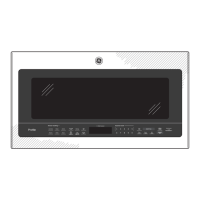
Convection/Microwave Oven
GE Profile
PVM9179
Owner’s Manual
Write the model and serial numbers here:
Model # __________________________
Serial # __________________________
You can find them on a label when the
door is open.
49-40774 06-16 GEA
Safety Instructions ............. 27
Operating Instructions
Features of Your Oven .............. 8, 9
Cooking Options ......................10
Convection Features
.............. 10, 17
Microwave Time and Auto
Features .........................11, 12
Power Level .......................... 13
Microwave Terms .................... 13
Microwave Sensor Features
...... 14–16
About the Baking and
Roasting Features ..................17
Fast Cook Feature ....................18
Cookware Tips ........................19
Best Method of Cooking Chart ........20
Other Features ....................21–25
Care and Cleaning
Inside ..................................26
Stainless Steel .........................26
Outside. . . . . . . . . . . . . . . . . . . . . . . . . . . . . . . .26
Replacing the LED Lamp ..............27
Vent Filters ............................28
Charcoal Filters ........................29
Troubleshooting Tips ........ 30, 31
Things That Are Normal
With Your Microwave Oven .......... 32
Consumer Support
Optional Kits ...........................8
Warranty ..............................
33
Consumer Support .......... Back Cover

Other manuals for GE PVM9179

Questions and Answers

  • S
    sharonsmithAug 1, 2025
    How to fix a GE PVM9179 Microwave Oven that won't start?
    • L
      Lorraine HamptonAug 1, 2025
      If your GE Microwave Oven isn't starting, here's what you can check: * A fuse in your home may be blown or the circuit breaker tripped. Replace the fuse or reset the circuit breaker. * There may have been a power surge. Unplug the microwave oven, then plug it back in. * The plug may not be fully inserted into the wall outlet. Make sure the 3-prong plug on the oven is fully inserted. * The door might not be securely closed. Open the door and close it securely.
  • N
    Nancy SalazarAug 6, 2025
    How to turn off control lock on GE PVM9179?
    • M
      Misty RossAug 6, 2025
      If 'CONTROL LOCK IS ON' appears on the display of your GE Microwave Oven, it means the control has been locked. To unlock it, press and hold the Mute On/Off button for about 3 seconds.
  • E
    Erin HarrisAug 11, 2025
    What to do if GE Microwave Oven control panel is lighted, yet the oven won't start?
    • M
      matthewcallahanAug 11, 2025
      If the control panel of your GE Microwave Oven is lit but the oven won't start, consider the following: * Ensure the door is securely closed. Open it and close it firmly. * After making a cooking selection, be sure to press the Start/Pause button. * If another selection is already entered, press Cancel/Off to clear it before starting a new program. * If you pressed Cook Time, confirm that you've entered the cooking time. * If you accidentally pressed Cancel/Off, reset your cooking program and press Start/Pause. * When using Auto Defrost or Fast Defrost, ensure you've entered the food weight. * When using Auto Cook, ensure you've selected a food type.
  • G
    grahamwendyAug 16, 2025
    What to do if steam was not detected in a maximum amount of time in GE PVM9179?
    • P
      Patrick AustinAug 16, 2025
      Use Cook Time to heat for more time.
  • O
    Oscar TaylorAug 21, 2025
    Why GE PVM9179 Microwave Oven displays 'OVEN TOO HOT FOR SENSOR COOKING'?
    • T
      teresa91Aug 21, 2025
      The message 'OVEN TOO HOT FOR SENSOR COOKING— USING ALTERNATE METHOD' on your GE Microwave Oven indicates that one of the sensor cooking buttons was pressed when the oven's internal temperature exceeded 200°F. These features won't work when the oven is hot. The oven will automatically switch to cooking by time (follow the display instructions). Once the oven cools down sufficiently, the sensor features will function normally again.
  • V
    vasquezmatthewAug 27, 2025
    Why does food brown faster on top than bottom in my GE PVM9179?
    • D
      Dawn BassAug 27, 2025
      If food browns much faster on top than on the bottom in your GE Microwave Oven, it might be because the rack is in the “high” position. Always use the rack in its “low” position.

Summary

GE Microwave Oven Safety

Operating Your GE Microwave

Covers the main sections of the manual related to operating the microwave.

GE Microwave Oven Features Overview

Details the various parts and components of the GE microwave oven.

Microwave and Convection Cooking Modes

Explains the different cooking functions available, including microwave and convection.

Critical Safety Instructions

Understanding Safety Alerts

Explains the meaning of safety alert symbols and warning words like DANGER, WARNING, CAUTION.

Fire Prevention in the Oven Cavity

Provides precautions to reduce the risk of fire within the microwave oven cavity.

Preventing Burn Hazards

Offers safety tips to reduce the risk of burns from hot food and oven parts.

Continued Safety Guidelines

Safe Operation and Cleaning Practices

Covers safe practices for operating and cleaning the microwave oven.

Handling Superheated Water Safely

Instructions on how to safely handle superheated liquids to prevent boiling over.

Vent Fan Safety and Operation

Information on vent fan operation, cleaning, and fire prevention.

Microwave Energy Exposure Precautions

Avoiding Excessive Microwave Exposure

Precautions to prevent harmful exposure to microwave energy.

FCC Radio Frequency Interference Statement

Information regarding potential interference with radio and television reception.

Proper Grounding Instructions

Guidelines for ensuring the microwave oven is properly grounded to prevent shock.

GE Microwave Oven Components

Oven Feature Identification

Identifies and describes the main physical features of the GE microwave oven.

Cooking and Warming Features

Overview of Cooking Controls

An overview of the control panel layout for various cooking functions.

Time and Auto Microwave Cooking

Instructions for using manual time entry and automatic sensor cooking.

Sensor Microwave Cooking

Details on how sensor features detect humidity for automatic cooking adjustments.

GE Microwave Cooking Modes

Microwave Cooking Explained

Describes the principles and benefits of microwave-only cooking.

Convection Baking and Roasting

Explains how convection heat circulates to brown food and seal in juices.

Combination Fast Cooking Explained

Details how microwave and convection combine for faster, browning cooking.

Time and Auto Microwave Features

Oven Dial Operation Guide

Instructions on how to use the control dial for selecting cooking options.

Setting Cook Time I

Guide for setting a single duration for microwave cooking.

Setting Cook Time II

Guide for setting multiple timed cooking stages with varying power levels.

Time and Auto Defrost Features

Using Weight Defrost

Instructions for defrosting food based on its weight.

Understanding Microwave Power Levels

Sensor Cooking: Humidity Sensor

Sensor Cooking Functions

Sensor Cooking: Specific Foods

Convection Baking and Roasting

Fast Cook Feature Guide

Oven Care and Cleaning

Troubleshooting Oven Issues

Oven Fails to Start

Solutions for common problems when the oven does not power on.

Panel Lights On, Oven Wont Start

Troubleshooting steps when the control panel is lit but the oven remains inoperable.

Control Lock Indicator

Guidance on what to do when the 'CONTROL LOCKED' message appears.

Troubleshooting Sensor and Fan Issues

Oven Too Hot for Sensor Cooking

What to do when the 'OVEN TOO HOT' message appears for sensor cooking.

GE Microwave Oven Limited Warranty

Customer Support Resources

GE PVM9179 Specifications

General IconGeneral
TypeOver-the-Range Microwave
Capacity1.7 cu. ft.
Power950 Watts
Control TypeElectronic Touch
Width29.875 inches
Depth15.5 inches
TurntableYes
Sensor CookingYes
ConvectionNo
ColorStainless Steel
Preset Cooking ProgramsYes
Power Levels10
Child LockYes
Display TypeDigital
Turntable Diameter13.5 inches
Exterior Dimensions29.875 in. W x 16.5 in. H x 15.5 in. D

Related product manuals