23
Vent Fan Sync
1
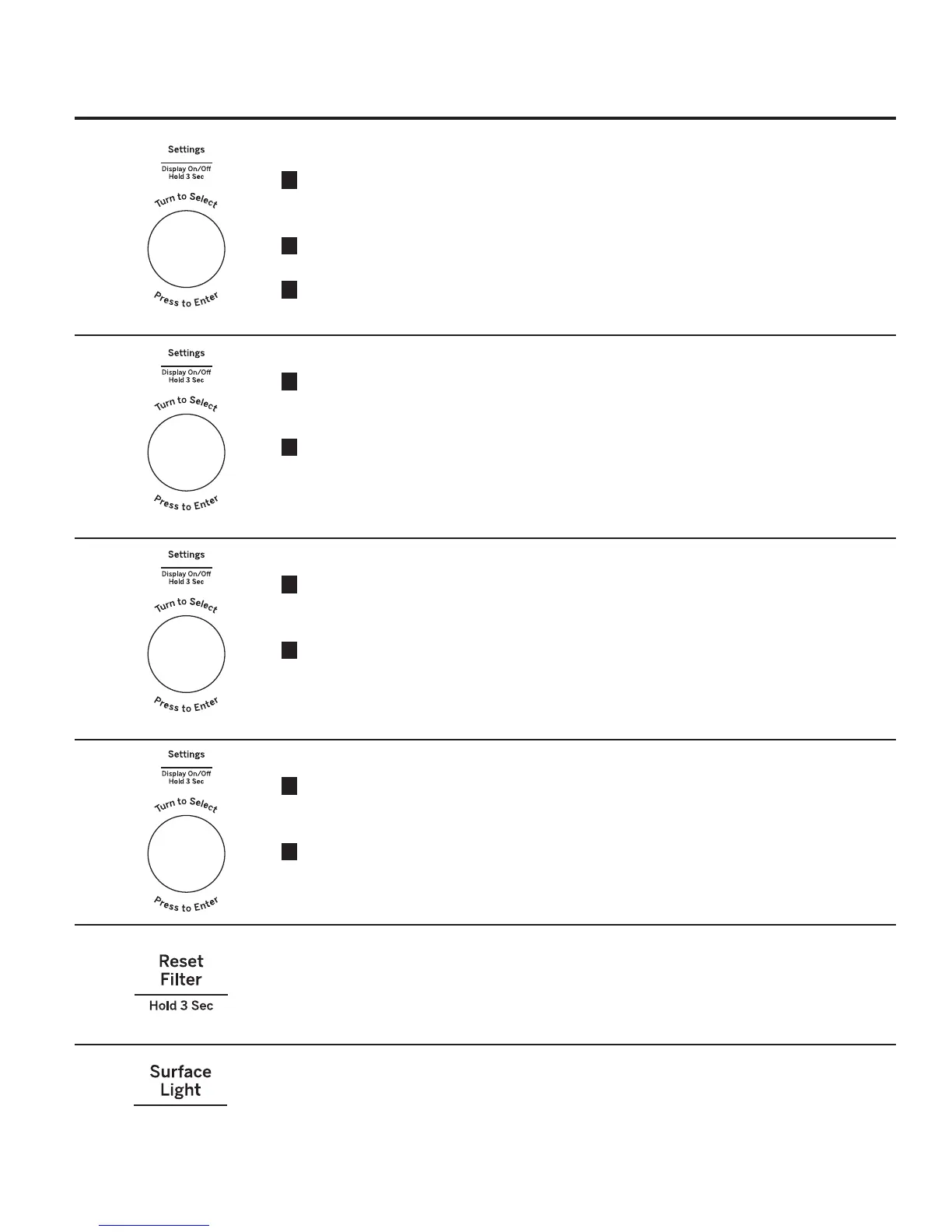
Press the Settings button and turn the dial
to select Vent Fan Sync. Press the dial to
enter.
2
Turn the dial to select Vent Fan Sync mode
(Off, Low, Medium or High).
3
Press the dial to activate.
Sync Auto Off
1
Press the Settings button and turn the dial
to select Sync Auto Off Press the dial to
enter.
2
Turn the dial to select Sync Auto Off (up to
15 minutes and manual). Press enter to
activate.
Convect Bake Offset
1
Press the Settings button and turn the dial
to select Convect Bake Offset. Press the
dial to enter.
2
Turn the dial to select Convect Bake Offset
On/Off Press enter to activate.
Bake Temp Adjust
1
Press the Settings button and turn the dial
to select Bake Temp Adjust Press the dial
to enter.
2
Turn the dial to select Bake Temp Adjust
UDQJHIURPGHJUHHWRGHJUHH3UHVV
enter to activate.
Surface Light
Press Surface Light once for bright light, twice
for the night light or a third time to turn the light
off.
Filter Replace Reminder
When the Filter Replace light turned on, replace
filter and press Reset Filter and hold for 3
seconds to reset.
A filter is only needed for models that are not
vented to the outside.


 To Next Page