EasyManua.ls Logo

GE RGBS400 - User Manual

GE RGBS400
56 pages
Print Icon
To Next Page IconTo Next Page
Loading...
Write the model and serial
numbers here:
Model # _________________
Serial # _________________
You can find the rating label on the
front behind the range drawer.
ESPAÑOL
Para consultar una version en
español de este manual de
instrucciones, visite nuestro sitio de
internet GEAppliances.com.
OWNER’S MANUAL
RANGES
Single Oven Gas
49-2000316 Rev. 0 08-18 GEA
SAFETY INFORMATION .......... 3
USING THE RANGE
In Case of a Power Failure ............... 7
Surface Burners ........................ 7
Griddle ................................ 9
Oven Controls ..........................10
Special Features ........................12
Sabbath Mode ..........................12
Cooking Modes .........................13
Oven Racks ............................14
Aluminum Foil and Oven Liners ...........14
Cookware ..............................15
Oven Air Vents .........................15
Cooking Guide .........................16
CARE AND CLEANING
Range – Exterior ........................17
Range – Interior ........................18
Cooktop ...............................19
Door and Drawer .......................21
Oven Light ............................ 22
Oven Door ............................ 22
TROUBLESHOOTING TIPS ....... 23
LIMITED WARRANTY ............ 26
ACCESSORIES .................... 27
CONSUMER SUPPORT ........... 28
GE is a trademark of the General Electric Company. Manufactured under trademark license.
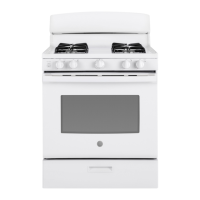
RGBS400
JGBS60
JGBS62
JGBS66
JGSS66
JGB635
JGB645
JGB660
JGB700
JGB720

Questions and Answers

  • R
    rhuntSep 23, 2025
    What to do if surface burners light but bake and broil burners do not on GE RGBS400?
    • A
      Adam HayesSep 23, 2025
      If the surface burners on your GE Ranges light, but the bake and broil burners do not, the gas to the oven burners may have been shut off. The oven gas shut-off is located on the gas regulator near the gas line attachment to your range. Locate it and flip the lever.
  • J
    Jeffrey HowellAug 23, 2025
    What to do if my GE RGBS400 oven and/or display appears not to work?
    • B
      Blake PopeAug 23, 2025
      If your GE Ranges oven and/or display appear to be not working, consider the following: * Check your home's fuse or circuit breaker and replace the fuse or reset the breaker if necessary. * Ensure the oven controls are properly set. Refer to the Using the Oven section. * Verify the oven is not in Sabbath Mode. Refer to the Special Features section. * Check if the clock is turned off. Refer to the Oven Controls or Special Features section.
  • M
    Melissa WashingtonAug 25, 2025
    Why won't my GE Ranges oven self-clean?
    • V
      Vanessa PrestonAug 26, 2025
      If your GE Ranges oven will not self-clean, it could be due to a couple of reasons: * The oven temperature may be too high to start a self-clean cycle. Allow the oven to cool down and then reset the controls. * The oven controls may be improperly set. Refer to the Care and Cleaning section for guidance.
  • F
    felicia61Aug 27, 2025
    Why don't the top burners on my GE RGBS400 burn evenly?
    • E
      Edward DavisAug 27, 2025
      Uneven burning of the top burners on your GE Ranges can be caused by: * Improper burner assembly. Make sure the burner caps are seated correctly. See the Care and Cleaning section. * Clogged burner slots on the side of the burner. Remove the burners for cleaning. See the Care and Cleaning section.
  • T
    Tami Rodriguez DDSAug 27, 2025
    Why is my food not baking properly in my GE RGBS400 oven?
    • D
      David GardnerAug 27, 2025
      If food isn't baking properly in your GE Ranges oven, several factors could be the cause: * Ensure oven controls are set correctly. See the Cooking Modes section for guidance. * Verify the rack position is correct and the rack is level. Refer to the Cooking Modes section and Cooking Guide. * Use the correct cookware or cookware of the proper size. See the Cookware section. * Adjust the oven temperature if needed. Refer to the Oven Controls section.
  • D
    debra70Sep 17, 2025
    How to fix GE RGBS400 Ranges oven light that does not work?
    • A
      Adam MaynardSep 18, 2025
      If the oven light in your GE Ranges isn't working, the light bulb may be loose or defective. Tighten or replace the bulb. See the Maintenance section for instructions.
  • R
    Rebecca NelsonSep 14, 2025
    What to do if my GE RGBS400 oven is not clean after a clean cycle?
    • N
      nicholsonnicoleSep 14, 2025
      If your GE Ranges oven isn't clean after a clean cycle: * Ensure the oven controls are properly set. Refer to the Care and Cleaning section. * If the oven was heavily soiled, clean up heavy spillovers before starting the cycle. Heavily soiled ovens may need to self-clean again.
  • T
    Thomas HowardSep 15, 2025
    Why are the burner flames on my GE RGBS400 Ranges very large or yellow?
    • C
      Christian CarterSep 16, 2025
      If the burner flames on your GE Ranges are very large or yellow, it indicates an improper air-to-gas ratio. If your range is connected to Propane gas, contact the technician who installed or converted your range.
  • V
    Vincent JacobsSep 6, 2025
    What to do if the clock flashes on my GE RGBS400 Ranges due to a power outage?
    • J
      James RiceSep 6, 2025
      If the clock on your GE Ranges is flashing due to a power outage or surge, reset the clock. If the oven was in use, you must reset it by pressing the Cancel/Off pad, setting the clock, and resetting any cooking function.
  • L
    Lee MirandaSep 3, 2025
    Why is there excessive smoking during the clean cycle of my GE RGBS400 Ranges?
    • S
      scraigSep 3, 2025
      If there's excessive smoking during the clean cycle of your GE Ranges oven, it's likely due to excessive soil or grease. Turn the Oven Temperature Knob to OFF, wait for the oven to cool, open windows to clear the smoke, wipe up excess soil, and then reset the clean cycle.

Summary

Safety Information

General Safety Instructions

Essential guidelines for appliance operation, covering general safety precautions and warnings.

Anti-Tip Device Installation

Instructions for securely installing the anti-tip bracket to prevent range tipping and ensure user safety.

Fire Prevention and Response

Advice on avoiding fire hazards, managing flammable materials, and steps to take during a fire incident.

Oven and Cooktop Safety Usage

Safety recommendations for operating the oven, cooktop, and self-cleaning functions to prevent accidents.

Using the Range

Surface Burner Operation

Guidance on lighting, flame adjustment, and selecting cookware for surface burners.

Oven Controls and Cooking Modes

Explanation of oven control buttons and various cooking modes like Bake, Broil, and Convection.

Special Oven Features

Details on operating special features like Sabbath Mode, temperature adjustment, and auto shut-off.

Cookware and Rack Placement

Recommendations for oven rack positions and choosing suitable cookware for improved cooking results.

Cooking Guide

A chart providing recommended modes, rack positions, and suggestions for various food types.

Care and Cleaning

Exterior Range Cleaning

Instructions for cleaning the range exterior, control panel, and stainless steel surfaces.

Interior Oven Cleaning

Methods for manual cleaning and using the self-clean feature for the oven interior, including rack care.

Cooktop and Burner Maintenance

Detailed steps for cleaning cooktop components, burner grates, and support bumpers.

Oven Door and Drawer Care

Guidance on cleaning the oven door interior and exterior, and removing/cleaning the storage drawer.

Troubleshooting Tips

Common Oven and Burner Issues

Solutions for problems like improper cooking, burner ignition failures, and smoking during operation.

Display Errors and Control Lockout

Troubleshooting steps for display messages, power outages, and activated control lockout features.

Burner Flame and Drawer Operation Problems

Addressing issues with burner flame appearance, oven door glass tint, and smooth drawer sliding.

Limited Warranty

Accessories

Consumer Support

GE RGBS400 Specifications

General IconGeneral
Fuel TypeGas
Number of Burners4
Oven Capacity4.8 cu. ft.
Ignition TypeElectronic
Burner TypeSealed
Width30 inches

Related product manuals