8
Programming Wi th Code Search
If your TV, VCR, or Cable Box does not respond
after you have tried all the codes for your
brand, or if your brand is not listed, try search-
ing for your code by following the steps
below.
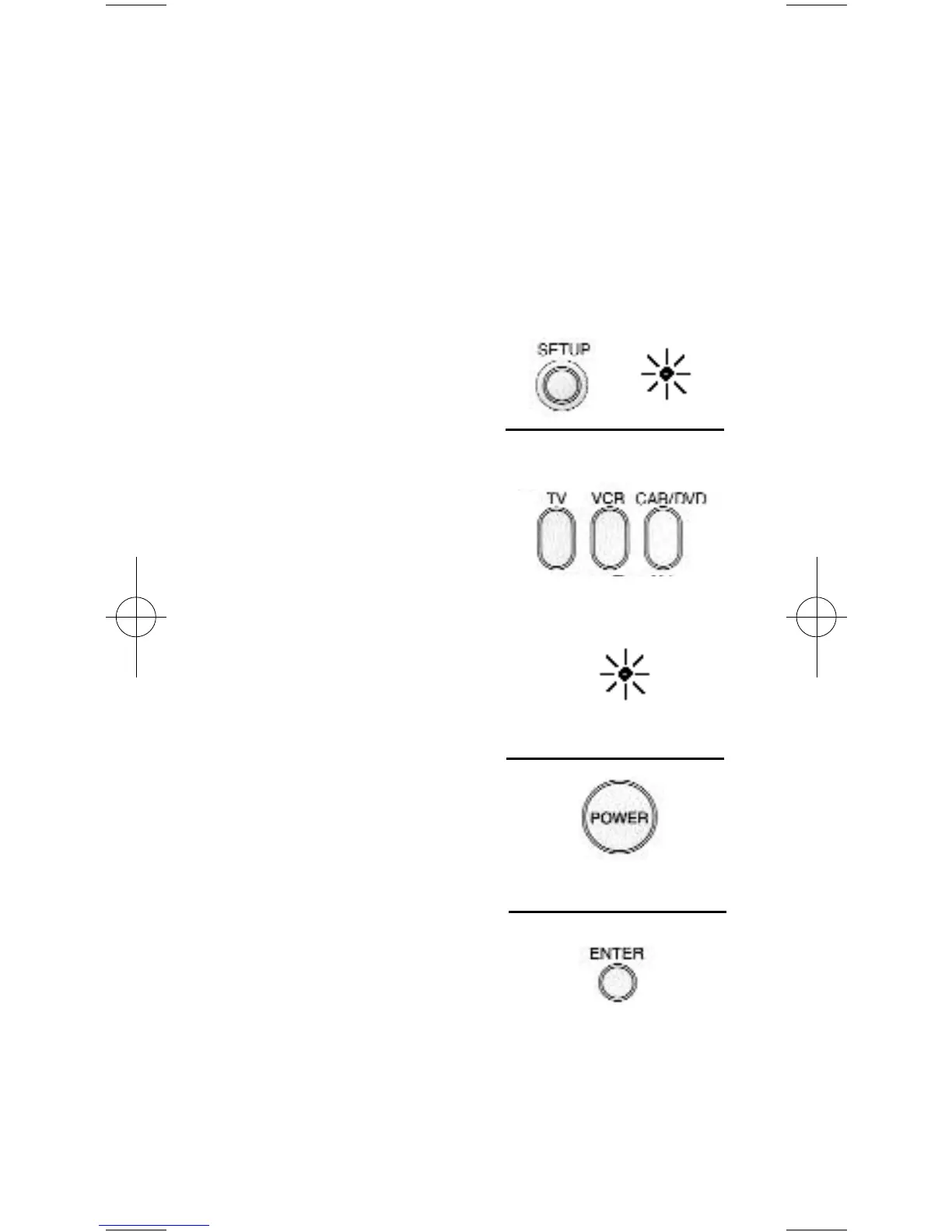
1. Turn on the device
you wish to program.
2. Press and hold
SETUP until the
INDICATOR LIGHT
lights, then release
SETUP.
3. Press and release the
device button for the
device you are
programming (TV,
VCR, CAB/DVD).
The INDICATOR
LIGHT will blink once.
For AUX, press AUX
then the device button
you are assigning to A U X.
4. Press and release PO WER
until your device turns
off. Important: You
may have to press
POWER up to 200 times.
5. When your device turns
off, press the ENTER
button, the INDICATOR
LIGHT will go off.
BLINK
94904 Revised Size 2/25/02 3:57 PM Page 8


 To Next Page
 Loading...