- 15 -
7. Identifying detector status by the LEDs
A) LED indication
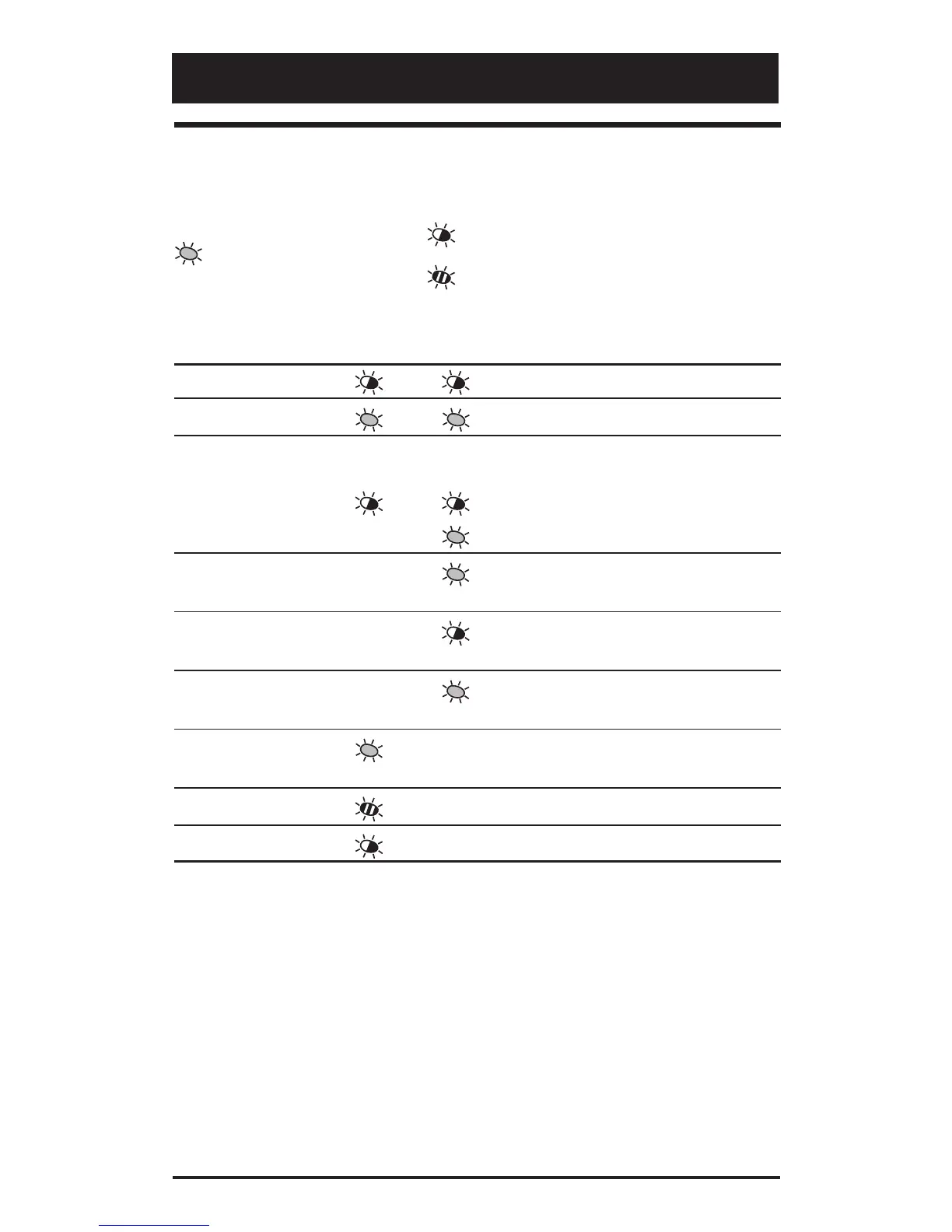
Table 3: LED indication
= Continuously On = Normal blinking (1 Hz)
= Fast blinking (4 Hz)
Detector Yellow Red To reset
status LED LED
Power On Automatically after 70 sec.
High/Low voltage Apply correct voltage.
CLM
Someone enters
the curtains
PIR intruder alarm - - - Automatically after 3 sec.
PIR intruder alarm - - -
Automatically after 3 sec.
Latched PIR - - - Switch to Day mode.
alarm: 1st to alarm
Latched PIR - - -
Switch to Day mode.
alarm: 2nd to alarm
AM alarm
- - - See table 2, DIP switch 2
(page 12).
After AM reset - - - Switch to Night mode.
Technical fault - - - Do a successful walk test.


 To Next Page