EasyManua.ls Logo

GE VH Series 2000 - User Manual

GE VH Series 2000
24 pages
Print Icon
To Next Page IconTo Next Page
Loading...
GE
Consumer & Industrial
User manual
Digital Energy™ Uninterruptible Power Supply
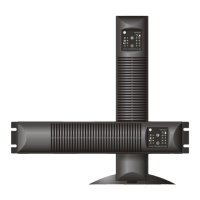
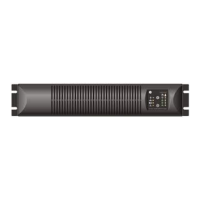
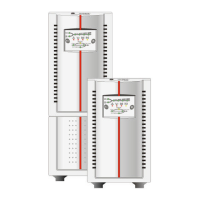
On-line VH Series UPS
700 - 1000 - 1500 - 2000 - 3000 VA
GE Consumer & Industrial SA
General Electric Company
CH – 6595 Riazzino (Locarno
Switzerland
T +41 (0)91 / 850 51 51
F +41 (0)91 / 850 51 44
www.gedigitalenergy.com

Questions and Answers

  • T
    Todd YuAug 5, 2025
    Why did my GE VH 2000 switch off automatically?
    • T
      Thomas HallAug 5, 2025
      Your GE UPS might have switched off automatically due to several reasons: * The UPS may have overheated, in which case you should allow it to cool down. * There could have been a mains failure and the battery is now discharged, in which case you should wait until the mains power returns. * It is also possible that a programmed shutdown is in progress. * If the load is less than 5% of the maximum load and no mains power is present, the no-load shutdown function may be active; wait for the mains to return.
  • A
    Amanda SimmonsAug 20, 2025
    What to do if my GE UPS will not switch on?
    • S
      Samuel JonesAug 20, 2025
      If your GE UPS won't switch on, consider these potential causes: * The line cord might not be properly connected. * The wall socket may be dead, or the mains voltage is outside acceptable limits. * The Thermal Circuit Breaker may have tripped; check the TCB.

Summary

Important Safety Instructions

Save These Instructions

Instructions for saving and using the safety manual for future reference.

Safety Rules

Essential safety guidelines and warnings for operating and maintaining the UPS.

Introduction to VH Series UPS

UPS Overview

General overview of the GE Digital Energy VH Series UPS and its purpose.

Intended Use of UPS

Defines the specific applications and types of equipment suitable for the UPS.

UPS Transport and Storage

Guidelines for safely transporting and storing the UPS unit.

UPS Warranty Information

Details the terms and conditions of the product warranty.

UPS Installation Guide

UPS Package Contents

Lists all items included in the UPS shipping box.

UPS Installation Rules

Key rules and environmental considerations for safe and effective UPS installation.

UPS Installation Procedure

Step-by-step guide for physically installing the UPS unit.

UPS Operation and Controls

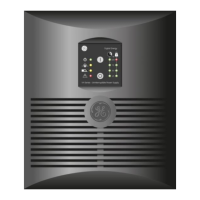
UPS Operating Panel Overview

Description of the UPS front panel controls, LEDs, and indicators.

UPS Start-up Procedures

Procedures for starting the UPS with and without mains power available.

UPS Normal Operation

Details on normal operating conditions and switching off the UPS.

UPS Status and Alarm Indications

Explanation of the UPS status indicators and fault alarms.

UPS Setup Mode Configuration

How to enter setup mode and configure UPS parameters like voltage and frequency.

UPS Battery Management

Features and procedures for managing UPS battery health and testing.

UPS Communication Options

UPS USB Port

Details on connecting the UPS to a computer via USB for monitoring.

UPS RJ 11 Port

Information about the RJ 11 port for communication and alarms.

Optional Communication Cards

Description of optional interface cards for advanced communication.

Extended Runtime Option

UPS Maintenance and Care

UPS Maintenance Safety

Crucial safety precautions to observe during UPS maintenance.

General UPS Maintenance

General maintenance recommendations and cleaning instructions.

UPS End-of-Life Recycling

Guidelines for environmentally responsible disposal of the UPS.

UPS Batteries

Information on battery life, replacement, and disposal.

UPS Troubleshooting Guide

UPS Specifications

GE VH Series 2000 Specifications

General IconGeneral
Voltage120 V
Input Voltage120 V
Output Voltage120 V
Frequency50/60 Hz
Apparent Power2000 VA
Battery TypeSealed Lead Acid
Runtime at Full Load5 minutes
Interface PortsUSB

Related product manuals