GE HEALTHCARE - KRETZTECHNIK VOLUSON® 730EXPERT (BT03)
D
IRECTION 105899, REVISION 3 DRAFT (APRIL 29, 2008) SERVICE MANUAL
Chapter 3 - Setup Instructions 3-21
3-5-11-2 External USB-Devices - Disconnection (cont’d)
The „Unplug or Eject Hardware“ dialog shows all USB-devices that are connected to the system.
On every system is an USB mass storage device, the DVD/CD writer, which has the drive letter (F:).
If the system has an optional MO-drive installed as well, it is listed too, and has the drive letter (E:).
To stop the external device, select it and click the STOP
button.
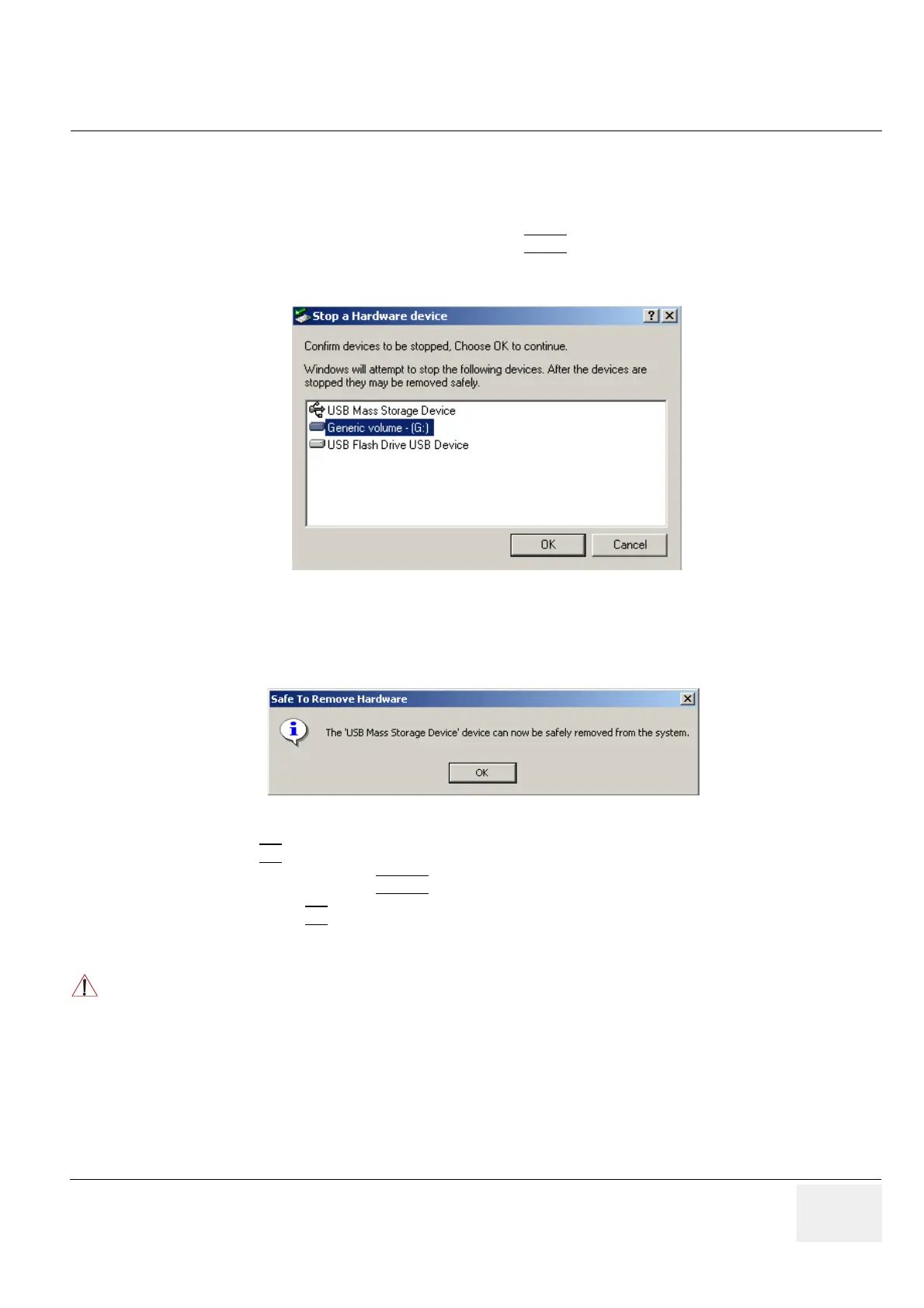
A dialog shows which components will be stopped. To finish the process, click [OK].
Finally, a dialog shows that the device was stopped successfully.
The device can now be safely disconnected from the system.
By clicking OK
, the „Unplug or Eject Hardware“ dialog is active again.
Close this dialog by clicking CLOSE
.
Afterwards select OK
to reboot the system.
Figure 3-20 Stop a Hardware device
Figure 3-21 Safe to Remove Hardware
CAUTION
!! CAUTION:
If the system’s DVD/CD writer or (optional) MO-drive was stopped by accident, simply stop the
external device as well and reboot the system.
During reboot, the DVD/CD writer and the MO-drive will be installed again.


 To Next Page